Watch Bird Feeder Cams Tonight, Streams, Setup and What to Buy
Bird feeder cams are live video feeds, either public streams or personal cameras mounted at a feeder, that let you watch birds up close without stepping outside. Start with free public streams from sources like Cornell Lab to see what’s possible, then buy hardware only if you want your own yard covered. If you do buy, prioritize reliable motion capture and steady power or Wi‑Fi over marketing claims about resolution.
TL;DR:
- Reliable motion detection and strong Wi‑Fi at the mounting site are more important than high resolution for consistent, useful bird footage.
- Choosing a camera with sufficient battery capacity to last a week and weatherproof housing suited to your climate prevents frequent maintenance and damage.
- Testing Wi‑Fi signal strength outside before installation ensures a stable connection, especially in areas with dense foliage or distance from the router.
- Using public feeder cams from Cornell Lab or Globewebcams allows you to verify species presence and seasonality before investing in equipment.
- Proper placement, such as avoiding direct sunlight and positioning near cover, significantly improves footage clarity and reduces false triggers.
GlobewebcamsExplore Bird Feeder Cams NearbyUse Globewebcams to discover live feeder cams and explore birds, destinations, and outdoor views through an interactive map.Explore live webcams
Table of Contents
- Where to Watch Live Bird Feeder Cams Right Now
- How to Choose a Bird Feeder Camera: A Practical Buyer Checklist
- Setting Up Your Camera: Placement, Wi‑Fi, and Power
- What the Specs Actually Mean: Resolution, Motion, AI ID, and Night Vision
- Keeping Your Feeder Cam Working: Maintenance and Squirrel-Proofing
- Get Started: A Quick Checklist and Feeds to Try First
- Privacy and Legal Considerations When Installing Bird Feeder Cams
- Best Apps and Software for Viewing and Managing Bird Feeder Cams
- Tips for Attracting Different Bird Species to Your Feeder for Better Cam Views
- Why We Built Our Discovery Tool Around the Map, Not the List
- Explore Live Feeder Cams on the Globewebcams Map
- Sources
- FAQ
Where to Watch Live Bird Feeder Cams Right Now
Cornell Lab Bird Cams runs a well-established network of live bird feeds, pairing streams with species pages and curated highlight clips that can turn passive viewing into an identification lesson. Their FeederWatch cam alone draws viewers who want to learn what’s showing up at a feeder before they ever buy one, and the broader Cornell Lab Bird Cams network covers international feeders too.
For broader discovery, Globewebcams works as a map-based directory, letting you browse nature and feeder cams by location and category rather than hunting through scattered links. That geographic browsing is useful if you’re scouting what species show up in a region similar to yours before committing to your own setup.
Filtering is straightforward on both: look for category tags (feeder, nest box, migration), check whether a stream is live versus archived, and narrow by country if you want region-specific species. On bandwidth, a stream around 720p to 1080p is usually enough to identify birds at close range, though higher resolution helps when the camera sits farther from the feeder.
A few feeds worth trying first:
- Cornell Lab’s FeederWatch cam for a steady mix of common feeder species
- Cornell Lab’s international feeder cams for species you won’t see in your own region
- A Globewebcams map search filtered to “nature” or “feeder” near a region you’re curious about
How to Choose a Bird Feeder Camera: A Practical Buyer Checklist
Most shoppers fixate on resolution numbers and miss the specs that actually determine whether a camera is fun to use six months in. PCMag’s testing puts motion detection reliability, Wi‑Fi consistency, and power performance ahead of raw video quality, and that ordering holds up against most real complaints from feeder camera owners.
- Motion trigger reliability first. A camera that misses half of a chickadee’s visit because the sensor is slow is worse than one with lower resolution but consistent capture.
- Power capacity as your baseline. Look for a battery capacity sufficient to last through a busy week without a recharge if you’re not adding solar; this is an important baseline for power.
- Confirm signal strength at the mount, not indoors. Wi‑Fi that reads strong by your router can drop out completely 30 feet away near a tree line, so test with a phone at the actual mounting spot before buying anything.
- Understand the playback model. Some cameras offer free rolling clip storage for a week or two; others push you into a subscription for cloud history beyond a day. Decide how much archive access matters before you’re locked into a plan.
- Weatherproofing and squirrel resistance. Check the IP rating, and make sure the housing is rated for the swings your climate actually produces, not just “outdoor use.”
Pro Tip: Bring the camera outside and stand where you plan to mount it, then run a speed test on your phone. If it’s shaky there, it’ll be shaky for the camera too.
Setting Up Your Camera: Placement, Wi‑Fi, and Power
Placement decisions made in the first ten minutes usually determine whether you’re happy with the camera in month three. Point the lens away from direct morning or evening sun; backlighting washes out footage and confuses motion sensors into firing on shifting light rather than birds.
- Test Wi‑Fi at the mount using your phone before installing anything permanent.
- Angle the camera slightly downward toward the feeding surface rather than straight across, which cuts down on false triggers from background branches swaying in wind.
- Mount everything as rigidly as possible. A wobbly pole causes blur and can trip motion alerts on its own.
- If using solar, face the panel toward the strongest consistent daylight exposure for your region, and expect winter performance to drop.
Solar reduces how often you’re climbing a ladder to swap batteries, but it doesn’t eliminate the need for planning around shade and season. Guidance on solar feeder cameras notes that sunlight availability, battery design, and placement still govern real performance, so a removable battery as backup is worth keeping even if you go solar.
Pro Tip: If your yard has patchy sun, skip solar and just carry a spare battery. Swapping a battery takes thirty seconds; troubleshooting a solar panel in low light does not.
What the Specs Actually Mean: Resolution, Motion, AI ID, and Night Vision
A camera advertised at 4K sounds impressive until you realize the sensor and motion detection quality matter far more for a feeder mounted a few feet away. Close-range sharpness at a modest resolution often beats a nominally higher resolution paired with a cheap sensor and sluggish trigger.
- Motion detection design affects both battery life and how often you get useless clips of a leaf blowing past. A well-tuned PIR sensor with adjustable sensitivity beats a basic motion trigger every time.
- AI species identification is a nice extra in a yard with real variety, but it’s mostly wasted on an urban balcony where you’re seeing the same two or three species daily. Save the premium for a rural or semi-wooded setup where identification actually adds value.
- Night vision and IR illumination won’t show you color, and most birds aren’t active after dark anyway, so treat this as a bonus for the occasional owl or raccoon visit rather than a core feature.
Buyer guides that track the full experience chain, capture, trigger, review, power, durability, consistently find that one weak link ruins the experience more than a modest resolution gap ever will.
Keeping Your Feeder Cam Working: Maintenance and Squirrel-Proofing
Clean the lens and feeder tray every couple of weeks; seed dust and moisture buildup are the most common causes of blurry footage that owners mistake for a camera defect. Check drainage too, since standing water after rain invites mold that can fog a lens housing over time.
- If clips look shaky, check mount stability before blaming the camera itself.
- Reduce false alerts by trimming background branches and lowering sensitivity if wind keeps triggering recordings.
- For squirrel resistance, a metal-bodied feeder holds up far better than plastic against persistent chewers, and pairing it with a baffle positioned roughly 10 feet from likely launch points keeps both the feeder and the footage steady.
Get Started: A Quick Checklist and Feeds to Try First
You don’t need to buy anything to start watching tonight.
- Decide whether you’re watching public streams or setting up your own camera.
- If installing hardware, confirm Wi‑Fi signal strength at the exact mount location.
- Pick a power plan: battery only, solar with battery backup, or a wired setup if the mount allows it.
- Set motion sensitivity conservatively at first, then adjust after a day of test clips.
- Watch Cornell Lab’s FeederWatch cam or search Globewebcams for a regional feed to confirm which species are realistic for your climate before spending money on a camera.
Using public cams this way isn’t just window shopping. It’s a legitimate way to test whether a location and season will actually deliver the species you’re hoping to see.
Privacy and Legal Considerations When Installing Bird Feeder Cams
A feeder camera pointed at your own yard is generally your business, but the angle of the lens matters more than most first-time buyers realize. If the camera’s field of view captures a neighbor’s yard, windows, or private space, you may be creating a privacy issue even if the bird feeder itself sits entirely on your property. Adjust the mounting angle to keep the frame tight to the feeder and surrounding foliage rather than a wide shot that sweeps into adjoining property.
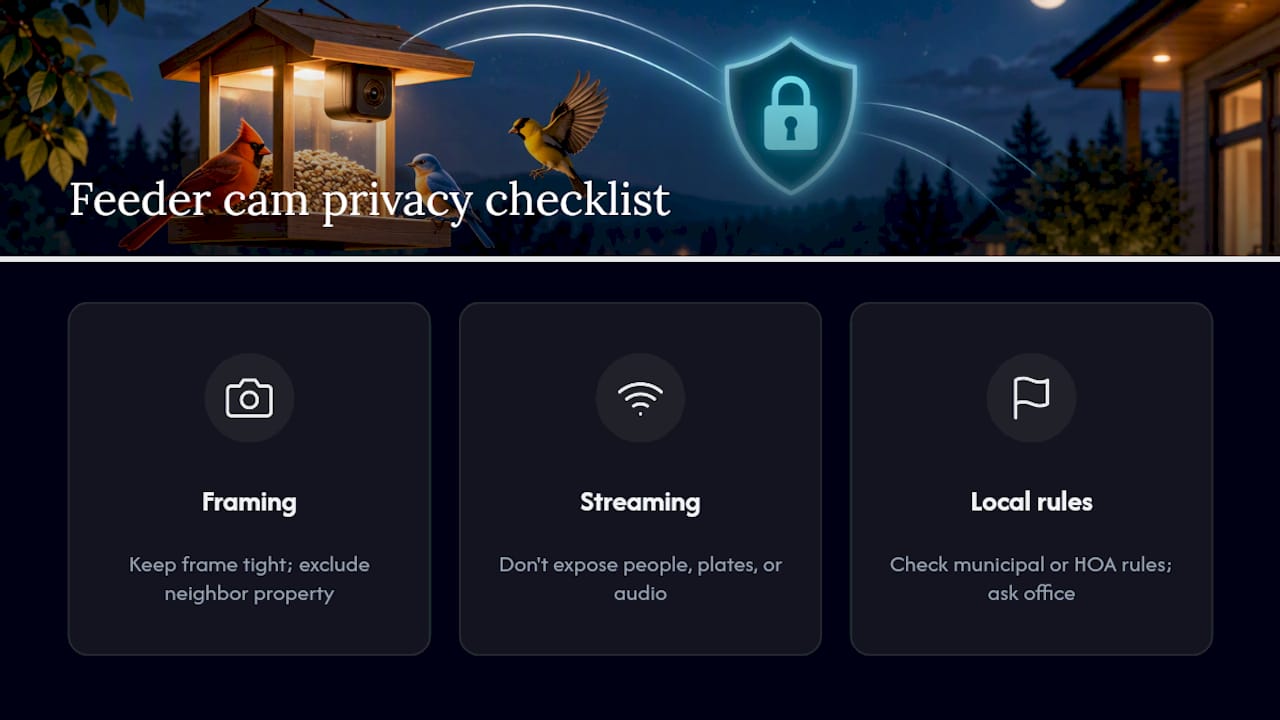
Streaming footage publicly adds another layer. If you plan to share a live feed online, check whether any incidental audio or background footage could capture identifiable people, license plates, or other private details. If your camera records audio, treat that as a separate privacy consideration and confirm the model’s settings before enabling or sharing it.
Rules for outdoor cameras, audio capture, and publication of identifiable footage vary by jurisdiction and can also be affected by property or community rules. Keep the frame focused on your feeder and your own property, minimize incidental capture of people or neighboring private areas, and check the rules that apply where you live before publishing a feed.
Best Apps and Software for Viewing and Managing Bird Feeder Cams
Most feeder cameras come bundled with a manufacturer app that handles live viewing, clip storage, and notification settings, and for casual use that’s usually all you need. The gap between a good and mediocre app shows up in three places: how fast the live view loads, how customizable the motion alerts are, and whether clip history is easy to scrub through without lag.
If you’re watching public feeds rather than managing your own hardware, no app is required at all. Cornell Lab’s streams run directly through a browser, and Globewebcams’ map interface works the same way, letting you jump between regional feeds without installing anything.
For owners managing their own camera, look for apps that let you set separate sensitivity zones (so a feeder in the foreground doesn’t share triggers with a background tree), and check whether clip downloads are unlimited or capped by a subscription tier. Some apps throttle video quality on free plans specifically to push a paid upgrade, so read the fine print on playback resolution before assuming a low-cost plan gives you the full experience.
Battery and signal monitoring built into the app is worth checking too. A camera that only tells you it’s offline after you’ve missed three days of footage is far less useful than one that pushes a low-battery warning while you can still act on it.
Tips for Attracting Different Bird Species to Your Feeder for Better Cam Views
The single biggest lever for interesting footage isn’t the camera. It’s what’s in the feeder. A single seed type pulls in a narrow slice of species, while a mix of black oil sunflower seed, suet, and nyjer draws a wider range of visitors across the day.
Suet feeders tend to attract woodpeckers and nuthatches that rarely show up at a standard seed feeder, and they’re active enough to trigger motion detection reliably, which makes for good footage. Nyjer seed in a tube feeder brings in finches, which cluster and feed for longer stretches than many other species, giving your camera sustained clips instead of quick in-and-out visits.
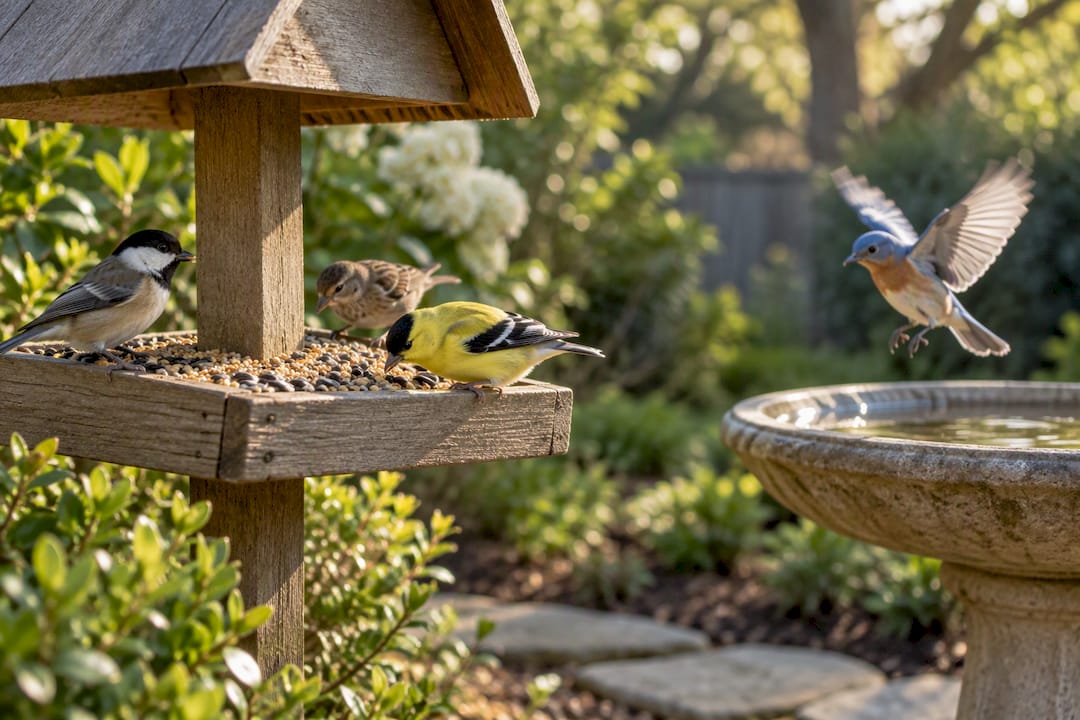
Water is an underused draw. A shallow bird bath positioned near, but not directly beside, the feeder often pulls in species that ignore seed entirely, broadening the variety your camera catches over a season. Height and cover matter too: feeders placed near enough to shrubs for quick escape cover, but not so close that squirrels can launch from branches, tend to see more consistent species diversity because birds feel safer lingering.
Seasonal rotation helps as well. Suet performs better in colder months when birds need the fat content, while nectar feeders for hummingbirds only make sense in warmer seasons and specific regions. Match what’s in the feeder to the season, and your footage variety will follow.
Why We Built Our Discovery Tool Around the Map, Not the List
Most feeder cam roundups are just lists, and lists get stale the moment a stream goes offline or a new one launches. We built Globewebcams around a map instead, because geography is the more durable way to browse: pick a country or region, and the map surfaces whatever live feeder and nature cams are active there right now. That includes the MapLibre technology under the hood, which is what makes panning and filtering the map interactive rather than a static grid of thumbnails.
If you’re trying to figure out what’s realistic for your own yard, searching the map for a region with a similar climate to yours is one of the more useful things you can do before buying hardware.
Explore Live Feeder Cams on the Globewebcams Map
Globewebcams organizes public live webcams, including feeder and nature cams, by country and category on an interactive map, so you can go from “curious about a region” to “watching it live” in a couple of clicks. If you’ve been reading buyer guides and checklists but haven’t actually watched a feeder feed yet, that’s the gap worth closing first. Browse the Globewebcams worldwide map to see what’s live right now, or check the methodology page if you want to understand how feeds get curated and categorized before you trust one as a stand in for your own future setup. Either page is a reasonable place to start; the map is the faster route if you just want to watch something today.
Sources
FAQ
What Is the Best Camera for a Bird Feeder?
There’s no single best model for everyone. Prioritize reliable motion detection, stable Wi‑Fi at the actual mounting point, a power setup that fits how often you can recharge or service the camera, weather resistance, and usable video quality. Buyer guides such as PCMag’s can help compare these trade-offs, but the right balance depends on your mounting location and viewing habits.
What Is the 5 7 9 Rule for Bird Feeders?
This isn’t a standardized rule with a documented origin, and definitions vary depending on where you encounter it. If you’ve seen it referenced as a spacing or feeder-count guideline, treat it as informal advice rather than an established standard, and prioritize proven placement basics instead, like keeping feeders away from windows and giving birds clear sightlines to escape cover.
Are Bird Feeders with Cameras Worth It?
For anyone who enjoys close observation of bird behavior, yes, especially once you’ve confirmed through public streams that your region and season will actually deliver decent species variety. The value comes down to whether the camera you choose nails motion capture and power reliability; a camera that misses triggers or dies mid-week undercuts the whole point.
Why Put a Potato in the Bird Feeder?
A potato isn’t a standard feeder practice, and no credible bird feeding guidance recommends it as a food source or attractant. If you’ve seen this suggested somewhere, it’s likely a misunderstanding of suet cake preparation, which sometimes uses rendered fat with fillers, rather than an actual potato placed in a feeder.