Find National Park Webcams Fast: Map Search, Live Timestamps
The best national park webcams come straight from the National Park Service, which hosts park-specific camera pages alongside federal aggregated lists that pull views from across the system. GlobeWebcams adds a map-based layer for browsing these feeds by location and category, always linking back to the original provider. Most people use them for scenic viewing, timing an entrance run, or gauging visibility before a hike, but every image needs a quick timestamp check first.
TL;DR:
- Official park webcams provide the most accurate status, refresh rate, and seasonal notes, but static images may be outdated by several hours.
- Livestream cameras run continuously during daylight hours, while static webcams update periodically, often every 15 minutes or less.
- Always verify timestamps and distinguish between live feeds and snapshots before drawing conclusions about current conditions.
- Remote or high-elevation cameras often operate only in warmer months due to reliance on limited power sources like solar energy.
- GlobeWebcams offers a map-based browsing tool that links directly to original sources, speeding up the search for relevant park views.
GlobeWebcamsglobewebcams.comFind Park Views FasterBrowse national park webcams by location and category, then follow each view back to its original provider for source context.Explore the interactive map
Table of Contents
- Where to find national park webcams
- How to use webcams for planning, weather orientation, and wildlife viewing
- Technical and operational limits: seasons, refresh rates, and reliability
- How GlobeWebcams helps you find park views faster
- Primary sources for checking webcam status
- Sources
- FAQ
Where to find national park webcams
Start with the park itself. Individual National Park Service units run their own webcam pages, and these are the most reliable place to check a camera’s real status, refresh rate, and any seasonal notes.
Grand Canyon’s webcam page posts views from Yavapai Point, the South Entrance Station, and Bright Angel Trailhead, each with a listed refresh interval and a reminder to check the image date and time before trusting what you see. Yellowstone’s webcam hub is a good example of the two main camera types you will run into: a volunteer-run livestream of Old Faithful, and a set of static webcams that refresh on a schedule rather than streaming continuously. Great Smoky Mountains runs a similar setup, with cameras at Clingmans Dome and Newfound Gap that update roughly every 15 minutes and, in some cases, tie into air quality monitoring.
For a broader search across many parks at once, federal aggregated lists are the faster route. The CIRA federal webcams table sorts webcam locations across national parks and other federal land, which is useful if you are trying to compare visibility or weather across several sites rather than checking one park page at a time.
Some map-based services provide a way to browse webcams by place or category without knowing in advance which agency runs the feed.
- Official park pages give you the clearest status notes, refresh intervals, and any seasonal caveats specific to that camera.
- Federal aggregated lists suit cross-park searches or spotting lesser-known feeds you would not find by browsing one park’s site.
- Map-based aggregators can help when you want to scan multiple locations quickly and jump to the original provider.
Pick the source that matches what you are trying to do. If you need to know whether a specific camera at a specific trailhead is working today, go to that park’s own page. If you are planning a broader outdoor trip and want a visual sense of conditions across several parks, an aggregated list or map view saves time.
How to use webcams for planning, weather orientation, and wildlife viewing
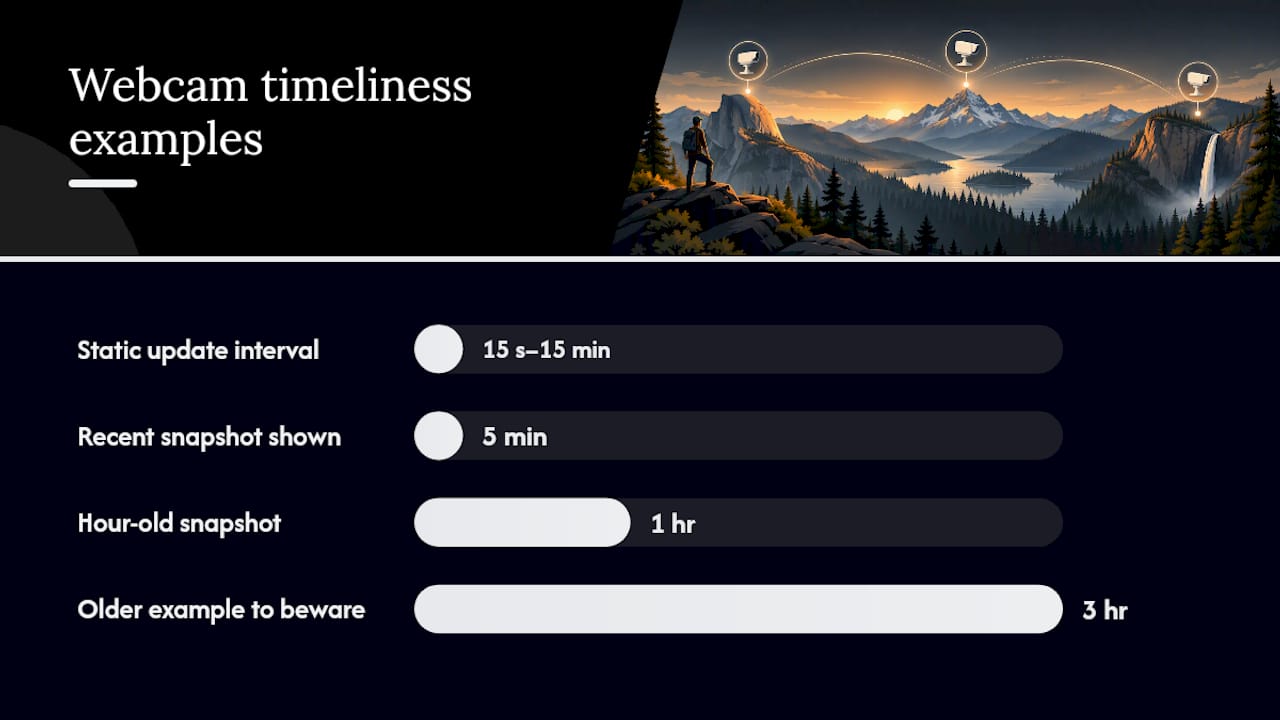
A webcam is only as useful as your ability to read it correctly. The first thing to check is whether you are looking at a livestream or a static snapshot, since the two behave very differently. Yellowstone’s page draws this distinction directly: the Old Faithful livestream runs more or less continuously during daylight hours, while its static cameras only update at set intervals, commonly every 15 seconds to 15 minutes.
Once you know which type you are viewing, check the timestamp. Grand Canyon’s page explicitly advises checking the image date and time before drawing any conclusions, since a static image posted an hour ago tells a very different story than one from five minutes ago.
A simple workflow keeps this manageable:
- Locate the camera through an official park page, a federal list, or a map-based tool.
- Verify the timestamp and confirm whether it is a livestream or a periodically refreshed snapshot.
- Interpret the image in context: does it match the current time of day and season, and does it look consistent with recent weather reports?
- Act on it only as one input among several, alongside official alerts and forecasts.
This applies whether you are trying to estimate how busy an entrance station looks, checking whether a high-elevation trail is buried in snow before you drive up, or watching for wildlife during a known activity window. Great Smoky Mountains cameras that update near real time can also carry air quality or visibility data, which is handy if haze or smoke is a concern that day.
Pro Tip: Before a mountain drive, check the webcam’s timestamp first, then cross-reference it against the park’s current weather alert page. A clear image from three hours ago is not the same as current conditions.
Webcams are orientation tools, not substitutes for a road report or a ranger station call.
Technical and operational limits: seasons, refresh rates, and reliability
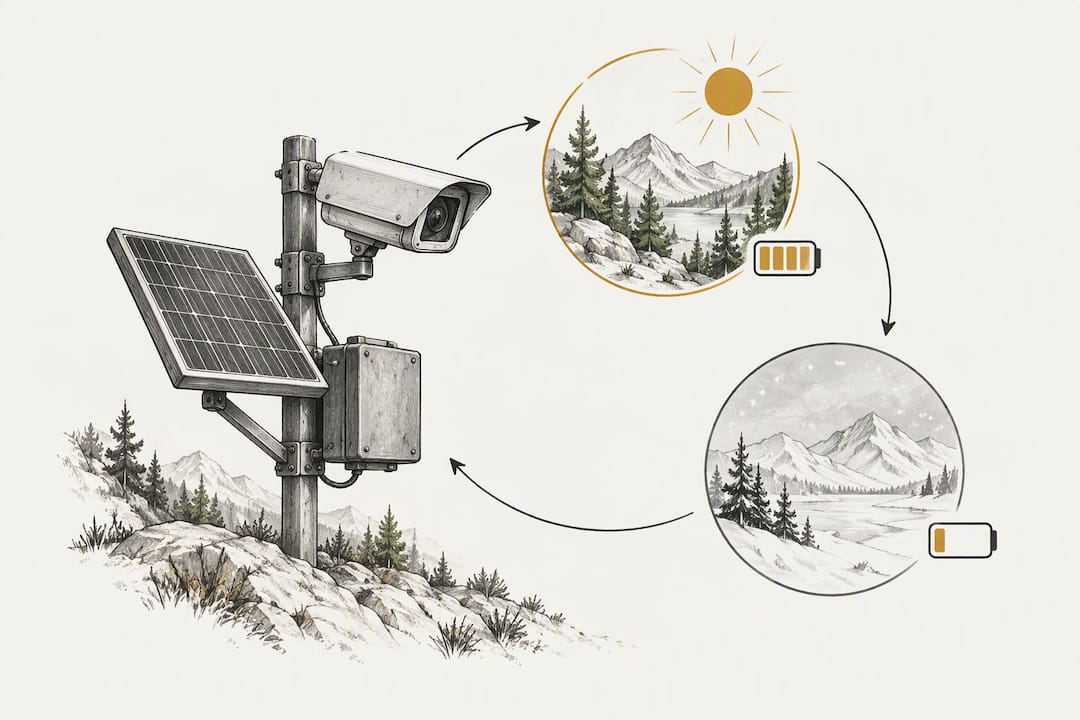
Webcams fail in predictable ways, and knowing the common ones saves you from misreading a feed. Remote or high-elevation cameras often depend on solar or limited power, which means some run only during warmer months. Isle Royale’s Tobin Harbor webcam, for instance, is active only when power is available, typically from spring through early fall.
Livestream cameras can also depend on volunteer operators or specific funding partnerships, which affects how consistently they run and whether outages get fixed quickly. Static cameras tend to be more stable since they simply capture and post an image on a timer, but that timer varies by park and by camera.
Before relying on any feed, run through a short checklist:
- Confirm the camera is hosted or linked by an official park page rather than an unverified third-party embed.
- Check the visible timestamp or “last updated” note on the image itself.
- Look for explicit status notes about seasonal operation, maintenance, or known outages.
- Cross-check current park alerts for anything that might explain a camera being offline or showing unexpected conditions.
How GlobeWebcams helps you find park views faster
Once you know what to look for, the challenge is often just finding the right camera without hunting through dozens of separate agency websites. GlobeWebcams organizes public and authorized webcams on an interactive worldwide map along with dedicated pages by place and category, so a search for a park or region can surface relevant feeds without you needing to know which agency hosts them.
The site applies source-rights, availability, and quality checks before listing a webcam, and every listing links back to the original provider rather than rehosting the feed as its own. You can see this pattern on individual provider pages, where the original source is credited and linked directly.
To use it for national park research:
- Search by park name or browse the nature and parks category on the map.
- Open the place page for the park or region you are interested in.
- Follow the provider link through to the original camera source for the most current status and any notes the park itself has posted.
For more detail on how listings get checked, the sources page explains the verification process, and the methodology page covers how camera pages get curated and updated.
Primary sources for checking webcam status
A short list of official hubs covers most of what you need for verification or for finding additional cameras beyond the well-known ones.
- Grand Canyon’s webcam page lists refresh intervals and viewpoint names directly.
- Yellowstone’s webcam page explains the livestream versus static camera distinction in plain terms.
- Great Smoky Mountains’ webcam page covers cameras that update roughly every 15 minutes with air quality integration.
- The CIRA federal webcams table is built for sorting and comparing cameras across many parks and federal sites at once.
Sources
- DOI blog — 4 wildlife cams you’re guaranteed to love
- Webcams - Grand Canyon National Park (U.S. National Park Service)
- Webcams - Great Smoky Mountains National Park (U.S. National Park Service)
- Webcams - Yellowstone National Park (U.S. National Park Service)
- Live Webcams (federal aggregated list)
FAQ
Are there any live cameras in national parks?
Yes. The National Park Service and its partners operate a mix of livestreams and static webcams across many parks, including Yellowstone’s Old Faithful livestream and static cameras at Grand Canyon and Great Smoky Mountains. Some are continuous video feeds, while others post updated snapshots on a set schedule rather than streaming live.
Are there any live cameras in Nags Head, NC?
This article focuses on national park webcams rather than specific coastal towns, so it does not cover Nags Head cameras directly. For location-specific feeds outside national parks, a map-based tool like GlobeWebcams lets you search by place to see what public webcams are listed for a given area.
What are the best free live webcams?
For national parks specifically, official National Park Service pages such as Yellowstone’s and Grand Canyon’s webcam hubs are free, authoritative, and clearly attributed. Beyond parks, GlobeWebcams aggregates public and authorized webcams by category and location, which is a practical way to browse free feeds across many places at once.
Are there any live webcams in Gatlinburg, Tennessee?
This article does not cover Gatlinburg specifically, but nearby Great Smoky Mountains National Park runs webcams at Clingmans Dome and Newfound Gap that update approximately every 15 minutes. These offer a general sense of conditions in the surrounding area, though they are not a substitute for local weather or road reports.
Recommended
Webcam availability and conditions can change without notice. GlobeWebcams does not operate most listed cameras; feeds and imagery remain under the control of their original providers. Do not rely on webcam imagery alone for weather, road, travel or safety decisions.