How to Verify Travel and Nature Webcams
In this article, “earth from space live” means ground-based public webcams showing cities, coastlines, landmarks and nature around the world, not orbital or satellite footage. The fastest way to watch useful views is through a map-first directory that links to provider pages showing timestamps and source attribution. Always confirm those timestamps and refresh notes before treating any image as current.
TL;DR:
- Refresh behavior varies by operator and camera: some pages are continuous streams, while others update still images on a schedule.
- Category filters can help narrow discovery, but the original provider page is still the best place to confirm whether the feed is current.
- For travel or local-condition checks, use a webcam as supplementary context and consult the relevant official source for current notices.
- Camera availability varies seasonally and by maintenance, meaning some webcams labeled “active” may still operate on limited schedules or rotate viewpoints.
- Confirm the live status by inspecting the provider’s note on refresh intervals and checking the source link rather than relying solely on the “live” label.
GlobeWebcamsExplore Verified Views WorldwideBrowse location-based webcams for travel planning, weather, outdoor conditions, nature, landmarks and destination discovery on an interactive global map.Explore the interactive map
Table of Contents
- How to find Earth webcams fast: maps, categories, and workflows
- Live vs refreshed images: verifying if a feed is truly live
- What makes a webcam useful for travel, weather and nature watching
- Responsible viewing and usage rights: privacy, conservation and permissions
- Using GlobeWebcams to discover and verify Earth webcams
- FAQ
- Sources
How to find Earth webcams fast: maps, categories, and workflows
The quickest way to scan many locations at once is a map-first directory, where you can zoom into a region and see every indexed camera at a glance instead of searching site by site. We built our worldwide webcam map around this idea: pick a country or city, then narrow results by category so you land on the type of view you actually want.
Category filters matter because a traffic camera, a weather camera and a wildlife camera serve completely different purposes, even when they sit in the same town. Narrowing by category before opening a page saves time and avoids the wrong kind of feed for your task, whether that’s checking a mountain pass before a drive or watching a coastline for storm activity.
Once you land on a provider page, look for a visible timestamp and any note about how often the image refreshes, then follow the source link to the original provider to confirm the view is current.
A simple workflow for most trips or checks:
- Locate the place on a map-based directory and open its webcam listing.
- Filter by category (weather, traffic, nature, landmark) to match your purpose.
- Open the provider page and check the timestamp and refresh interval before trusting the view.
- Cross-check official weather or road-condition pages if the decision involves travel or safety.
Live vs refreshed images: verifying if a feed is truly live
Not every webcam labeled “live” streams continuously. Many providers publish a still image that refreshes on a schedule, which is useful but different from a true video stream, and the only reliable way to tell them apart is the provider’s own labeling plus a visible timestamp on the image itself.
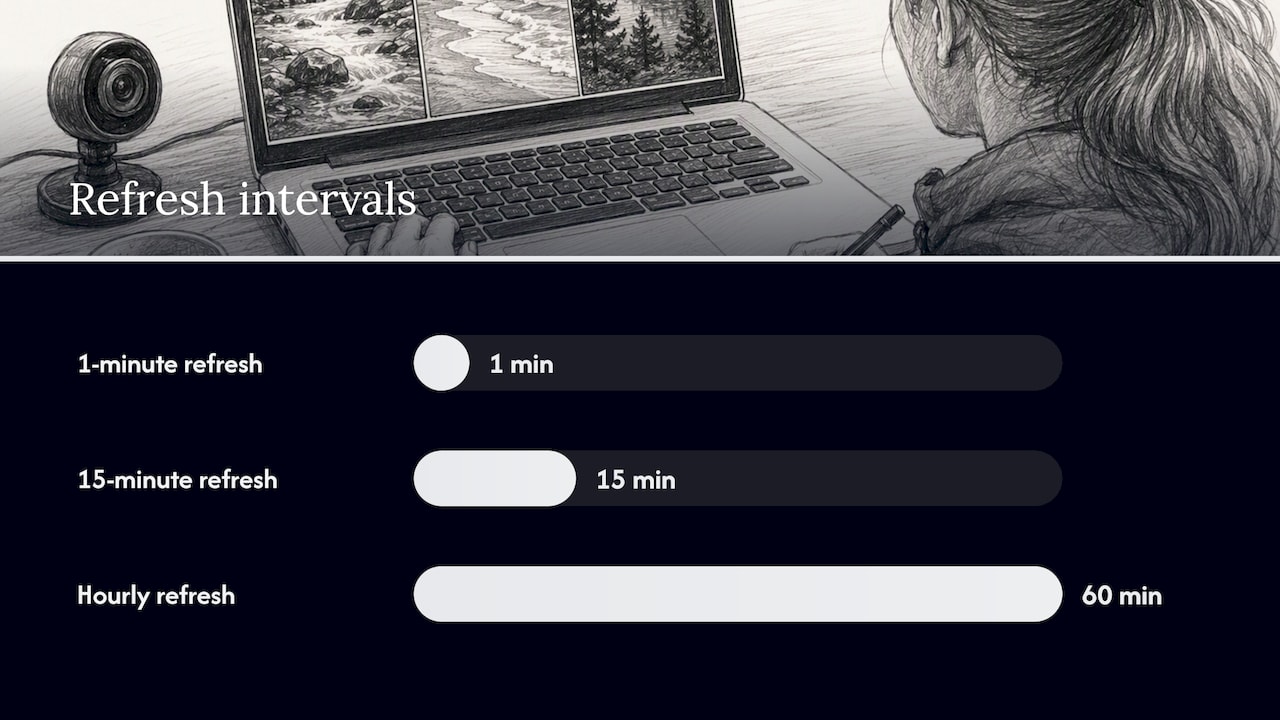
Refresh intervals vary by purpose. Grand Canyon National Park runs some views that refresh every minute and others every 15 minutes, and its pages advise viewers to check the date and time shown on each image rather than assume the view is current. Great Smoky Mountains National Park updates its digital images roughly every 15 minutes and pairs them with hourly air quality and meteorological data when available.
A short checklist before you rely on any image:
- Look for a visible timestamp printed on or near the image.
- Check the page for a stated refresh interval.
- Note whether the camera is labeled “active,” “seasonal,” or offline for maintenance.
Pro Tip: If a page does not state a refresh interval, treat the image as a snapshot of unknown age rather than a live view.
Some cameras also rotate between viewpoints rather than holding one fixed scene, so a view you want may only appear on a schedule rather than continuously.
What makes a webcam useful for travel, weather and nature watching
A sharp, high-resolution image is not what makes a webcam useful. The metadata around it does the real work.
- For travel planning, look for short refresh intervals and views that face a road, entrance or queue area, since these change fast enough to matter for timing a visit.
- For weather checks, the most useful pages pair the camera image with official meteorological or air-quality data on the same page rather than leaving you to guess from the picture alone.
- For wildlife and nature watching, camera placement and an “active” status matter more than image quality, and availability is often seasonal.
Yellowstone National Park currently lists the Old Faithful and Upper Geyser Basin camera as an active livestream. NPS separately notes that Yellowstone contains nearly 500 geysers.
One useful figure: Great Smoky Mountains National Park pairs its roughly 15-minute image refresh with hourly air quality and weather data, which is a practical model for judging usefulness: refresh speed plus context beats resolution alone.
Wildlife cameras such as the Brooks Falls feed in Katmai National Park are explicitly marked “Active” on their provider page, which tells viewers the camera is currently operating rather than offline for the season.
Responsible viewing and usage rights: privacy, conservation and permissions
A public webcam is not an invitation to visit or disturb the wildlife or location it shows, and it is not a substitute for official guidance on safety or conservation. Treat what you see as informational, not as permission or confirmation.
- Follow park or local guidance on wildlife distance and access rather than using a camera view to plan a visit to a sensitive habitat.
- Public availability does not mean unrestricted reuse; check the provider’s terms and credit the source when reuse is allowed.
- Cross-check official sources, such as park pages, transportation departments or weather services, before making a travel or safety decision, rather than relying on a single camera image.
- Some conservation programs intentionally delay or limit location data to protect species from disturbance or poaching.
A 2025 perspective published in Frontiers in Conservation Science argues that wildlife digital technology can build public connection with animals, but it also creates obligations and potential harms, including cases where location data is deliberately withheld to prevent poaching.
Wildlife digital technology can strengthen public relationships with animals, but it also carries obligations and risks that justify limiting some data, such as precise location, to protect the animals involved.
Provider terms can differ from one camera source to another. The original provider-linked Exa reference is retained here as secondary background, but operator terms and original publications should be preferred when available.
Using GlobeWebcams to discover and verify Earth webcams
We built our directory around the problem this article walks through: finding a relevant webcam fast, and then confirming it is actually current before you rely on it. Our worldwide webcam map lets you browse by country, place or category instead of hunting through individual provider sites one at a time.
Every webcam page we publish links back to the original provider, so you can confirm status, read any operator notes, and see the same timestamp and refresh details discussed above. We explain how we check availability, sourcing and quality before publishing a page on our methodology page, and we list the provider attribution behind our listings on our sources page.
A few habits make our pages more useful:
- Check the timestamp and any refresh-interval note before treating a view as current.
- Follow the provider link on the page to confirm the camera’s live status at the source.
- Use category and country filters to narrow quickly instead of scrolling an unsorted list.
Start browsing by country, category or place the next time you are planning a trip, checking weather, or just want to look somewhere new.
FAQ
What does “Earth from space live” mean on this site?
No. This article is about ground-based public webcams of cities, coastlines, landmarks and nature. Camera pages may be continuous streams or periodically refreshed images.
How can I tell if a webcam is actually live right now?
Look for a visible timestamp on the image and any provider note about refresh interval, since a page without either should be treated as a snapshot of unknown age. Grand Canyon National Park advises checking the date and time shown on its images for this reason.
Can I use a webcam image to decide whether it is safe to travel?
No. A webcam image is a helpful supplement, not a substitute for official weather, road or safety sources, so cross-check park, transportation or meteorological agency pages before making a travel decision.
Why do some nature webcams go offline or show no image?
Wildlife and scenic cameras are often seasonal or depend on power, lighting and maintenance conditions, so a provider may mark a camera “active” at some times and unavailable at others, as seen on pages like the Brooks Falls listing in Katmai National Park.
Is it legal to reuse a public webcam image I find online?
Public access does not automatically grant reuse rights, so check the specific provider’s terms before republishing or using an image commercially, and credit the source when reuse is permitted.
Sources
- Webcams - Grand Canyon National Park (U.S. National Park Service)
- An expanded role for animal privacy and relational ethics in wildlife digital technology research (Frontiers)
- Exa
Recommended
- Rostock-Warnemünde DWD webcam
- Hohenpeißenberg DWD webcam
- Offenbach-Wetterpark DWD webcam
- Wasserkuppe DWD webcam
Webcam availability and conditions can change without notice. GlobeWebcams does not operate most listed cameras; feeds and imagery remain under the control of their original providers. Do not rely on webcam imagery alone for weather, road, travel or safety decisions.