Town Square Webcams: What You Can See and How to Check

A town square webcam gives you a fixed view of a plaza, its landmarks and whatever passes through: stagecoaches, market stalls, snow on a monument, a crowd for a festival. The best-known example in the US is the camera over Jackson, Wyoming, but city governments and tourism bodies from Munich to Kingston, Ontario, run similar cameras. Below you will find what these views show, how they differ, and how to confirm a feed is current and really points where it claims to.
GlobeWebcamsExplore Town Squares From AnywhereBrowse public or authorized webcams by location, including views of landmarks, local weather, and changing conditions from places around the world.Explore webcams on the mapTL;DR
- A town square or market square webcam is a fixed camera on a civic plaza. It shows landmarks, weather, lighting and crowds, not a guided tour.
- Camera position, delay, resolution and uptime vary from one square to the next, and maintenance or technical faults can interrupt any feed.
- To check a feed, look for change over time, compare visible weather with a forecast, and confirm the location against maps.
- Use a webcam as a quick visual cue, never as your only source for weather, road or travel safety decisions.
- Public visibility does not cancel privacy rules, so responsible operators frame and size images so people cannot be identified.
Table of Contents
- What a town square webcam actually shows
- Three squares and what their cameras show
- How square webcams differ from one another
- How to tell whether a town square cam is live and where you think it is
- Before you use a square cam for trip planning
- Privacy and rights around public cameras
- Find square cams on a map
- What to watch for in the best town square views
- FAQ
- Sources
What a town square webcam actually shows
A square is a good webcam subject because it concentrates a town’s character in one frame. You usually get a landmark, a few streets feeding in, shopfronts, and the sky above. What you see depends on the season and the day.
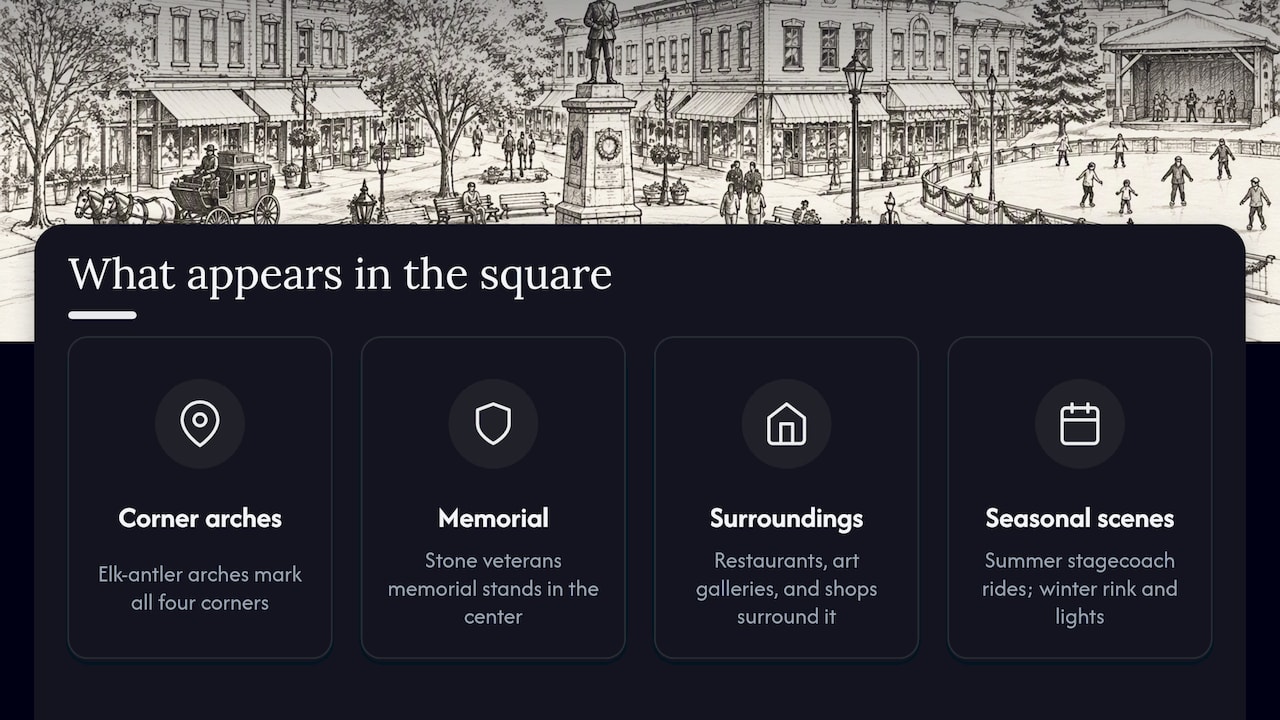
Jackson’s Town Square is a clear example. The town’s official page describes it as the cultural, civic and business heart of the community, formally George Washington Memorial Park, dedicated as a park in 1934. Each corner has an elk-antler arch, and a stone veterans memorial stands in the center. Restaurants, art galleries and shops surround it. The same page says summer visitors often ride a stagecoach, while winter brings an ice-skating rink and holiday lights.
Events change the picture too. The Jackson Hole Chamber of Commerce lists the ElkFest antler auction, the summer Town Square Shootout, stagecoach rides, the Fall Arts Festival, farmers markets and seasonal ice skating among the square’s activities. If you watch a square on an ordinary Tuesday morning and again on a festival weekend, you will see two very different places.
That is also why a single glance tells you little. A square that looks empty may simply be early, cold or between events. Treat what you see as one moment, not a description of the place.
Three squares and what their cameras show
These three illustrate how much the category varies. We describe the places and what their operators say about them. Whether any given camera is working right now is something only the operator’s own page can tell you on the day.
Jackson, Wyoming
The Jackson Hole Chamber hosts a Town Square live cam page focused on the antler arches, and says the video is provided by SeeJH. The Chamber states that each of the four arches contains roughly 10,000 to 12,000 pounds of antlers and that they are lit with holiday lights in winter. Those are landmark facts, not camera specifications: the page does not give camera equipment details. Several other sites also carry views of the same square from different corners, so the angle you get depends on which feed you open.
This is the most-searched square cam in the US for a reason. The arches are instantly recognizable, and the square is a natural stop on a Jackson Hole trip. If you are planning around it, browse our United States webcams to see other American places alongside it.
Munich, Germany
The city of Munich runs its own cameras, and its official webcam page covers Marienplatz, Olympiapark and more. The Marienplatz view takes in the Old Town Hall, the Marian Column, the New Town Hall, the Frauenkirche and St Peter’s. The city also states that the images are delayed by a few minutes, which is a useful reminder: even an official feed may not be strictly real time.
Kingston, Ontario
The City of Kingston lists public webcams including Springer Market Square. The camera sits on the roof of the British Whig Building and looks over King Street, the square and City Hall. This is a market square in the literal sense, so it is a good one to check if you search for market square cams. For more Canadian views, see our Canada webcams page.
Notice the pattern: in Munich and Kingston the city itself operates the camera and describes it. In Jackson, a tourism body publishes video from a provider. Knowing who runs a feed tells you whom to trust and where to look for status notes.
How square webcams differ from one another
Two cameras pointed at two plazas can feel like different products. Here is what to compare when choosing which to watch. These are general viewing considerations rather than specifications of any particular camera, and each operator’s own page is the place to confirm details.
| What differs | What to look for | Why it matters |
|---|---|---|
| Camera position | Rooftop, building corner, pole or tower | Height gives a wide overview of the whole square. A corner position shows faces of buildings and street life. |
| Direction | Which way the lens points, and whether it is fixed or moves | Direction decides whether you see the landmark, the sunrise, the mountains or a side street. |
| Image type | Still image refreshed at intervals, or moving video | A refreshing still can be fine for weather, but you will miss movement and events. |
| Delay | A stated lag, such as Munich’s few minutes | Matters if you are timing something, such as an event start. |
| Night view | Whether the scene stays readable after dark | Streetlights and holiday lights can make a square look dramatic or nearly black. |
| Availability | Maintenance windows, outages, a posted note | Even official cameras go offline, so a blank frame is not unusual. |
Two practical points follow. First, a camera on a rooftop may be blocked by fog, rain on the housing or a low sun glare, so a poor image can reflect the optics rather than the weather. Second, an operator may add overlays, a timestamp or a logo. A visible clock is helpful, but it is also something you should check rather than trust.
A square under a mountain backdrop, like Jackson’s, rewards you with sky and light. A European old town square may show more architecture and pedestrians. A Canadian market square near a waterfront, like Kingston’s, may give you City Hall and street activity. Pick by what you want to see.
How to tell whether a town square cam is live and where you think it is
People share clips and stills of famous squares constantly. Some are old, some are looped, and some are labeled with the wrong city. A short routine catches most problems.
Start with the source
Verification guidance from the Al Jazeera Media Institute recommends first checking the source and chain of custody: where the video came from, whether the source created it or only shared it, and whether the source is trusted. For a square cam, that means preferring the official page of the city, the tourism office or the camera’s original provider over a repost on a social account.
Look for change over time
A single frame proves very little. One developer’s write-up on checking whether a 24/7 webcam is live points out that static placeholders or looping footage can pass for a live view, and that liveness shows up as change over time. Their technical check pulls the stream twice, ten minutes apart, and confirms the timestamp or content has moved with the clock. You do not need to do that technically. Simply watch for a few minutes: do people, cars, shadows or clouds move in a natural way? Come back later: has the light changed? Has the scene changed as the clock suggests?
This is a personal blog and a method, not an official standard, so use it as a sensible habit rather than proof.
Compare the sky with a forecast
The verification guide above also suggests comparing visible weather with reports for the location and date. If the cam shows bright sun and the local forecast says heavy rain at that hour, something is off: a delay, an old image or the wrong place. Remember the time zone. A camera in Wyoming at 7 a.m. is a camera in Germany in the afternoon.
Confirm the location
When you are unsure the camera shows the square it claims to, a geolocation walkthrough for public webcams suggests matching the shapes of streets and squares, roof colors, signs and windows against maps and 360-degree panoramas. It also notes that permanent features such as buildings are more reliable than signs, which businesses change. For an antler arch or a town hall tower, that is easy: search a map for the landmark and compare the angle.
If you want a fuller version of this routine for another kind of view, our guide to verifying city skyline webcams walks through similar steps, and the harbor webcam guide covers feeds near the water.
Before you use a square cam for trip planning
A webcam is a good way to get a feel for a place. It is a poor way to make a decision about safety or logistics.
Munich’s own page is candid about this: it says image delays of a few minutes are normal, that cameras can be unavailable because of maintenance, technical faults, poor connections or weather, and that you should check forecasts for accurate weather data. The same logic applies anywhere.
A sensible approach:
- Use the cam for atmosphere. Check whether the square looks busy, whether there is snow on the ground, whether holiday lights are up.
- Use official forecasts and advisories for decisions. If you are driving, flying or hiking, rely on the weather service, the transport authority or the local operator.
- Check the event calendar. If you want a festival, market or ice rink, confirm dates with the town or chamber. Schedules change each year, and we do not list them here for that reason.
- Do not read an empty frame as a closed place. Cameras go offline, and squares go quiet.
- Mind the time zone. Work out local time before judging how busy it should be.
If you are planning around a destination with a camera, a webcam view of conditions can be one input among several, but never the only one.
Privacy and rights around public cameras
A square is a public space, but that does not mean anything goes. Switzerland’s Federal Data Protection and Information Commissioner explains in its guidance on webcams in publicly accessible areas that webcams become privacy-relevant when people can be identified, including through details such as clothing, objects or vehicles. Operators are advised to use measures such as camera height and low resolution so that people, vehicles and homes cannot be identified. This is a Swiss rule and rules differ by country, but it shows the direction responsible operators take.
Broadcasters think along similar lines. The BBC’s editorial guidelines on privacy recommend taking reasonable steps to warn people when a public live stream is likely to make them identifiable, including clear notices in public spaces where practicable.
What this means for you as a viewer:
- Watching is one thing. Recording, republishing or embedding a feed elsewhere may be restricted by the operator’s terms.
- Do not try to identify individuals in a frame.
- Link to the original provider rather than copying their stream.
That last point is how we work. GlobeWebcams links back to original providers and does not own or operate the cameras listed. We apply source-rights, availability and quality checks before publishing a webcam page.
Find square cams on a map
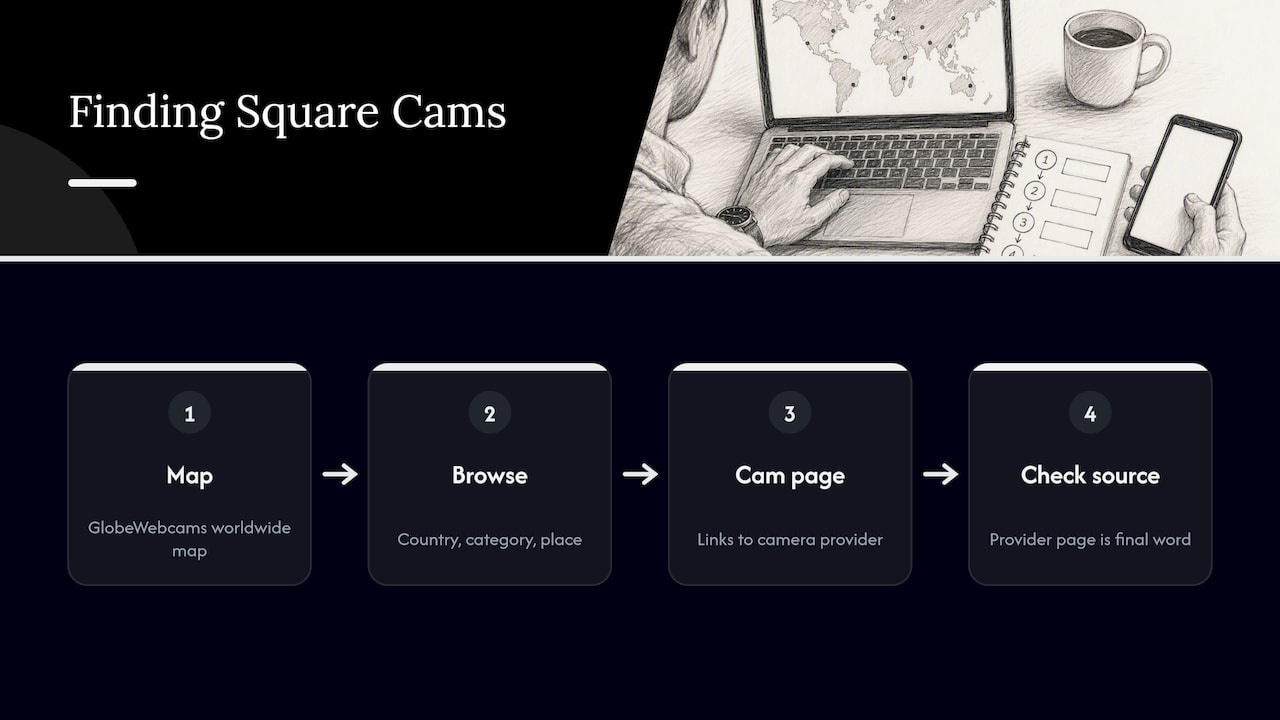
If you want to compare several squares in one session, start with the GlobeWebcams worldwide webcam map. You can browse by country, category and place, and each page points back to the provider that runs the camera, so you can check the source yourself. We do not claim any camera is live on a given day; the provider’s page is the final word on that.
If you like other kinds of scenic views, our guides on coastal webcams, wildlife webcams and airport webcam views use the same source-first checks.
What to watch for in the best town square views
If you are comparing options, ask these questions of any square cam:
- Is the landmark visible? A good square view frames something you can identify, such as an arch, a clock tower or a monument.
- Is the operator clear? A city, tourism body or named provider beats an anonymous repost.
- Does the operator say anything about delay or maintenance? Honest notes are a good sign.
- Does the scene change in a believable way? Moving light, weather and people are the signs of a working camera.
- Is the privacy approach sensible? Wide framing and modest resolution suggest the operator has thought about it.
The views that hold up best are those with a recognizable landmark, an accountable operator and a scene that visibly changes. Jackson’s arches, Munich’s Marienplatz and Kingston’s Springer Market Square all fit that description on paper, though you should still check each feed on the day.
FAQ
Are town square webcams really live?
Many are, but not always in strict real time. Munich, for example, states that its images are delayed by a few minutes. Watch for natural movement and changing light for a few minutes, and compare the sky with a local forecast. If the operator’s page shows an error, the camera is probably down for maintenance or a fault.
What is the difference between a town square cam and a market square cam?
The term mostly reflects local naming. Jackson calls its plaza Town Square, while Kingston’s camera looks over Springer Market Square. Both are fixed cameras on a central public space, and the same checks apply to either.
Can I rely on a square webcam to check the weather?
Use it as a visual cue only. A camera can be delayed, blocked by rain on the lens or offline. Official forecasts and advisories from the weather service or transport authority should drive any decision about driving, flying or hiking.
Is it legal to record or share a public webcam feed?
That depends on the country and on the operator’s terms. Privacy regulators, such as Switzerland’s, treat identifiable people in webcam images as a data protection matter. Link to the original provider instead of re-streaming, and check the provider’s terms before reusing anything.
Sources
- Town Square | Jackson, WY (official town page)
- Town Square Jackson, WY | History, Events & Antler Arches
- Jackson Hole, WY Town Square Live Cam | Antler Arch Webcam
- Webcam live from Munich: Marienplatz, Olympiapark and more
- Webcams | City of Kingston
- Verifying video: how to spot the fakes | Al Jazeera Media Institute
- Is that 24/7 webcam actually live? Two pulls, not one frame
- OSINT: Geolocating publicly available webcams, part 1
- Webcams in öffentlich zugänglichen Gebieten | EDÖB
- Section 7: Privacy | BBC Editorial Guidelines
Recommended
- Verify City Skyline Webcams in One Click
- Cruise Port Webcams: Official Views and Five…
- Harbor Webcams: How to Check Whether a Feed Is…
- Airport Webcam Views: Finding Verified Sources
Webcam availability and conditions can change without notice. GlobeWebcams does not operate most listed cameras; feeds and imagery remain under the control of their original providers. Do not rely on webcam imagery alone for weather, road, travel or safety decisions.