Snow Cameras Live: How to Read Them Before You Go
A live snow camera shows you one view, from one spot, at the time stamped on the image. That is useful for judging how much snow sits on a deck or how busy a base area looks. It can’t tell you whether the road is safe or whether a storm is about to hit. This guide covers where to find snow cameras, how to tell a fresh feed from a stale one, which camera types answer which questions, and what to check alongside them.
GlobeWebcamsglobewebcams.comCheck Snow Views Before You GoBrowse snow webcams by location and explore views from original providers to help assess conditions before planning your trip.Explore snow webcamsTL;DR
- Read the timestamp first. Snow camera freshness varies from minutes to months, even on pages that say “live.”
- Pick the camera by the question: snow stake or base area for accumulation, lift cameras for crowds, road cameras for the drive.
- A white, dark or blurry frame is often a camera problem, not a storm. Snow, ice and sunlight can obstruct lenses.
- Cameras are for visual confirmation. Use official forecasts, warnings and road authorities for decisions about travel and safety.
- Start from the GlobeWebcams map or the United States webcam directory and follow the links back to each original provider.
Table of Contents
- Where to find snow cameras
- Check the timestamp before anything else
- Match the camera to your question
- Snow cameras versus snow totals
- Mountain roads: the part cameras show least
- What a camera can’t warn you about
- A five-minute routine for checking snow
- Finding snow cameras on GlobeWebcams
- What to look for in a good snow camera page
- FAQ
- Sources
Where to find snow cameras
There are four common places to look, and each fits a different job.
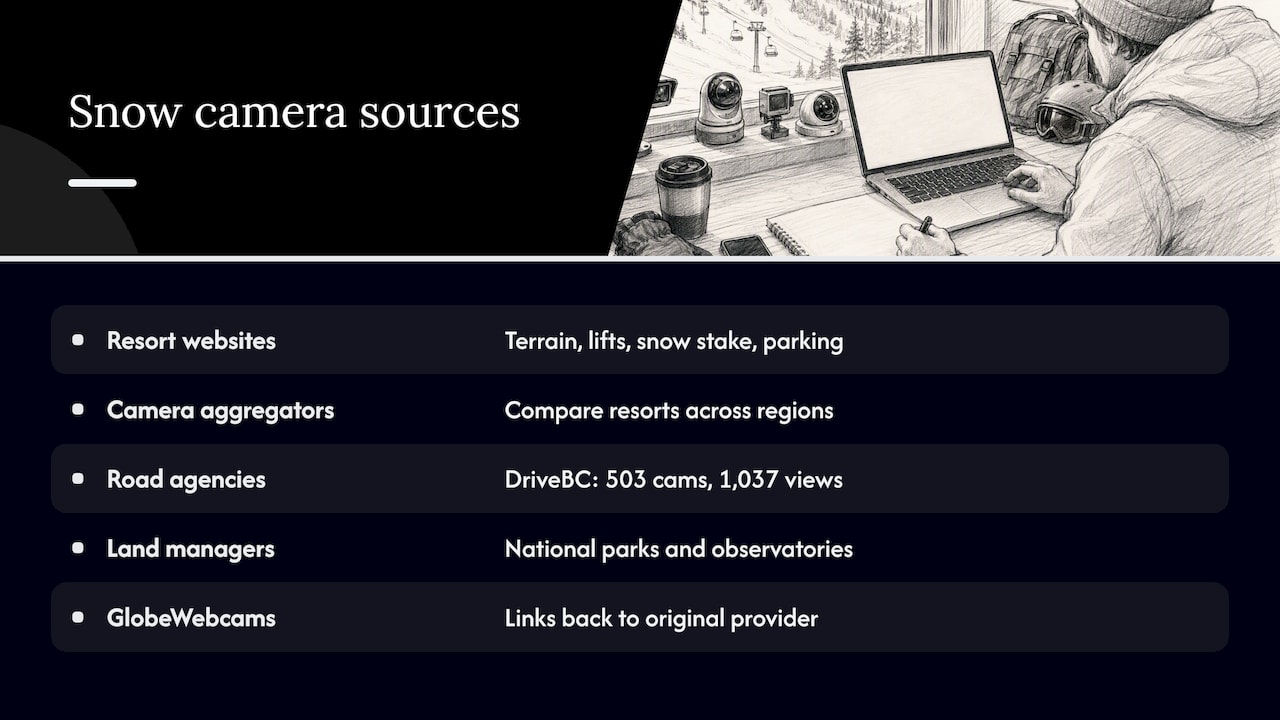
Resort websites. Most ski areas publish cameras for their own terrain: summit, base, lifts, snow stake and parking. These are the primary source, so they are usually the best bet for that mountain. The downside is that every resort has its own page layout and refresh habits.
Aggregators of resort cameras. These collect many resorts in one place, which helps when you are comparing regions. They show the same variation in freshness as the underlying cameras. OnTheSnow’s U.S. webcam page, for example, lists resorts across the country, and the age of each image differs from camera to camera.
Transportation agencies. State and provincial road departments run cameras on highways and passes. These matter most when your snow trip includes a mountain drive. In British Columbia, the DriveBC network had 503 cameras providing 1,037 views as of December 2024. In the U.S., each state runs its own 511 service with camera maps.
Land managers and observatories. National parks and mountain observatories publish cameras too, usually with notes on what the camera can’t show. Our guide to national park webcams explains how to find them by map.
A directory with attribution. GlobeWebcams brings public or authorized cameras together by country, category and place, and links back to the original provider. We don’t own or operate any of the cameras. Each page points you to the source so you can see the provider’s own timestamp and conditions. You can check how we vet pages on our methodology page and see where feeds come from on our sources page.
Check the timestamp before anything else
The word “live” on a page tells you about the page’s intent, not about the image in front of you. OnTheSnow notes that displayed freshness ranges from minutes or hours to days, months or longer. Some cameras are seasonal. Others are switched off in the off-season. Grand Targhee’s mountain report, for instance, says the resort is closed for the off-season and reopens for winter operations on 11/20, which shows how a conditions page can be fully accurate and still describe a mountain with no skiing on it.
A quick routine:
- Find the timestamp on the image or the provider’s page. If there is none, treat the view as unverified.
- Compare it with the local time at the mountain. A 3 p.m. Mountain Time image tells you nothing if you are looking at 9 p.m.
- Look for motion or changing light. Skiers on a lift, moving vehicles or a changing sky are signs of a recent frame. Identical frames across several visits are a warning.
- Check whether the page offers a still image that refreshes on a schedule or a continuous stream. A camera that updates every few minutes is not a video stream, and that’s fine for snow checks.
- Note the season. A resort camera in summer may show bare slopes or a bike park.
Why a “live” camera goes dark
A dead feed is not always a broken link. Mount Washington Observatory notes that some solar-powered cameras shut down after sunset, and another view may ice over or a failing unit may become unavailable. In exposed terrain, this is normal.
Remote winter cameras may also depend on solar power and satellite links. DriveBC describes a remote summit camera that uses both, which is a good reminder that refresh rates can differ a lot from a camera on ordinary broadband.
GlobeWebcams does not describe a feed as live or current unless there is current evidence from the source. If a camera is down at the source, the provider is the place to confirm it.
Match the camera to your question
A scenic summit shot is nice, but it’s rarely the most useful view. The location of the lens decides what you can learn.
| Camera type | Best for | Watch out for |
|---|---|---|
| Snow stake or snow-measuring cam | Estimating recent accumulation visually | Cleared or marked on a schedule, so read it with the time of the last clearing |
| Base area | Parking, crowds, whether snow reaches the bottom | Base elevation can be far lower than the terrain you will ski |
| Lift or trail camera | Grooming, lift lines, visibility on a run | Shows only that slope and aspect |
| Summit or ridge camera | Wind-blown snow, cloud, whiteout risk at the top | Exposed lenses frost and ice over |
| Road or pass camera | The surface and visibility on your approach | One spot on a long route |
| Panorama or town camera | General weather, snow line in the valley | Distance flattens depth, so snow can look lighter than it is |
This idea shows up on resort sites too. The French resort Les Orres, for example, pairs its mountain cameras with road-traffic cameras at key approach points so visitors can look at both the slopes and the access road. The same logic works anywhere: look at the place where you will actually be.
Our ski resort webcams guide goes deeper on elevation and how to compare a base view with a summit view.
Snow cameras versus snow totals
A picture and a measurement answer different questions. A clean snow stake can give you a sense of what fell recently, but the official figure follows its own schedule.
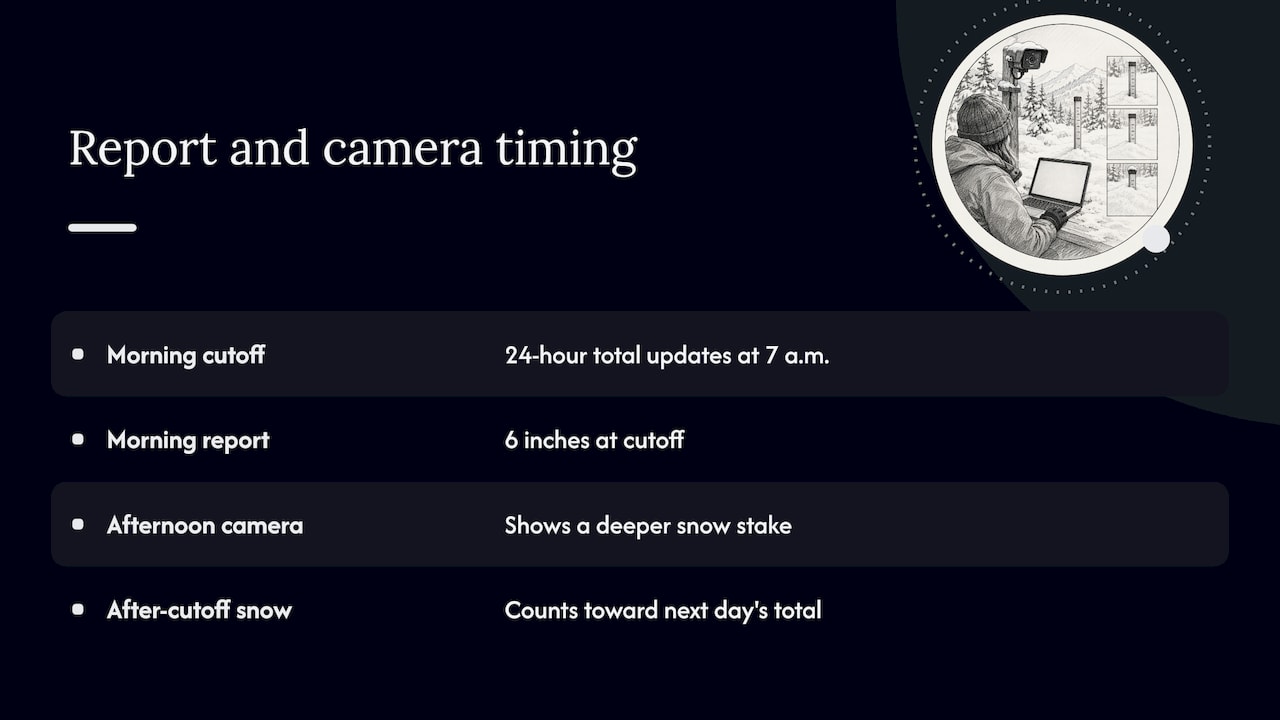
Grand Targhee states that its 24-hour total is updated each morning at 7:00 a.m., with later accumulation counted in the next day’s total. That means a “24-hour” figure may not cover the 24 hours before you look. Other resorts use other cutoffs, so check the reporting time and method on each resort’s page before comparing two mountains.
Here is a simple example of how this plays out. A resort reports 6 inches at its morning cutoff. By afternoon, the camera shows a deeper stake. Both can be correct: the camera is showing snow that fell after the cutoff. If you are planning a trip, the report tells you the official measured amount and the camera tells you what the scene looks like now. Use both.
The LaMMA Meteo-I-Mobility project, a weather service in Tuscany, pairs cameras with weather stations for a similar reason: images show the road surface and visibility, while stations supply temperature, wind and precipitation. For your own planning, that means using the camera to see and the forecast or station data to measure.
Mountain roads: the part cameras show least
Most winter trouble happens on the drive, not at the lodge. A base-area camera can look calm while the road up is not.
The National Park Service says plainly about the Hurricane Ridge camera that it can’t show wind speed, temperature or conditions along the 17 miles of mountain road leading to the ridge. Shaded ice, drifting snow and rockfall can sit well out of frame.
So, before a winter mountain drive:
- Check the road authority for your route. In the U.S. that is the state department of transportation’s 511 service or its equivalent. Look at closures, chain controls and incident reports, not just the cameras.
- Look at cameras along the route, not only at the destination. DriveBC’s own design uses multiple views at important corridors and places cameras based on the needs of residents, contractors and weather experts.
- Know the chain rules. Siskiyou County in California explains that R1 and R2 are common controls with different exemptions, while R3 requires chains or traction devices for all vehicles. Rules vary by jurisdiction, so ask the responsible road authority. The same county page sends drivers to official highway information and Caltrans cameras rather than resort views.
- Leave margin. If the official source says conditions are changing, a calm camera doesn’t override it.
If you want a nearby example outside North America, the Pyhätunturi road webcam page on GlobeWebcams links to its original provider, Fintraffic. Open the provider page to confirm the current timestamp and image before you rely on it for anything.
What a camera can’t warn you about
Cameras show what is in frame right now. Some winter hazards develop faster than that, or happen out of sight.
The National Weather Service describes snow squalls as brief bursts of intense snow and wind, typically 30 to 60 minutes, that can bring whiteout visibility and flash-freezing roads. Warnings can be based on radar indications or on observations, and the NWS notes that observations can include webcams. But warning status is separate from what one camera shows. A clear frame minutes before a squall tells you little about the next half hour.
If you are traveling in snow country, watch for official warnings for your area and route. A camera is one observation point, not a hazard-detection system.
A blank frame is not automatically a storm
The National Park Service notes that a webcam can be temporarily obstructed by snow, rain, wind, freezing temperatures or sunlight, and that even a heated weatherproof housing can’t guarantee a clear image. So a white frame doesn’t mean heavy snow, a dark frame doesn’t mean a closure, and a lens with ice on it doesn’t mean the mountain has no snow. Check a second camera or the official report before drawing a conclusion.
A five-minute routine for checking snow
Here is a practical order that works for a ski day or a weekend trip.
- Forecast first. Read the official forecast and any watches, warnings or advisories for the area.
- Resort or land-manager report. Note the snowfall cutoff time, open lifts and any road notes.
- Cameras at the right spots. Look at the base, a lift or trail, and the snow stake if there is one. Read each timestamp.
- Road status. Check the road authority and look at cameras along the route.
- Cross-check. If the camera and the report disagree, trust the one with the clearer timestamp and method, and look for a third source.
- Decide with margin. Weather in the mountains changes fast, and a view from earlier in the morning is already history by the time you reach the pass.
Finding snow cameras on GlobeWebcams
If you want to browse rather than hunt through individual resort sites, GlobeWebcams is built for that. Start on the worldwide webcam map, or go straight to the United States or Canada directories and look for mountain, weather and road views. Each page links to the original provider, so you can see the source’s own timestamp and any notes. We apply source-rights, availability and quality checks before publishing a page, and we are conservative about it: a camera that can’t be supported with current evidence isn’t presented as live.
If you also follow the coast, our guides to coastal webcams and live surf webcams use the same verification approach.
What to look for in a good snow camera page
When you land on any snow camera page, five signals tell you how much to trust it.
- A visible timestamp or update interval. Without it, you can’t know the age of the image.
- A named provider. A resort, road agency, park or observatory is better than an unnamed re-upload.
- Elevation and direction. Knowing the camera sits at 8,000 feet facing north tells you more than a nice view.
- Notes on limits. Honest pages say when a camera is seasonal, solar-powered or offline at night.
- Companion data. Snow totals with a cutoff time, a weather station, or road status make the picture easier to interpret.
None of these makes a camera a safety tool. They just help you read it correctly.
FAQ
How often do live snow cameras update?
It depends on the provider. Some stream continuously, some refresh a still image every few minutes, and some stop for the night or the off-season. Read the timestamp or update note on each camera instead of assuming that a “live” label means a current image.
Which snow camera shows how much snow has fallen?
A snow stake camera or a base-area view is usually the most helpful for a visual estimate. Official snow totals come from measurements taken on a schedule, so check the cutoff time before comparing a camera image with a reported number.
Can I use a webcam to decide whether to drive in the snow?
No, not on its own. A camera shows one spot at one moment. Check your state’s road authority for closures and chain controls, read the National Weather Service forecast and warnings for your route, and treat cameras as a visual extra.
Why is a snow camera white, dark or frozen?
Often the lens is affected, not the weather. Snow, rain, wind, freezing temperatures and sunlight can obstruct a camera, and some solar-powered units go dark at night. Check another camera or the official report before reading it as a storm or a closure.
Does GlobeWebcams own the cameras it lists?
No. GlobeWebcams is a discovery directory that links to original providers. We don’t own or operate third-party cameras, and each page points you back to its source.
Sources
- OnTheSnow: United States ski resort webcams
- Les Orres: webcams
- BC Gov News: DriveBC camera network, December 2024
- National Weather Service: Snow Squall Warnings
- Siskiyou County: Road Conditions and Web Cams
- National Park Service: Hurricane Ridge Webcam
- Mount Washington Observatory: Weather Cams
- Grand Targhee: Mountain Report
- Consorzio LaMMA: Meteo-I-Mobility
Recommended
- Mountain Webcams for Trips: Find Feeds, Check
- Find National Park Webcams Fast: Map Search
- Coastal Webcams: Verify the Source, Timestamp
Webcam availability and conditions can change without notice. GlobeWebcams does not operate most listed cameras; feeds and imagery remain under the control of their original providers. Do not rely on webcam imagery alone for weather, road, travel or safety decisions.