Bridge Webcams Live: How to Find and Use Them

The best live bridge webcams come from the bridge owner, a park organization or a tourism office, and a good one shows a timestamp that matches the clock. Start with the operator’s own page, or with a directory that links back to the original provider. Then check the timestamp before you trust what you see. This guide covers where to look, what different bridge cameras are for, how to judge whether an image is fresh, and what to do when a feed is stale.
GlobeWebcamsExplore Bridge Views Around the WorldBrowse webcams by location on an interactive map, with pages linking back to original providers and checks for source rights, availability and quality.Explore webcams on the mapTL;DR
- Bridge cameras fall into three groups: traffic cameras run by bridge authorities, scenic cameras run by parks and tourism offices, and city skyline views that happen to include a span.
- A live feed is only useful if the timestamp is recent. Some official cameras refresh on a fixed schedule, such as every 60 seconds, so a still image is normal.
- Use a bridge camera as one input for a trip. Check official traffic, weather and closure notices before you decide anything.
- Start from the operator’s page when you know the bridge, or browse by place on a webcam map when you are exploring.
- Watching a public feed is generally free, but the images belong to the provider and are not yours to reuse.
Table of Contents
- What you can see on a live bridge webcam
- How to find a webcam for a specific bridge
- Is the feed actually live? A quick check
- Why a bridge cam may be blank or out of date
- Using bridge webcams for trip planning
- Choosing the best bridge webcams for your purpose
- Free to watch, with limits
- Where GlobeWebcams fits
- FAQ
- Sources
What you can see on a live bridge webcam
Not all bridge cameras are built for the same purpose, and knowing which kind you are looking at tells you what to expect.
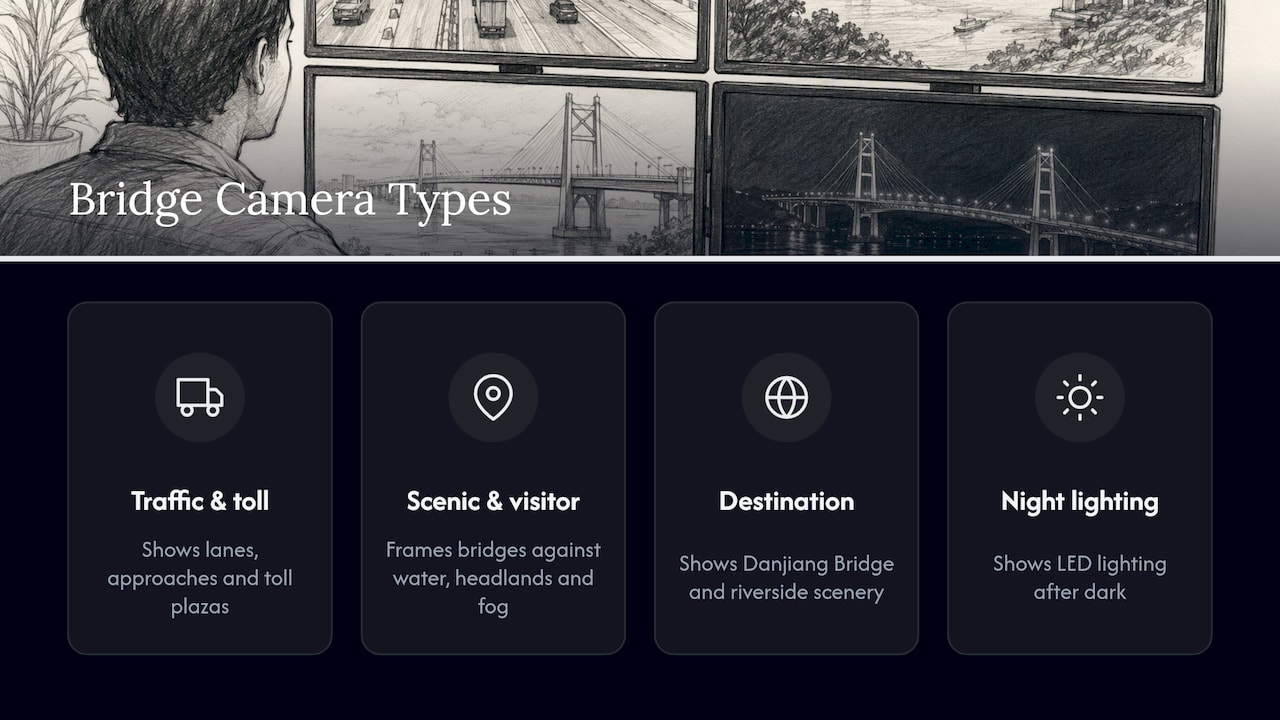
Traffic and toll cameras. These point at lanes, approaches and toll plazas. The Delaware River and Bay Authority, for example, operates six live webcams at the Delaware Memorial Bridge and its Toll Plaza, covering the northbound and southbound I-295 approaches and the toll plaza entrance and exit. The same page notes that roughly 36 million vehicles a year cross the twin spans between New Castle, Delaware and Pennsville, New Jersey. A camera like this answers one question well: what do the approaches look like right now?
Scenic and visitor cameras. These frame the structure itself. The Golden Gate National Parks Conservancy offers live webcams of the Golden Gate Bridge from park locations including the Welcome Center and Crissy Field, aimed at people who cannot visit in person or who are planning a trip. The bridge is a 1.7-mile suspension span that opened in 1937, and the cameras show it against the water, the headlands and the fog that often moves through the strait.
Destination and landmark cameras. In some places a tourism office installs cameras to show a bridge as part of a wider scene. New Taipei City’s tourism department set up a Live Cams System in 2022, and its streams from Bali Left Bank and Tamsui Fisherman’s Wharf show the Danjiang Bridge and riverside scenery around the clock, including fireworks displays when they happen.
Night and lighting views. Some bridges are designed to be seen after dark. Visit Redding describes the Sundial Bridge in California, designed by Santiago Calatrava, as open 24/7 and free to walk across, with a 217-foot mast whose shadow indicates the time and LED lighting at night. A camera on a bridge like that is worth checking at dusk as well as midday.
How to find a webcam for a specific bridge
There are three practical routes, and which is best depends on how much you already know.
Start with the operator
If you know the bridge, search for its name plus “bridge cam” or “travel” and look for the authority, park or tourism office in the result. Official pages tend to explain what each camera covers, how often it refreshes and who to contact about outages. The Delaware Memorial Bridge and Mackinac Bridge pages above are good examples: both are published by the organization responsible for the bridge.
Browse by place
If you are exploring rather than looking for one structure, a map is faster. On the GlobeWebcams worldwide webcam map you can zoom to a region, open a location page and see the original provider named on each webcam page. The public webcam directory lets you page through the catalog by country and category, which helps when you want to compare several views of the same area.
Use regional road sources
Many road agencies publish camera networks along highways, and bridges are among the most common camera locations because they are choke points. Our Fintraffic source page shows how one national road-weather camera network is organized, which is a useful model for what an agency feed looks like: a named provider, a fixed location and a consistent update pattern. Norway’s road agency and Spain’s Galicia weather service are also represented in the catalog, for example the Eie webcam near Flekkefjord and the Cariño webcam. These are examples of source types, and whether any given feed is working today is something to confirm on its page.
Is the feed actually live? A quick check
A page titled “live” does not guarantee a current picture. Before you rely on a view, run through these checks. They take under a minute.
- Find the timestamp. Many official cameras burn a date and time into the image or show it beside it. Compare it with the current time in the bridge’s time zone.
- Know the refresh rate. The Mackinac Bridge camera in Michigan updates automatically every 60 seconds, and the timestamp shows the last captured image. A still frame that changes once a minute is working as designed. It is not video.
- Force a refresh. The same page says that if your browser does not show the newest image, pressing Ctrl+F5 reloads it. A cached image is one of the most common reasons a feed looks old.
- Match the light. If the clock says noon and the picture is dark, the feed is stale, or the timestamp belongs to another time zone.
- Look for movement. Vehicles, flags, water or clouds should differ between two loads a minute or two apart. If nothing changes at all over several refreshes, treat the view as unconfirmed.
- Go to the source. Our webcam pages link to the original provider. If a view looks wrong, the provider’s own page is the place to see whether there is a maintenance or outage note.
We apply availability and quality checks before publishing a webcam page, but a camera can go offline at any moment, so the timestamp on the image is always the final word. For a longer walk-through of the same habit applied to other feed types, see our guides on harbor webcams and train webcams.
Why a bridge cam may be blank or out of date
When a bridge camera fails, the cause is usually ordinary.
- Browser cache. The page is showing a saved copy. Reload with Ctrl+F5 as the Mackinac Bridge page suggests, or open the page in a private window.
- Scheduled refresh. The camera posts a new frame every minute or several minutes. Between frames the image does not change.
- Maintenance or construction. Bridges are worked on, and cameras are moved, covered or switched off during projects.
- Power or network faults. Cameras mounted on towers and cables depend on remote connections that can drop.
- Weather. Fog, snow, rain on the lens or glare can make a working camera look useless. That tells you something about conditions, but not much else.
- Night. A camera without good low-light performance may show a nearly black frame, even though the feed is fine.
- Provider changes. A tourism office may retire a camera or move it to a new address. Old links then lead to an error or an unchanged image.
If the problem lasts more than a few refreshes, go to the provider’s page. That is where outage notices appear first.
Using bridge webcams for trip planning
A bridge camera is useful for planning because it gives you a look at something a forecast cannot: what the place looks like at this moment. It works best as a visual check, and it does not replace official information.
Scenic planning
If you are deciding when to visit a landmark bridge, watch the camera at different times of day over a few days. You will see where the light falls, how often fog or haze covers the span and when the area is busy. Taiwan’s tourism office points out that its Danjiang Bridge cameras can help viewers check weather and conditions before a trip. The Golden Gate cameras serve the same purpose for visitors planning a trip to San Francisco.
Traffic planning
Traffic cameras show approaches, queues and sometimes toll plaza activity. They are most helpful alongside the official traffic map or 511 service for the state, because a camera shows only the bit of road it faces. A clear approach image does not tell you about a crash two miles back, a lane closure on the far side or a wind restriction on the span.
Weather and conditions
A bridge camera can give you a sense of visibility, rain, snow on the road surface or wind effects on the water. Treat it as a clue and then confirm with the national weather service forecast and the road agency’s current alerts. Do not decide on driving, walking, boating or travel safety from camera imagery alone. Official warnings, closures and advisories are the basis for those decisions.
A simple routine
Here is a sequence that works for a trip across a bridge you do not know well:
- Look at the camera for a quick picture of conditions.
- Check the bridge or road authority’s page for closures, construction and restrictions.
- Check the weather forecast for the area and time of crossing.
- Look at the camera again shortly before you leave, checking the timestamp.
For mountain passes and high roads, where conditions can change quickly, the same routine applies, and our mountain webcam guide covers how to check those feeds. For crossings that involve a border, see our border crossing webcam guide.
Choosing the best bridge webcams for your purpose
There is no single best bridge camera, because the right one depends on the question you are asking. This table matches the need to the type of view.
| What you want | Best type of camera | What to check |
|---|---|---|
| Current traffic on approaches | Bridge authority or road agency camera | Timestamp, direction of view, refresh interval |
| A scenic look at a famous span | Park, conservancy or tourism office camera | Time of day, weather, camera angle |
| Fireworks, lighting or night views | Tourism camera with a wide view of the river or bay | Night image quality, event schedules on the official site |
| Fog, wind or visibility | Camera with a long, open view of the span | Cross-check with the weather forecast |
| Exploring bridges in new places | Map-based directory | Provider named on each page, link to the original source |
A few habits make any camera more useful. Note the direction it faces, since a northbound camera does not show southbound lanes. Check whether the view is from a fixed mount or a rotating head. And keep a short list of two or three cameras for places you visit often, so you can compare them over time.
Free to watch, with limits
Most public bridge cameras published by agencies, parks and tourism offices are free to view in a browser. The images remain the provider’s. Watching is one thing, and copying, re-streaming or republishing is another, so check the provider’s terms before reusing any image. We link back to original providers on each page for that reason, and we publish public or authorized sources.
On privacy, bridge cameras are set up to show structures and traffic at a distance. Do not try to identify people or vehicles from them, and do not share screenshots in ways that single out individuals. If you operate a site and want to embed a feed, ask the provider.
Where GlobeWebcams fits
GlobeWebcams is a webcam discovery site: we do not own or operate any of the cameras listed. Our worldwide webcam map lets you browse by location, country and category, and each webcam page links to the original provider. If you want to see what else is available in a region before choosing a bridge view, the public webcam directory is the place to start. Pages in the directory show a webcam’s source, and the provider’s own site is where you confirm whether a feed is currently running.
FAQ
How do I know if a bridge webcam is really live?
Look for a timestamp and compare it with the current time at the bridge. Reload the page, and if it still looks old, press Ctrl+F5 to clear the cached image. Some official cameras, such as the Mackinac Bridge camera, refresh once a minute, so a still image that updates on that schedule is normal.
Can I use a bridge webcam to check traffic?
Yes, as one source. A camera shows only the stretch of road it faces, so pair it with the road agency’s traffic map or 511 service for closures and incidents. Do not base a driving decision on camera imagery alone.
Are live bridge cams free?
Most cameras run by bridge authorities, parks and tourism offices are free to watch in a browser. The images belong to the provider, so check its terms before copying, recording or republishing them.
Why does the bridge cam show an old picture?
The usual causes are a cached page, a camera that refreshes only every minute or so, maintenance, a connection fault or a retired camera. Reload with Ctrl+F5 first, then check the provider’s page for an outage note.
What are good bridge webcams for a scenic view?
Cameras run by parks and tourism offices are usually framed for scenery. Examples include the Golden Gate Bridge cameras from the Golden Gate National Parks Conservancy and the Danjiang Bridge cameras from New Taipei City. Watch at different times of day to see the light and weather you are most likely to get.
Sources
- DMB Travel, Delaware River and Bay Authority
- Mackinac Bridge Live Web Cam
- Golden Gate Bridge Live Webcams, Golden Gate National Parks Conservancy
- Danjiang Bridge: A World-class Landmark at the River and Sea, New Taipei City Tourism
- Sundial Bridge Webcam: Live View, Visit Redding
Recommended
- Public Webcam Directory
- How to Verify Travel and Nature Webcams
- Lighthouse Webcams: How to Find and Read Them
Webcam availability and conditions can change without notice. GlobeWebcams does not operate most listed cameras; feeds and imagery remain under the control of their original providers. Do not rely on webcam imagery alone for weather, road, travel or safety decisions.