City Landmark Webcams: How to Find and Judge Them

City landmark webcams point at a recognizable place, such as a monument, a bridge, a skyline or a central square, and publish its view through a still image that refreshes or a video stream. The best ones come from the people who look after the place: a park service, a city tourism office, a chamber of commerce. To find them, search by country, city and category, check who runs each camera, and confirm the image is recent before you trust it. This guide shows how, with real examples of what different landmark cameras show.
GlobeWebcamsExplore Landmark Views Around the WorldBrowse city webcams by location, country, category or source on an interactive map, then visit the original provider for the full feed.Explore webcams on the mapTL;DR
- A landmark webcam is best used for a quick look at a place: its light, visibility, crowds and mood. It is not a forecast or a safety tool.
- Cameras run by park services, city tourism offices and local chambers usually say what they show and who operates them.
- Images can lag by a few minutes and can drop out for maintenance, technical faults, a poor connection or weather.
- Browse by country, category and map on GlobeWebcams, then follow the link to the original provider for the full feed.
- Check the weather forecast, road reports and official notices before you act on anything a camera seems to show.
Table of Contents
- What city landmark webcams actually show
- Monument, skyline and town square views compared
- How to find landmark webcams around the world
- How to tell if a landmark webcam is live, current and clear
- What a webcam can and cannot tell you before a trip
- Planning with landmark webcams: three practical uses
- Using GlobeWebcams to explore landmark views
- A short checklist before you trust a view
- FAQ
- Sources
What city landmark webcams actually show
A landmark webcam is a fixed or slowly moving camera aimed at a place people recognize. The category is broader than it sounds. It covers monuments, bridges, plazas, towers, harbors, museums and whole skylines. What differs is the vantage point, and the vantage point decides what you can learn.
Three official examples show the range.
A view from the top of a monument. The National Park Service says its live Washington Monument camera sits in the pyramidion more than 500 feet up. It looks out over the WWII Memorial, the Martin Luther King, Jr. Memorial, the Lincoln Memorial and the Reflecting Pool. Here the landmark is the platform, and the view is of other landmarks.
Cameras that mix close and distant views. The park service’s Statue of Liberty page describes views of New York City’s skyline, the Hudson River and ships in New York Harbor, plus close views of the torch, crown, tablet and feet of the statue. One site offers a skyline panorama and a detail view of the monument itself.
A set of cameras across one city. Munich’s official city website describes webcams showing live images and weather from Marienplatz, the Olympic Park, the city center and the Isar River. On clear days the Alps may also be visible. The Marienplatz camera covers the central square, the Marian Column, the Old and New Town Halls, the Frauenkirche and St Peter’s Church. The Olympic Park camera shows the Olympic Stadium, Olympic Hall, the swimming hall, Olympic Lake and Olympic Hill.
The pattern is useful. A landmark camera is usually one of three things:
- A subject view, aimed at the monument itself.
- A vantage view, mounted on the landmark and looking out at the city.
- A context view, aimed at the square, bridge or waterfront around the landmark.
Knowing which one you have tells you what to expect. A subject view helps you judge the lighting for a photo. A vantage view shows the weather over the whole city. A context view shows how busy the place feels.
Monument, skyline and town square views compared
Searchers often use “monument webcams”, “town square webcams” and “city landmark webcams” interchangeably. They are related, but they answer different questions.
| View type | What it shows | Best for | Typical limits |
|---|---|---|---|
| Monument or statue | One structure, often at close range | Checking light, visibility and approach | Narrow field of view |
| Skyline | A city’s profile across a wide angle | Weather over the city, haze, cloud base | Distant detail is small |
| Bridge or waterfront | Landmark plus water, traffic or boats | Conditions around the landmark | Glare and night noise |
| Town square | Public gathering space and surrounding buildings | Crowds, events, street atmosphere | Faces and details are usually too small to identify |
| Tower-top vantage | The city seen from the landmark | Visibility and distant weather | Depends on the mounting height and direction |
Why town square cameras feel different
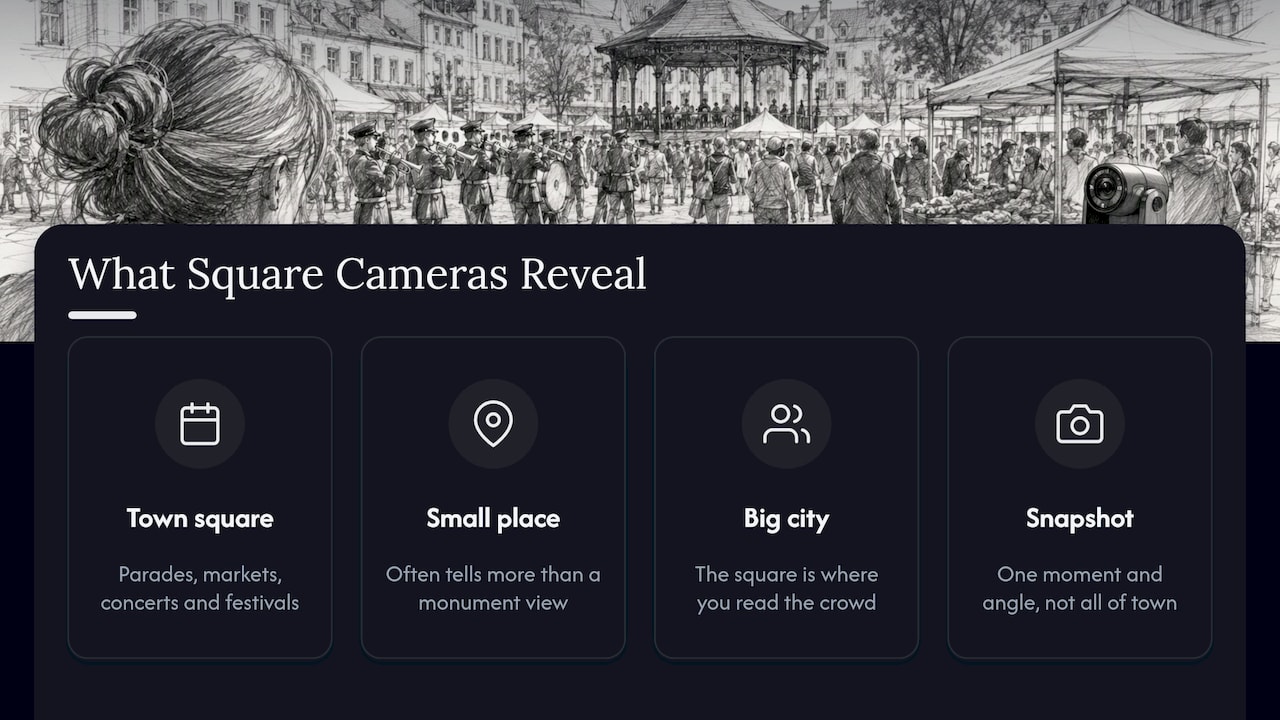
A square is a place where things happen. The Jackson Hole Chamber describes its Town Square as a historic downtown place known for its antler arches, with nearby shopping, dining and lodging, and gatherings for parades, markets, concerts and festivals. A camera there is less about a single object and more about the rhythm of a town: who is out, what the sidewalks look like, whether an event seems to be underway.
In a small place, that often tells you more than a postcard-style monument view. In a big city, the square is where you read the crowd. In either case, treat what you see as a snapshot of that moment and that angle, not a guarantee about the rest of town.
How to find landmark webcams around the world
There is no single master list, and cameras come and go. A practical routine works better than hoping for one perfect page.
Start from the place, not the camera
Decide which city or landmark you care about. Then look for cameras in this order of reliability:
- The operator of the place. National parks, city governments, tourism boards and local chambers of commerce often host their own cameras and describe them. The three examples above all come from this kind of source.
- A directory that links back to originals. A good directory organizes cameras by country, category and location, and sends you to the provider’s own page.
- Broad search. Useful for finding something new, but you will need to check who is behind each result.
Use a map and categories
A map-first view is handy when you are planning a trip and want to see which cameras are near a place. On GlobeWebcams you can browse by location on the worldwide webcam map, open the public webcam directory to move through listings, or start at a country page such as Norway or Australia. Each listing points back to the original provider.
Not every country has a deep set of cameras at city landmarks. Coverage varies, and it depends on what local operators publish. If your target city has no camera, look at a nearby town, a viewpoint or a weather station, which can give you a related view.
Small-town and village squares
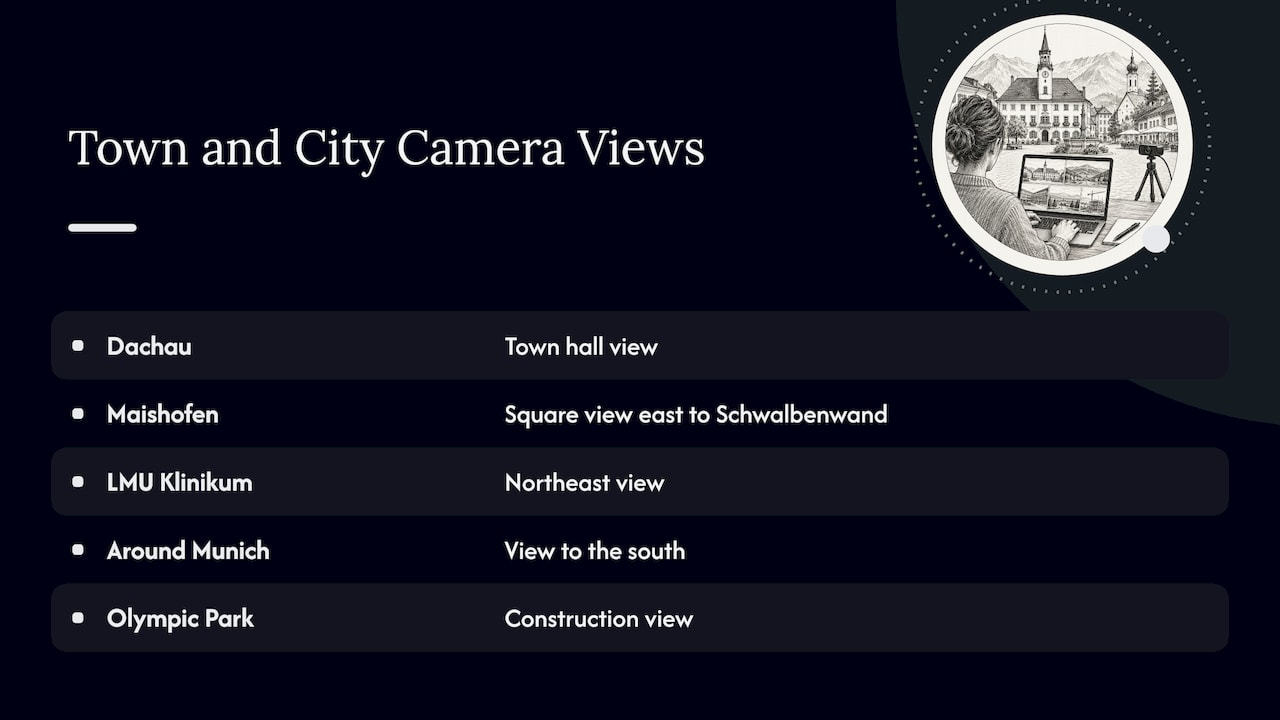
City landmarks are only half the story. Many European villages and towns publish a square or town hall camera. For example, the directory lists a town hall view in Dachau and a village square camera in Maishofen that looks east toward the Schwalbenwand. These give a sense of everyday life at a scale that big-city landmark feeds do not.
Around Munich, the directory also lists cameras that overlook the city from hospital and campus sites, such as the LMU Klinikum view to the northeast and the view to the south, and a view tied to construction at the Olympic Park. They are not tourist monuments, but they show the skyline and weather behind the landmarks.
How to tell if a landmark webcam is live, current and clear
A page that says “live” is making a claim, not proving one. Before you rely on a view, run through a short check.
1. Look for a timestamp
Many cameras print the date and time on the image or show it next to it. Compare it with the local time. If the stamp is hours old, you are looking at a stale frame. If there is no stamp at all, watch for movement: clouds, vehicles, people or flags.
2. Allow for delay
Munich’s official site says its webcam images are up to date but delayed by a few minutes. That is normal for image-refresh cameras. A few minutes is fine for a photo plan. It is not fine for anything time-critical.
3. Expect outages
The same site says images may be temporarily unavailable because of maintenance, technical faults, a poor connection or weather. A blank or frozen frame does not always mean the place is closed or the weather is bad. It often means the camera has a problem.
4. Check who runs it
A camera run by a park service or city office is easier to verify than an anonymous stream. Look for the operator’s name, a description of what is shown and a contact or about page. GlobeWebcams does not own or operate the cameras it lists. It links to original providers and applies source-rights, availability and quality checks before publishing a page. You can read how in the methodology. For a step-by-step approach to one popular type of landmark, see our guide to verifying city skyline webcams.
5. Judge the image itself
A useful view has a stable frame, readable light and a clear subject. Watch for:
- Lens fog, rain drops or condensation that blur the view.
- Backlight at sunrise or sunset that turns a monument into a silhouette.
- Low-light noise at night, when detail disappears.
- A camera angle that has shifted since the listing was made.
What a webcam can and cannot tell you before a trip
Cameras are good at the first impression. Munich’s city website says webcams give a quick visual impression of weather, visibility and lighting, but it recommends checking a weather forecast for accurate weather data. That is the right balance.
Here is what a landmark view can reasonably help with:
- Visibility. Can you see the far end of the Reflecting Pool, the skyline, the mountains behind the city? If not, a scenic overlook may disappoint.
- Light. Is the sun hitting the facade? Is the sky flat and gray? This matters for photos.
- Crowd feel. Is the square busy? Are people queuing? This is a rough sense, not a count.
- Surface and scene. Wet pavement, snow on steps or empty benches hint at the day.
And here is what it cannot do:
- It cannot replace a forecast, a road report or an official safety notice.
- It cannot confirm that an attraction, bridge or square is open.
- It cannot show conditions beyond its frame or at the minute you arrive.
If your plan depends on weather, roads or access, use the official sources for those and treat the camera as a visual extra. A view of clear sky over the Washington Monument does not tell you how long a line is or whether a path is closed. Check the operator’s page for alerts and hours.
Planning with landmark webcams: three practical uses
Pick the right hour for a visit
Watch a camera at different times over a few days. You will see where shadows fall, when the light turns warm and when crowds peak. Cameras with wide views, such as those that cover a square or waterfront, are good for this. Remember time zones: convert to local time before you decide.
Preview a city before you choose a neighborhood
Skyline and square cameras give a feel for scale and street life. They will not tell you about noise, safety or prices. Use them to narrow a shortlist, then use maps, official tourism pages and recent traveler reports for the rest.
Keep in touch with a place you love
Many people simply watch a familiar square or bridge from far away. That is a perfectly good use. It is also where it helps to bookmark the camera’s original provider, so you can return to the source if the feed moves.
Using GlobeWebcams to explore landmark views
GlobeWebcams is a worldwide webcam discovery platform. You can explore public or authorized webcams by location, country, category and source, through an interactive map and dedicated pages for places, countries and categories. We link to the original provider and do not claim to operate third-party cameras. If you want to start browsing, open the webcam directory or go straight to the global map.
Our approach is deliberately conservative. We would rather leave out a camera whose source or rights we cannot confirm than publish it. That also means a listing is a starting point: always follow it to the provider for the current feed and any notices.
A short checklist before you trust a view
- Is the operator named, and is it an organization you recognize?
- Does the image carry a recent timestamp, or show visible movement?
- Is the angle clear: subject, vantage or context?
- Is the picture sharp enough for what you want to learn?
- Have you checked a forecast, road report or official notice for anything that affects your plans?
If you can answer yes to the first four and have done the fifth, the camera is doing its job: giving you a quick, honest look at a place.
FAQ
What are the best city landmark webcams?
The best ones are run by the people who look after the place and describe what they show, such as national park services, city tourism offices and local chambers of commerce. The park service’s Washington Monument and Statue of Liberty pages are examples. Choose by what you want to see: a subject view for light, a skyline view for weather over the city, a square view for atmosphere.
What is the difference between a monument webcam and a town square webcam?
A monument webcam is aimed at one structure or looks out from it. A town square webcam shows a public gathering place and its surroundings, so it tells you more about activity and mood. Squares such as Jackson Hole’s Town Square host parades, markets, concerts and festivals, which a camera can hint at but not confirm.
Are landmark webcams really live?
Often they are near-live. Some update as still images with a delay of a few minutes, and any camera can go offline for maintenance, technical faults, a poor connection or weather. Look for a timestamp or visible movement, and follow the listing to the original provider for the current feed.
Can I use a webcam to decide whether to visit a landmark today?
Use it as a first impression of light, visibility and crowd feel, not as a decision tool. Check an official weather forecast, the operator’s opening hours and any alerts for roads or access before you go.
How do I find a webcam for a specific city?
Start with the city’s official tourism or government site, then use a directory that sorts by country, category and place. On GlobeWebcams you can browse the map or open a country page, then follow the link to the original provider.
Sources
- Webcams, National Mall and Memorial Parks (National Park Service)
- Torch Webcams, Statue of Liberty National Monument (National Park Service)
- Webcam live from Munich: Marienplatz, Olympiapark and more (City of Munich)
- Jackson Hole, WY Town Square Live Cam (Jackson Hole Chamber of Commerce)
Recommended
- Verify City Skyline Webcams in One Click
- Lighthouse Webcams: How to Find and Read Them
- Town Square Webcams: What You Can See and How…
Webcam availability and conditions can change without notice. GlobeWebcams does not operate most listed cameras; feeds and imagery remain under the control of their original providers. Do not rely on webcam imagery alone for weather, road, travel or safety decisions.