Dam Webcams: What They Show and How to Check a Feed
A dam webcam gives you a fixed view of a dam wall, a spillway, a reservoir or the river below, usually from a visitor center, a utility or a government agency. Some stream video. Many publish a still photo every few minutes. Before you trust any of them, check the timestamp, check who runs the camera, and confirm anything that matters with the official local source.
This guide covers what dam cams can show, the different kinds you will run into, a quick way to test whether a feed is current, and how to use the images for trip planning without leaning on them for safety decisions.
GlobeWebcamsExplore Dam Views Around the WorldBrowse public webcams by location and category, then check the original provider for current feed details and important local information.Explore the webcam mapTL;DR
- Dam webcams show the dam, the reservoir and the surrounding scenery. Operators range from federal agencies to water utilities and park services.
- Many dam cams are still images that refresh every 5 to 20 minutes, not continuous video. A fresh timestamp matters more than the word “live.”
- To test a feed, load it twice about ten minutes apart. A current feed changes. A stuck one repeats the same frame or the same clock.
- Use a webcam for a quick look at one angle. Use official gauges, forecasts and alerts for decisions about water, roads or safety.
- You can browse public webcams by place and category on GlobeWebcams, which links back to the original providers.
Table of Contents
- What a dam webcam actually shows
- The kinds of dams and places that have cameras
- How to tell whether a dam cam is current
- What a dam webcam can tell you, and what it can’t
- Choosing a useful dam webcam
- Using dam webcams safely
- Planning a trip around a dam view
- Browse public webcams on GlobeWebcams
- FAQ
- Sources
What a dam webcam actually shows
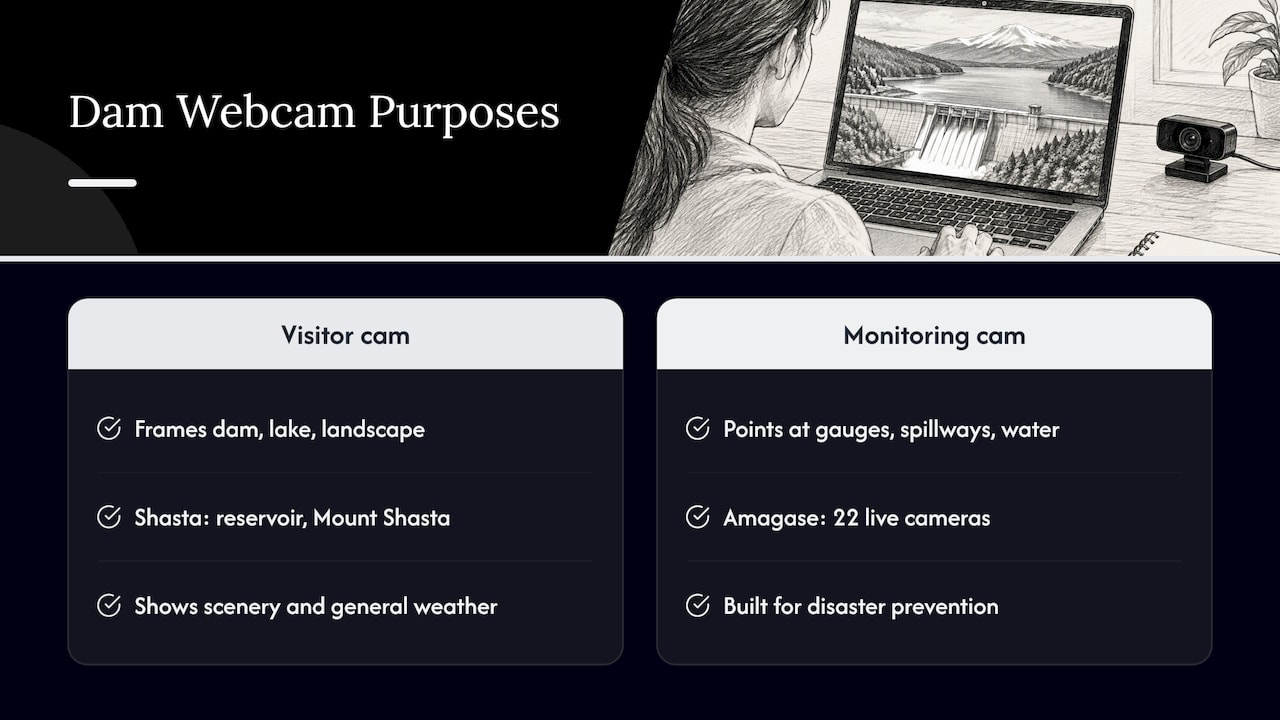
A dam is a big, photogenic structure, but the camera’s job decides the view. Some cams are built for visitors, so they frame the dam, the lake and the landscape. Others are built for operators, so they point at gauges, spillways and the water below the dam.
The Bureau of Reclamation’s Shasta Dam Cam is a visitor-style example. Reclamation launched it on June 27, 2025 as a live-streaming public webcam. It offers views of Shasta Dam, the surrounding reservoir and Mount Shasta, and it broadcasts from the Shasta Dam Visitor Center.
Operator-style cameras tell a different story. In Japan, the Yodo River Dam Integrated Management Office runs 22 live cameras at Amagase Dam for disaster prevention. Its views include the dam upstream, directly below the dam, the dam crest on the left and right banks, downstream, and several water level observation stations. That is a camera network built to watch water, not to make a pretty postcard.
So when you open a dam cam, ask what it was built to show. A visitor-center camera is good for scenery and a general sense of the weather. A monitoring camera is good for seeing the water around the structure, but it usually comes with data tables and notices that matter more than the picture.
The kinds of dams and places that have cameras
Dam webcams are not limited to famous concrete walls. The research turns up several distinct types, and each suits a different reader.
Large federal and public-works dams
Shasta Dam in California is a good example of a major federal structure with a public camera. The viewing angle includes the reservoir and, on clear days, Mount Shasta. If you are planning a visit, the view gives you a feel for the scene, though it can’t tell you about visitor center hours or access.
Reservoir dams run by water utilities
Water utilities often publish cameras for the public. Melbourne Water’s Thomson Dam Cam in Australia sits on the dam wall of the Thomson Reservoir, about 200 km from Melbourne. It takes a photograph of the area roughly every ten minutes during daylight hours. That is a typical pattern for utility cams: a still image on a schedule rather than a continuous stream, and nothing at night.
Dams that are being removed
The National Park Service installed six webcams along the Elwha River in Olympic National Park. They cover the deltas at the southern ends of the Lake Aldwell and Lake Mills reservoirs, the northern shore of each reservoir, and two cameras facing the Elwha and Glines Canyon dams. The main purpose was to monitor sediment movement during dam removal. It is a reminder that a dam camera can document change over time, not just a static view.
Flood-control and detention dams
Smaller structures have cameras too. The Northland Regional Council in New Zealand runs the Hopua te Nihotetea Detention Dam Webcam, with a photo every 10 minutes that is recorded so you can view the images in sequence as a time-lapse. In England, the Environment Agency’s Devon Webcams page includes a camera at Holbeam Dam. These are practical, local cameras, and the page around them often says more than the picture does.
Dams inside parks and recreation areas
Many dam views come bundled with park or lake cameras. If you like scenery, the National Park Service webcam collection and our guide to finding national park webcams fast are good starting points, since reservoirs, rivers and dams often appear in park camera lists.
How to tell whether a dam cam is current
“Live” is a loose word online. A feed labeled live may be a true stream, a photo that refreshes every ten minutes, a time-lapse, or a stuck image that stopped updating weeks ago. Here is a short routine that works for dam cams.
- Find the timestamp. Look for a date and time burned into the image or printed next to it. Note the time zone. Operators often use local time, and a visitor in another state may misread it.
- Read the page text. Good providers state how often the image updates. Thomson’s page says about every ten minutes in daylight. The USGS says that most of its webcams refresh every 5 to 20 minutes. That tells you what “current” means for that camera.
- Load it twice. One published method is to pull the same URL twice, about ten minutes apart, and compare. A live feed shows advancing timestamps, changing sensor readings or dated frames. A loop shows the same frame, the same numbers or a stuck clock.
- Check the light. If it is midday where the dam is and the image is dark, or the shadows never move across two visits, treat it as stale.
- Read the status message. Some cameras display a notice between scheduled images. On the Northland cam, a “waiting for new data” message appears until the next scheduled image is taken. That is normal behavior, not a failure.
- Go to the source. The operator’s own page is the best evidence for whether a camera is running. If the page announces maintenance or an outage, believe it over any third-party listing.
We cover the same habits for other camera types in our guides on verifying travel and nature webcams, checking harbor webcams and checking whether a wildlife feed is live. The routine carries over to dams almost unchanged.
Why some dam cams go dark
Dam cameras sit outdoors, often at remote sites, and they depend on power, a network link and clear lenses. The USGS notes on its water resources webcam page that during winter months ice and snow can affect picture quality. Fog, spray, glare and a dirty lens do the same. A blurry or white image in January is not necessarily a broken camera, but it is not a reliable view either.
What a dam webcam can tell you, and what it can’t
A webcam answers one question well: what does this one place look like right now? Everything else needs another source.
The team behind a visibility-tracking site puts the split plainly: a webcam shows one angle and tells you current conditions at one location, while a forecast tells you what to expect in 6, 12 or 24 hours. Together they give better confidence for planning than either does alone. That logic applies to dams as much as to mountains.
What you can reasonably read from the image
- General weather at the dam. Clear sky, cloud, fog, rain or snow on the ground at the camera’s angle.
- Light and scenery. Whether the lake and surrounding hills look the way you hoped before you drive out.
- Rough water appearance. Whether the reservoir looks calm or choppy, or whether water is visible moving at a spillway.
- Changes over time. If the provider keeps a time-lapse or image archive, you can see how conditions evolved over a day.
What the image can’t confirm
- Whether roads, trails, boat ramps or the visitor center are open.
- Whether water levels or flows are safe for boating, swimming, fishing or wading.
- Whether the water release schedule or flood conditions are changing.
- What the weather is doing outside the camera’s field of view or over the next few hours.
The better dam pages put data next to the picture. Japan’s Chubetsu Dam real-time page, run by the Hokkaido Development Bureau under the Ministry of Land, Infrastructure, Transport and Tourism, refreshes its still camera image every 10 minutes and shows observation time, storage volume, storage rate, rainfall, inflow and outflow. If the page you are on has numbers like these, read them. They say more than the photo.
Choosing a useful dam webcam
Not every dam cam deserves a bookmark. Here are the criteria worth weighing.
| What to check | Why it matters | What good looks like |
|---|---|---|
| Operator | Tells you who stands behind the image | A federal, state, regional or utility agency, a park, or a visitor center |
| Update interval | Defines what “current” means | Stated on the page, such as every 10 minutes in daylight |
| Timestamp | Lets you spot stale images | Visible date and time, with the time zone |
| View | Decides what you can learn | Dam face, spillway, reservoir and sky in one frame |
| Companion data | Backs up what the picture shows | Water level, rainfall, flow or weather readings nearby |
| Season and daylight | Affects image quality | A note about night, ice or snow limits |
| Source link | Lets you confirm status | A clear link back to the original provider |
A few practical tips follow from the table.
Prefer the operator’s own page. The Shasta Dam Cam comes from the agency that manages the dam, and it broadcasts from the visitor center. That gives you a clear answer to who runs it and where it points.
Match the camera to your goal. For a scenic fix or a destination preview, pick a visitor-center or park cam with a wide view. For understanding the water, choose a page with gauges and data next to the image.
Check more than one angle when you can. Multi-camera setups like the Elwha River set, with cameras on both reservoir shores and both dams, give you a better sense of the scene than a single frame.
Mind the time of day. A utility camera that photographs only in daylight, like Thomson, will show nothing useful at night. Plan around local sunrise and sunset, not your own clock.
Using dam webcams safely
Dams are working infrastructure. The area below a dam can change quickly when water is released, and reservoirs have their own hazards. A picture of a calm lake does not tell you what conditions will be when you arrive.
Two habits keep dam cam use sensible.
Treat the image as a snapshot. Even the operators say it. The UK Environment Agency’s Devon webcam page warns that technical difficulties and downtime may cause occasional inaccurate images and readings, and that the agency takes no responsibility for how the public interprets and uses the information. Take that seriously with any camera.
Confirm with the authoritative local source. In the United States, the USGS describes its webcams as a tool for scientists, the National Weather Service, emergency managers and residents to evaluate near-real-time conditions during natural hazard events. That means the camera sits inside a larger system of gauges and alerts. Use that system.
Before a trip near a dam or reservoir, check these:
- The operator’s page for closures, access notices and release information.
- The local National Weather Service forecast and any active watches or warnings.
- Official river and stream gauges for the water you plan to be on or near.
- Posted signs and instructions on site, which override anything you saw online.
If you are in an area with a flood or dam emergency, follow instructions from local emergency management officials. Do not use a webcam to decide whether it is safe to stay or go.
Planning a trip around a dam view
A dam cam is most helpful as one step in planning. Here is a simple sequence that works for a weekend trip to a reservoir or a dam visitor center.
- Preview the scene. Open a camera from the operator or park to see sky, light and general conditions. Note the timestamp.
- Check the forecast. Compare the image with the forecast for the next several hours and the next day, since the camera only shows now.
- Read the operator’s notices. Look for closures, construction, access limits and any recreation rules.
- Confirm water and weather data. Use official gauges and alerts rather than the picture.
- Decide with margin. If conditions look marginal on any source, choose a backup plan.
This also works for a virtual visit. If you simply like watching big water infrastructure and the landscapes around it, a mix of visitor-center cams, park cams and utility cams gives you plenty of variety. Reservoirs, rivers and ocean views also overlap with other camera types, so our guides to live surf webcams and underwater webcams may help if you want more water scenes.
Browse public webcams on GlobeWebcams
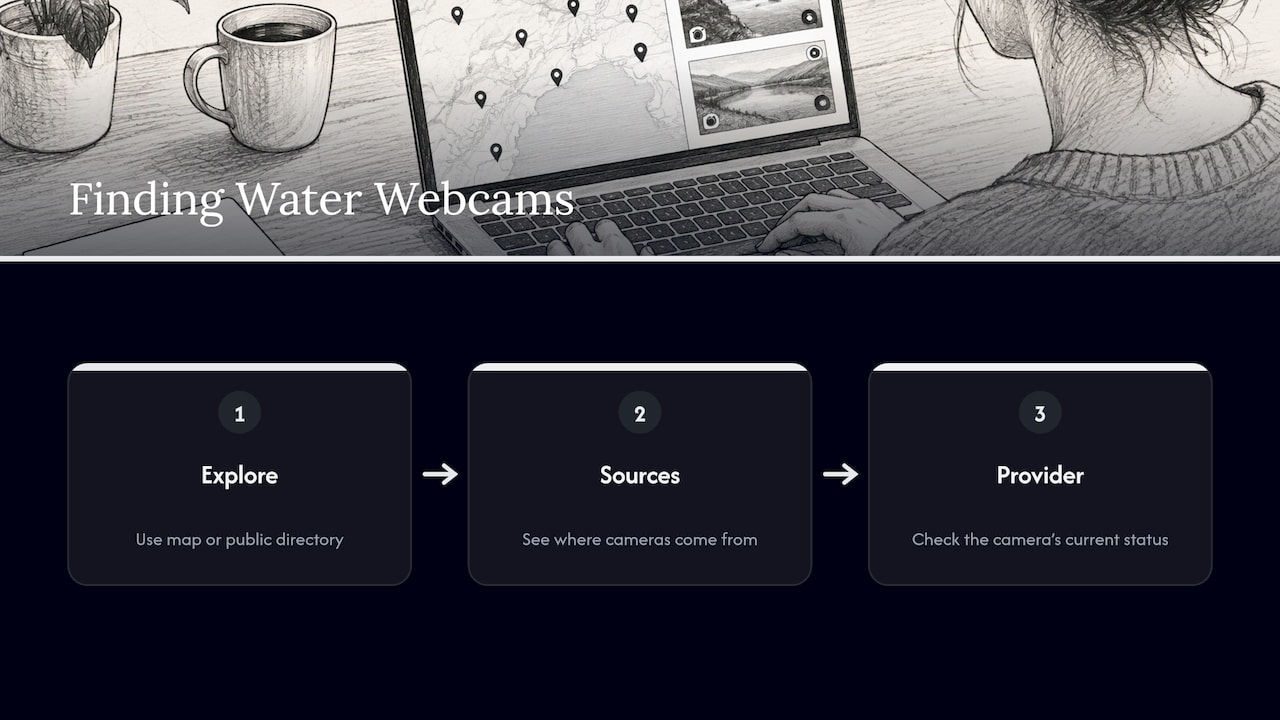
We built GlobeWebcams to make this kind of discovery easier. It is a worldwide directory of public or authorized webcams that you can explore by location, country, category and source, with an interactive map for navigation. We do not own or operate the cameras. Each page links back to the original provider, and we apply source-rights, availability and quality checks before publishing a webcam page.
To look for dams, reservoirs, rivers and scenic water views, start with the worldwide webcam map or page through the public webcam directory. Our sources page explains where the listed cameras come from. Whatever you find, use the provider link to see the camera’s current status.
FAQ
Are dam webcams really live?
Some are, and many are not video at all. Operators often publish a still photo that refreshes every few minutes, such as every 10 minutes at Thomson Dam in Australia. Check the timestamp and the update interval on the provider’s page rather than relying on the word “live.”
What is the best way to find a live dam camera?
Start with the agency or utility that runs the dam, since its own page is the most reliable. Visitor centers, park services and water authorities often host cameras. You can also browse by place and category on GlobeWebcams, then follow the provider link to confirm the camera’s status.
Can I use a dam webcam to check if it is safe to visit?
No, not on its own. A webcam shows one angle at one moment. For safety decisions, use the operator’s notices, the National Weather Service forecast and official gauges, and follow posted signs and local officials’ instructions.
Why is the dam cam image dark, blurry or not updating?
Common causes include nighttime, fog, spray, a dirty lens, and ice or snow, which the USGS notes can affect picture quality in winter. The camera may also be waiting for its next scheduled image or be offline for maintenance. Check the operator’s page for notices.
What can I learn from a dam cam besides the dam itself?
You can get a sense of local weather, light, cloud, the look of the reservoir and the scenery around it. The Shasta Dam Cam, for example, includes the reservoir and Mount Shasta in its view. Pair the picture with forecasts and gauge data for anything beyond a general impression.
Sources
- Newsroom | Bureau of Reclamation: Shasta Dam Cam launch
- Thomson Dam Cam | Melbourne Water
- Amagase Dam live cameras | Yodo River Dam Integrated Management Office
- Elwha River Webcams | Olympic National Park
- Hopua te Nihotetea Detention Dam Webcam | Northland Regional Council
- Devon Webcams | Environment Agency
- Webcams | U.S. Geological Survey
- Chubetsu Dam real-time information | Hokkaido Development Bureau
- Is that 24/7 webcam actually live? Two pulls, not one frame
- Mt. Rainier Visibility Today Live: How to Check Right Now
Recommended
- Harbor Webcams: How to Check Whether a Feed Is…
- Wildlife Webcams: Check Whether a Feed Is Live…
- Live Train Webcams: How to Verify a Feed Before…
- Live Underwater Webcams: Sources, Schedules and…
Webcam availability and conditions can change without notice. GlobeWebcams does not operate most listed cameras; feeds and imagery remain under the control of their original providers. Do not rely on webcam imagery alone for weather, road, travel or safety decisions.