Hot Spring Webcams: Where to Watch and How to Read Them
Hot spring webcams come in two kinds: cameras at natural thermal areas, such as the terraces in a national park, and cameras at soaking resorts that point at their pools. Both can show steam, weather and how a place looks right now, but neither tells you the water temperature or whether it is safe to get in. This guide explains where to find these views, what each one can and cannot tell you, and how to use them when you plan a trip.
GlobeWebcamsExplore Hot Spring Views WorldwideBrowse webcams by location and explore current views of destinations, weather and outdoor conditions as you plan a hot spring trip.Explore webcams on the mapTL;DR
- Two main types exist: natural thermal-area cameras (often run by park agencies) and resort cameras that show pools and the sky above them.
- Steam, snow cover, cloud and light are the useful clues. Water temperature, crowding rules and safety are not.
- Check the source page before you trust a feed. A camera can be frozen, offline or showing an old frame.
- Never use a webcam alone to decide whether to travel, drive or soak. Use official weather, road and park pages.
- You can browse the United States and other countries by map on GlobeWebcams.
Table of Contents
- What a hot spring webcam actually shows
- Two kinds of hot spring cameras
- What to look for before you trust a feed
- Reading steam, snow and weather in the frame
- Using webcams to plan a hot spring trip
- Volcanic and geothermal views beyond hot springs
- Safety notes that matter at hot springs
- How to find hot spring cameras on GlobeWebcams
- Choosing the best hot spring webcam for your purpose
- Common mistakes to avoid
- Frequently asked questions
- Sources
What a hot spring webcam actually shows
A hot spring webcam is a fixed or slowly updating camera aimed at a thermal feature or at a pool fed by one. The picture is usually a still image that refreshes every few minutes, or a video stream. Some cameras do both.
What you can read from the picture:
- Steam. Plumes are thicker in cold, still air, which is why a hot spring can look dramatic on a winter morning and nearly invisible on a warm afternoon. A big plume does not mean the water is hotter that day.
- Sky and light. Cloud, fog, sunrise and sunset colors tell you what the day looks like at the site.
- Snow and ground conditions. A frame with snow on the boardwalks or the rim of a pool tells you something about the season there.
- Layout. At a pool, the camera shows how the pools sit relative to the buildings and mountains, which helps when you are deciding where to stay or which side of a valley to look at.
- Visible activity. A few cameras show whether people are in the water. That is a loose hint, not a crowd count.
What you cannot read: water temperature, water quality, trail or road closures, air quality or gas conditions, and whether a pool is open. Those come from the operator or the land manager.
Two kinds of hot spring cameras
Cameras at natural thermal areas
The clearest example in the United States is Yellowstone. The National Park Service lists ten webcams across Yellowstone, including a live video stream of Old Faithful and the Upper Geyser Basin. The same page includes a view of the travertine terraces at Mammoth Hot Springs, a place the park describes as one of constant change.
These cameras are valuable because the thing you are watching is the attraction itself. You see the terraces under snow, under haze, or lit by low sun. Because a park agency runs them, the page also tells you what each camera points at, which is the first thing to check.
They are not a swimming guide. Thermal features in parks are not soaking pools, and the land manager’s rules about boardwalks and trails apply on the ground. Read the park’s own safety pages before a visit.
Cameras at soaking resorts
Many hot spring resorts in the United States and elsewhere run a camera over their pools or mountain setting. Search results for this topic are dominated by them. They are useful for a different reason: you can see the pool layout, the weather over the property and sometimes the mountains behind it.
Treat a resort camera as part of the resort’s own presentation. It is a good way to check the mood of the weather on a given morning. For opening hours, soaking rules, temperature and reservations, go to the resort’s booking or information page.
What to look for before you trust a feed
Before you read anything into a webcam image, run through these checks. They take less than a minute.
- Find the timestamp. Many cameras overlay a date and time in a corner. If it is missing, look at the page text for an update interval.
- Compare against sunrise and sunset. If the picture is bright and the local time is late evening, something is off. Remember time zones: a camera in the Mountain time zone is two hours behind the East Coast.
- Watch for repeat frames. Reload the page after a few minutes. If steam, cloud and shadows are identical, the image may be stale.
- Note the direction. A camera pointed at a ridge may show weather coming from a different direction than the one over the pools.
- Go to the provider. The original provider’s page is the authority for what the camera is, who runs it and how often it updates.
We apply the same logic on our own site. GlobeWebcams links each webcam page back to its original provider and applies source-rights, availability and quality checks before publishing, and we do not own or operate the cameras. A page listing a camera is not a promise that the feed is working at this moment, so read the source and the timestamp.
Reading steam, snow and weather in the frame
The most common mistake with thermal webcams is reading too much into a single image. Here is how to read what you see more carefully.
Thick steam in a winter frame. Cold air makes steam condense and hang. That tells you the air is cold. It does not tell you about water temperature or that the feature is more active than usual.
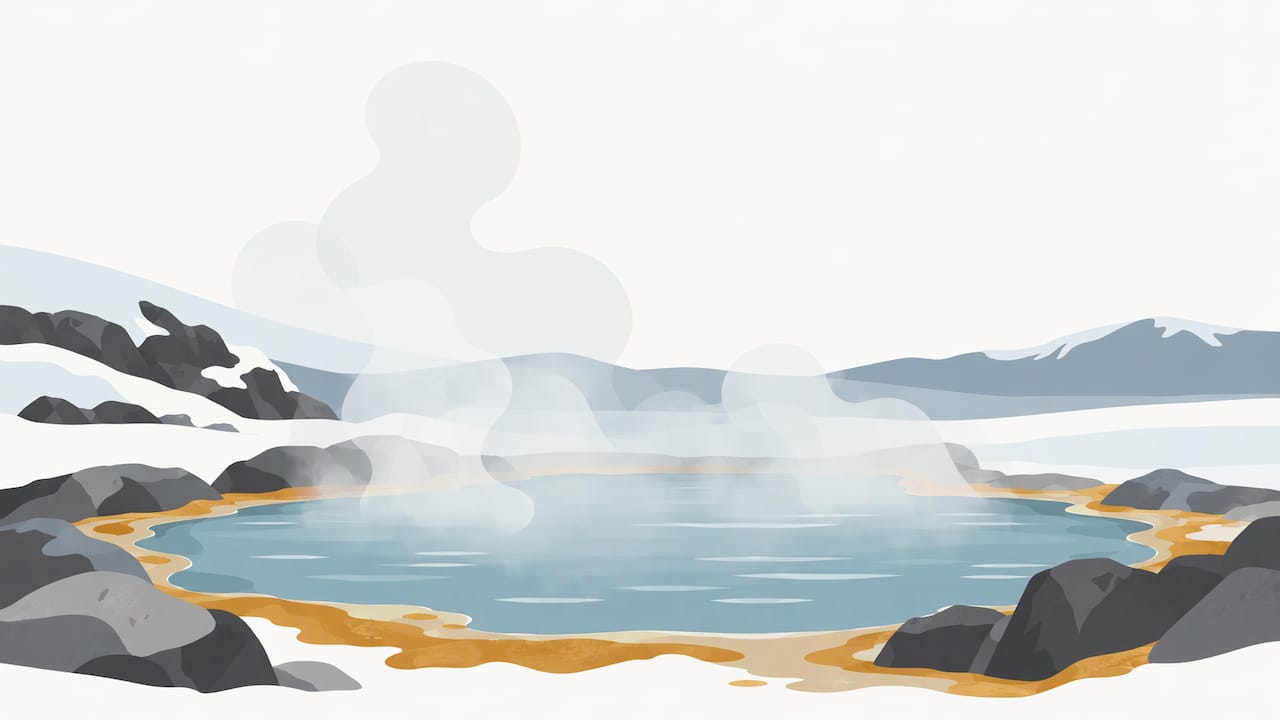
No steam in a summer frame. Warm air disperses vapor quickly. A clear view of a pool surface at midday is normal.
Fog or haze. Low cloud can hide the whole feature. If you are visiting for a photograph, look at a few frames across a morning to see how the cloud moves, then check the official forecast.
Snow on terraces or pool edges. It shows season and recent weather. It does not tell you whether the road to the site is open, so check the road authority.
Colors. Mineral and microbial colors on thermal features can look different on camera depending on light and lens. Do not compare colors between two cameras.
Using webcams to plan a hot spring trip
Webcams work best as one input in a plan. Here is a sensible order.
Step 1: Pick the place
Decide whether you want a natural thermal area to look at or a pool to soak in. Those are different trips with different rules, so the webcam you want differs too.
Step 2: Look at the season
A few days of frames, checked at different times, show you how the place looks in your travel month. Winter views of steaming water against snow are a big draw, but they also tell you to pack for the cold and to check road conditions.
Step 3: Get the setting right
Before you go, it helps to see the surroundings, such as the approach roads, the nearest town and the landscape. Street View 360 views of places can give you a ground-level sense of an area that a fixed camera cannot, though they show a past capture rather than the current day.
Step 4: Confirm with official sources
Use the official weather service forecast, the road authority’s conditions page and the park or resort’s own notices. Webcams are a visual cross-check on those sources, never a substitute for them.
Step 5: Decide on the day
Check the camera again shortly before you leave, then go by the official information. If the camera is stale or offline, that tells you nothing about conditions at the site.
Volcanic and geothermal views beyond hot springs
Hot springs sit in the same family as geysers, fumaroles and volcanic landscapes, and the cameras for them are read in a similar way. If you want to follow active volcanic landscapes, our guide to watching and reading volcano webcams covers what the frames can and cannot show, and our page for Hawaiʻi Volcanoes National Park webcams lists the views we link there.
Iceland is the other country many travelers think of for geothermal scenery. Our Iceland webcams page lists the cameras we link in the country, so you can check the weather and light before a trip. Nordic cameras often show roads and landscapes rather than pools, which is still helpful when you want to see how winter looks on the route. For example, our Norway and Finland pages list road cameras from public traffic authorities, such as the Eie webcam in Flekkefjord and the Vermo webcam in Leppävaara. They are not hot spring cameras, and we mention them only as an example of the road and weather views available for cold-climate travel.
Safety notes that matter at hot springs
A webcam shows the surface of a place. The risks at a hot spring are mostly invisible from a camera, so it is worth being plain about them.
- Stay on marked paths at natural thermal areas. Crusted ground can hide very hot water. Follow the signs and boardwalks of the land manager.
- Do not assume a pool is safe because it looks calm. Clear, still water can be extremely hot. Soak only in pools that an operator maintains and monitors, and follow posted temperature and time limits.
- Ask your doctor first if you have a heart condition, are pregnant, or take medication that affects blood pressure. Hot water raises heart rate and can cause dizziness.
- Keep your head above water and drink water. Leave the pool if you feel lightheaded.
- Children and alcohol. Supervise children closely, and avoid alcohol before and during a soak.
For specific temperatures, closures and rules, use the operator or park’s own page. We do not give those details because they change, and a webcam cannot confirm them.
How to find hot spring cameras on GlobeWebcams
Our site is a map-first directory of public or authorized webcams, organized by country, category and place. Here is a practical way to use it for this topic.
- Start on the worldwide webcam map and zoom to the region where you plan to travel.
- Open the United States webcams page to browse by place and category, then look for nature, weather and scenic views near the thermal areas you want to see.
- Follow each webcam page to the original provider. That is where you will find the camera’s description, attribution and any terms.
- Check our sources page to see how we handle attribution and which kinds of providers we link to.
We do not claim that every camera listed is working at every moment. When a source stops updating or fails our quality checks, the page can change or be removed. If you do not see a camera for the exact spring you want, the resort or park may publish its own feed on its official site.
Choosing the best hot spring webcam for your purpose
There is no single best camera. The best one depends on what you are trying to learn.
| Your goal | What to look for | Where it comes from |
|---|---|---|
| See a natural thermal feature | A clear view of the terraces, basin or geyser field with a stated direction | Park or land-agency pages |
| Check weather over a pool | A wide view with sky and mountains, and a timestamp | Resort pages |
| Understand the layout of a resort | A camera that shows the pools and the buildings together | Resort pages |
| Judge the season | Several frames over a few days | Any, if the feed refreshes |
| Plan the drive | A road camera plus the road authority’s page | Transport agencies |
If the view is for entertainment, any working feed will do. If it is for a trip, pair it with an official source every time.
Common mistakes to avoid
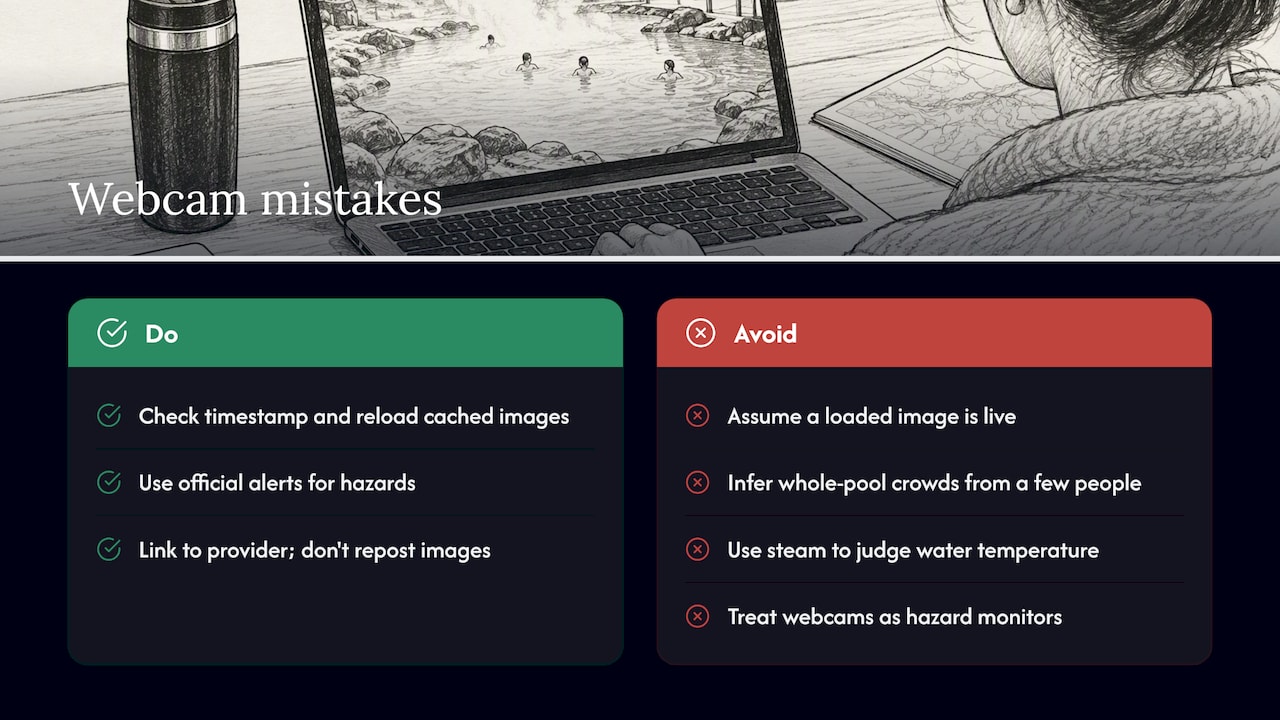
Assuming the image is live. A page can load a cached image. Check the timestamp and reload.
Reading crowds into a few people. A camera frame covers a small part of a pool. Do not use it to guess how busy the whole place is.
Using steam as a measure. Steam depends on air temperature and wind, not just water temperature.
Treating a camera as a warning system. Webcams are not monitoring tools for hazards. Official alerts are.
Copying images. Webcam images belong to their providers. Link to the provider rather than reposting.
Frequently asked questions
Are hot spring webcams live?
Some stream video and some refresh a still image every few minutes. Both can fail without warning, so check the timestamp and the provider’s page. Do not treat a page as current unless the source shows it is updating.
Can I check water temperature on a hot spring webcam?
No. A camera shows the surface, the steam and the weather. Water temperature comes from the operator’s own information, and you should follow their posted limits at any soaking pool.
Where can I watch hot springs in a national park?
The National Park Service runs webcams at Yellowstone, including a view of the travertine terraces at Mammoth Hot Springs and a live stream of Old Faithful, listed on its Yellowstone webcams page. Other parks may have their own, so check each park’s official website.
Can I use a webcam to decide whether to drive to a hot spring?
Use it as a visual cross-check only. Decide with the official weather forecast and the road authority’s conditions page, since a camera may be stale or may not cover the road you will use.
Does GlobeWebcams run these cameras?
No. We list public or authorized webcams and link to the original providers. Each provider runs its own camera and controls its own feed.
Sources
Recommended
- Volcano Webcams Live: How to Watch and Read Them
- Snow Cameras Live: How to Read Them Before You Go
- Live Underwater Webcams: Sources, Schedules and
- River Webcams Live: How to Find Views Worth
Webcam availability and conditions can change without notice. GlobeWebcams does not operate most listed cameras; feeds and imagery remain under the control of their original providers. Do not rely on webcam imagery alone for weather, road, travel or safety decisions.