Observatory Webcams: What You Can See and How to Read Them

Observatory webcams are cameras run by observatories, universities and astronomy clubs that show the telescope site, the surrounding mountain and the sky above it. Some stream video around the clock. Others post a still image every few minutes or every hour. Which kind you are looking at decides what the view can tell you, so this guide covers the common types, what each one shows, and how to check a feed before you rely on it.
We are a webcam discovery platform, not the operator of any of these cameras. Every feed mentioned below belongs to the organization that runs it, and you should treat that organization’s own page as the final word on what the camera shows and when it was last updated.
Explore Observatory Views Worldwide: browse webcams by location and category, then check the original provider’s page for feed details and current conditions. Explore webcams on the map.
TL;DR
- Observatory webcams fall into three groups: site views of telescopes and buildings, all-sky cameras that look straight up, and weather or panorama cameras that show conditions on the mountain.
- Update rates vary from a continuous video stream to one still image per hour. Check the timestamp or the operator’s stated refresh rate before you call a view “current.”
- Dark, gray or blank frames are often normal: summits have no streetlights, and fog, rain, ice or snow can cover a lens.
- Use these cameras for curiosity, orientation and trip inspiration. Do not make weather, road or safety decisions from webcam imagery alone.
- Several major operators publish their camera pages with clear notes on what the camera faces and how often it refreshes. Start there.
Table of Contents
- What observatory webcams actually are
- What you can see through them
- Live stream or still image? How the feeds update
- Why the view may be dark, gray or empty
- How to check an observatory webcam before you trust it
- Where to find observatory webcams
- Using a webcam to plan a real visit
- Browse webcams on GlobeWebcams
- FAQ
- Sources
What observatory webcams actually are
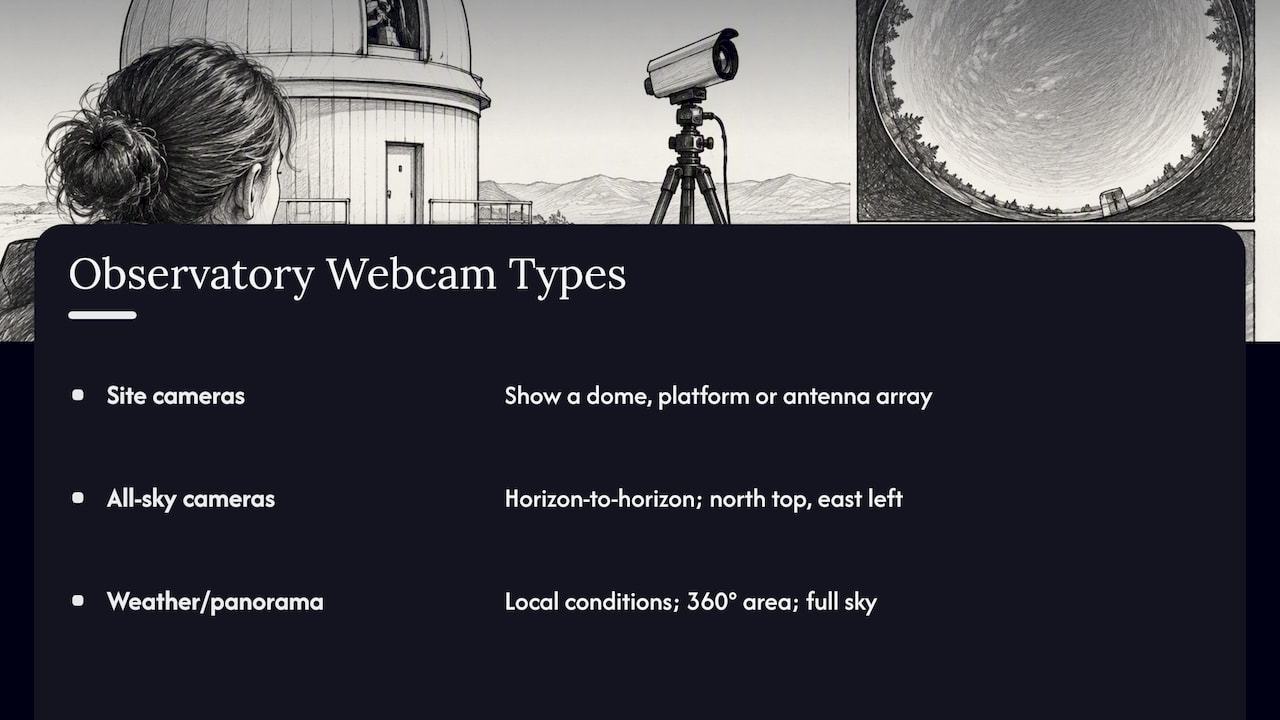
The phrase covers more than one kind of camera, and that is why two “observatory live cams” can look nothing alike.
Site cameras point at the facility. The European Southern Observatory (ESO) says its webcams let anyone see its telescopes and sites, with live transmissions, interactive views and static images. These are the cameras to open if you want to see a dome, a platform or an antenna array in its landscape.
All-sky cameras use a wide lens aimed at the zenith. One amateur observatory describes its camera as covering the entire sky from horizon to horizon, day or night and in all weather, with north at the top and east at the left. That orientation looks odd at first, because it is a map of the sky as if you were lying on your back, not a view out a window.
Weather and panorama cameras exist mainly so staff and visitors can see conditions. McDonald Observatory in Texas says its onsite camera gives 24/7 high-resolution views, including a 360-degree look at the area and a view up to the full sky. It suggests using the camera by day to get oriented to the facilities, at night to see star-filled skies, and at any time to check the weather.
Many observatories run all three types side by side, which is why a single operator’s webcam page can feel like a small portal.
What you can see through them
The best way to know what a camera shows is to read what its operator says about it. A few examples from official pages:
Telescope platforms and desert plateaus in Chile
ESO’s Paranal webcam shows the observing platform of the Very Large Telescope, its Unit and Auxiliary Telescopes, the VLT Survey Telescope and Cerro Armazones. On exceptionally clear days it can also show the 6,739-metre Llullaillaco volcano about 190 km away. ESO’s ALMA webcam looks across the Chajnantor Plateau at about 5,000 metres elevation and shows ALMA and APEX antennas.
The U.S. National Radio Astronomy Observatory describes its ALMA camera as sitting near the array’s center at the Array Operations Site, 16,500 feet above sea level. Its page offers a current interactive 360-degree image, a static panorama, a saved nighttime panorama and snapshots of antennas, mountains, the plateau and the correlator site.
Maunakea summit views in Hawaiʻi
The Subaru Telescope publishes named views of the summit area. According to its page, the north view shows the control building, the northeast view shows Keck I and II, the south view shows CSO and JCMT, and the southeast view shows several other Mauna Kea observatories (see Subaru’s live camera page).
The Canada-France-Hawaii Telescope runs a camera called StarCam. CFHT says it can show clouds, meteor showers, eclipses, satellites, aircraft and the Maunakea sunset, with observatories such as JCMT, SMA, Subaru, Keck and IRTF in view. It describes StarCam as a 4K all-weather camera that livestreams 24/7 on YouTube and faces west.
Sky and weather from amateur and educational sites
Smaller observatories are worth a look too. The Moonglow page says clear, moonless nights may reveal the Milky Way, that the Moon, planets and zodiacal light are occasionally visible, that most light streaks are aircraft, and that meteors are rare. That is a useful reality check: an all-sky frame is rarely a postcard.
The European Space Agency’s CESAR education pages list observatory cameras at the Helios, radio-telescope, Cebreros and Robledo facilities, alongside solar-observatory and control-centre resources. The Ohio State astronomy department’s Large Binocular Telescope page lists a telescope webcam and a building view.
Live stream or still image? How the feeds update
This is the question that trips up most first-time viewers. “Live cam” is a common label, but the operators themselves describe very different refresh behavior. The table uses each operator’s own statement.
| Feed | What the operator says about updates |
|---|---|
| Subaru Telescope, Maunakea | Current summit views, updated every few minutes; still-image and movie versions are also available |
| CFHT webcams | Images update every 60 seconds; the associated weather data update every 10 seconds |
| CFHT StarCam | 4K video livestreamed 24/7 on YouTube, provided on a best-effort basis |
| Moonglow all-sky cam | Latest still image and weather conditions updated every 10 minutes |
| Wellington Astronomical Society | Sky-camera images update every 15 minutes during darkness; daytime displays show the last transmission from dawn and keep timestamps |
| Large Binocular Telescope | Telescope webcam updated every five minutes; building view updated hourly |
| NRAO ALMA page | Displays the last image available; the page cautions that images may not always be up to date |
Two lessons follow. First, a still image that refreshes every few minutes is not a video, and it will not catch a fast event such as a bright meteor. Second, a camera that “keeps the last image” can look fresh when it is not, which is why the timestamp matters more than the frame.
Why the view may be dark, gray or empty
Most disappointing observatory views have ordinary explanations.
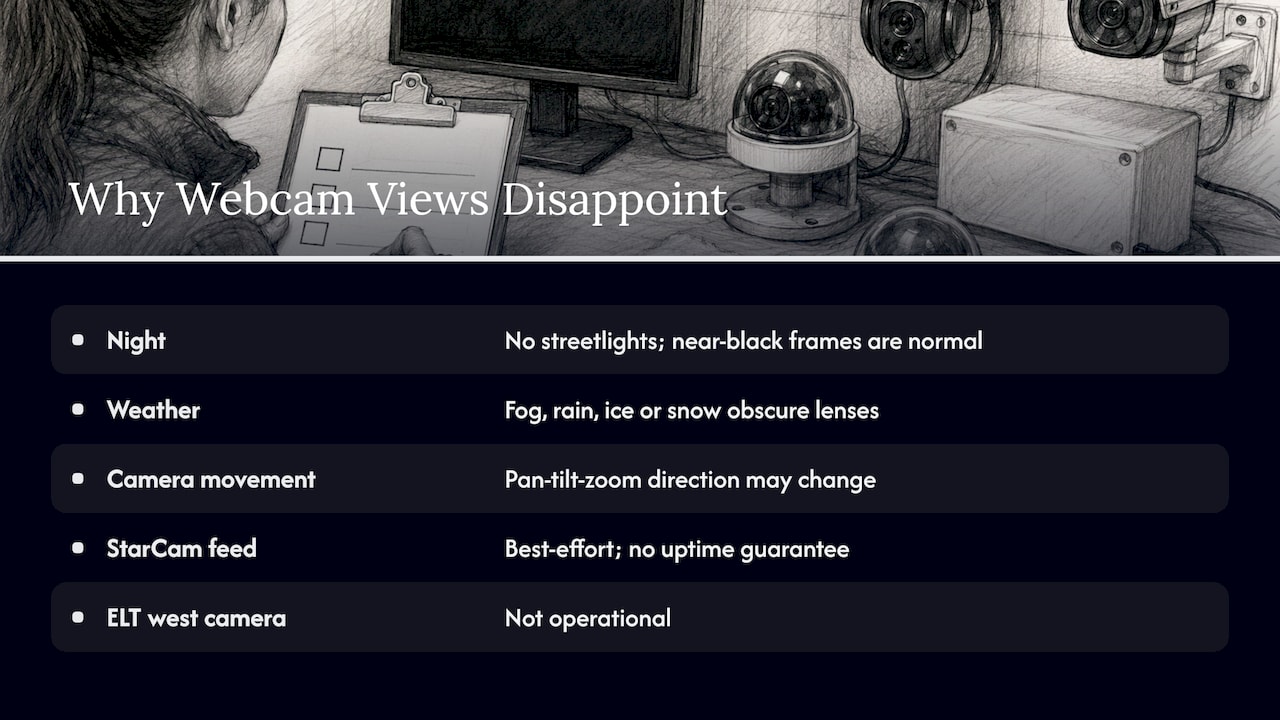
Night is dark. Subaru notes that its summit images get dark at night because there are no streetlights. Observatories are built far from light pollution, and that is exactly what a camera will show you after sunset. A near-black frame with a few stars means the camera is doing its job.
Weather blocks the lens. CFHT says fog, rain, ice or snow can obscure its cameras, and that its webcams operate 24 hours a day and show the darkness of night. Summits sit in cloud often enough that a gray frame is common.
Cameras move. CFHT also notes that some of its cameras are pan-tilt-zoom units whose direction may change during operations. The view you saw yesterday may not be the view today.
Free feeds are not guaranteed. CFHT provides StarCam on a best-effort basis, gives no uptime guarantee, and may temporarily disable the livestream without notice. ESO’s page also notes that the ELT west camera is not operational. Operators are candid about this, and you should expect gaps.
How to check an observatory webcam before you trust it
A short routine takes less than a minute and keeps you from misreading a stale image.
- Find the operator’s page. The observatory or institution that runs the camera is the authority on what it faces and how often it refreshes. A directory listing, including ours, is a pointer to that source, not a replacement for it.
- Read the refresh statement. Look for wording like “updated every five minutes” or “24/7 livestream.” If there is none, treat the image as of unknown age.
- Look for a timestamp. Compare it with the current time at the site, remembering the time zone. Chile, Hawaiʻi and New Zealand are far from each other and from you.
- Check day or night at the site. A black frame at noon on your clock may be midnight there.
- Note the direction. A camera facing west shows sunsets, not sunrises. An all-sky image is oriented with north at the top and east at the left in the Moonglow example, not like a landscape photo.
- Cross-check conditions elsewhere. Use the operator’s weather data or an official forecast for anything that matters. Never base weather, road or travel safety decisions on a webcam image alone.
We apply a version of this routine ourselves: we link back to original providers and run source-rights, availability and quality checks before publishing a webcam page. You can read how in our methodology.
Where to find observatory webcams
Start with the operators. They publish the most accurate descriptions and tend to keep their pages current.
- Chile: ESO’s cameras cover Paranal and Cerro Armazones, the Chajnantor Plateau and La Silla, and the organization describes them as 24/7 live transmissions from multiple sites. NRAO runs its own ALMA page as well.
- Hawaiʻi: The Maunakea summit has several operators with public cameras, including Subaru and CFHT, as noted above.
- Texas: McDonald Observatory offers a live camera page with day, night and weather uses.
- Spain and Europe: ESA’s CESAR webcam page collects cameras at several of its stations.
- Clubs and universities: Amateur societies, such as the one in Wellington, New Zealand, and university departments often run all-sky cameras and explain their schedules in plain language.
If you would rather browse by place than by institution, our worldwide webcam map lets you move from country to country and open pages that link to the original provider. For high-latitude landscapes and weather views, you can start with our Iceland, Norway and Canada pages.
Mountain and volcano views next door
Observatory summits often share terrain with volcanoes, and the reading skills carry over. Our guide to watching and reading volcano webcams covers how to judge a feed’s freshness in that setting. If you want a U.S. example, the Hawaiʻi Volcanoes National Park webcams are a good place to practice, and the same logic applies there: look for the provider, the timestamp and the direction.
Using a webcam to plan a real visit
A camera can tell you whether the sky looks clear at a site, what the terrain looks like and which way the telescopes face. It cannot tell you whether a tour is running, whether roads are open or whether tonight will be good for stargazing. For those, use the observatory’s own visitor information and official forecasts.
If you want the real thing rather than a screen, some observatories open to the public for evening sessions. A small Italian example is covered in this guide to visiting the Perinaldo observatory, which explains how to book a night there. A night-sky camera, like the one at La Silla, makes a good preview of what darkness and clear air look like before you go.
Browse webcams on GlobeWebcams
GlobeWebcams is a map-first directory of public or authorized webcams, organized by country, category and place. Each page points to the original provider, and we publish conservatively, so we do not treat every publicly accessible camera as reusable content. Open the worldwide webcam map to explore scenic, weather and landmark views, or jump to a country such as Australia or Switzerland. We do not own or operate the cameras themselves.
FAQ
Are observatory webcams really live?
Some are, and some are not. CFHT says its StarCam streams 24/7 on YouTube, while other operators post still images that refresh every few minutes or every hour. The operator’s own page states which type you are viewing, so read it before calling any feed live.
Why is the observatory camera image black at night?
Observatories sit far from city lights on purpose. Subaru notes that its summit views get dark at night because there are no streetlights. An all-sky camera may still show stars and, on clear moonless nights, the Milky Way.
What can I see on an all-sky camera?
On a clear night you may see stars, and occasionally the Moon, planets or zodiacal light. Moonglow notes that most light streaks are aircraft and that meteors are rare. Clouds, fog or a bright Moon will reduce what shows up.
Can I use an observatory webcam to check weather before a trip?
It can give you a rough idea of what the site looks like right now, and some operators publish weather data alongside the images. Treat it as one input only. Rely on official forecasts and the observatory’s visitor information for decisions about travel, roads or safety.
Which observatories have public webcams?
ESO in Chile, NRAO’s ALMA page, Subaru and CFHT on Maunakea, McDonald Observatory in Texas and ESA’s CESAR stations all publish cameras. Smaller university and astronomy-society cameras also exist. Check each operator’s page for what it currently shows, since cameras can be offline.
Sources
- Webcams | ESO
- Subaru Live Camera | Observational instruments
- CFHT-Asahi StarCam
- CFHT Webcams
- Live Camera, McDonald Observatory
- Moonglow Observatory All Sky Cam
- ALMA Webcam, National Radio Astronomy Observatory
- Sky Cameras, Wellington Astronomical Society
- The Large Binocular Telescope, OSU Astronomy Department
- Webcams, ESA CESAR
Recommended
- Lighthouse Webcams: How to Find and Read Them
- Volcano Webcams Live: How to Watch and Read Them
- Sea Otter Cams: How to Verify a Current Stream
- Snow Cameras Live: How to Read Them Before You Go
Webcam availability and conditions can change without notice. GlobeWebcams does not operate most listed cameras; feeds and imagery remain under the control of their original providers. Do not rely on webcam imagery alone for weather, road, travel or safety decisions.