Theme Park Webcams: How to Find Real Views and Check Them

Theme park webcams are cameras that show a park’s skyline, rides, entrances or surroundings, usually through the park’s own website or an authorized source. The best ones are run by the parks themselves, and the useful ones tell you where the camera points and when the picture last updated. Use them to get a feel for the weather and the atmosphere before a trip. Do not use them as your only source for operating hours, ride status or safety decisions.
This guide explains what park cams do and don’t show, where to look for amusement park live cams, how to tell a current feed from a stale one, and how to plan around them.
GlobeWebcamsglobewebcams.comExplore Views Near Your Next Park VisitBrowse webcams by location on an interactive map to check current views and explore destinations before you travel.Explore webcams on the mapTL;DR
- A theme park webcam is a fixed or preset-angle camera, a still image refreshed on a timer, or a live stream. Each tells you something different.
- Official park pages are the most dependable starting point. Cedar Point, for example, publishes its own cameras on its website.
- Always check the timestamp. A camera page can stay online while the picture is old or the feed is down.
- Cams are good for a general sense of weather and crowds. Confirm hours, closures and ride status with the park itself.
- Browse by place and category on GlobeWebcams to find views near the park you plan to visit.
Table of Contents
- What counts as a theme park webcam
- Where to find amusement park live cams
- What a park cam can and can’t tell you
- How to check that a park webcam is current
- Why cams go quiet
- Using webcams to plan a park trip
- Beyond rides: park-adjacent views
- Park cams around the world
- Find views on GlobeWebcams
- A short checklist before you rely on any park cam
- FAQ
- Sources
What counts as a theme park webcam
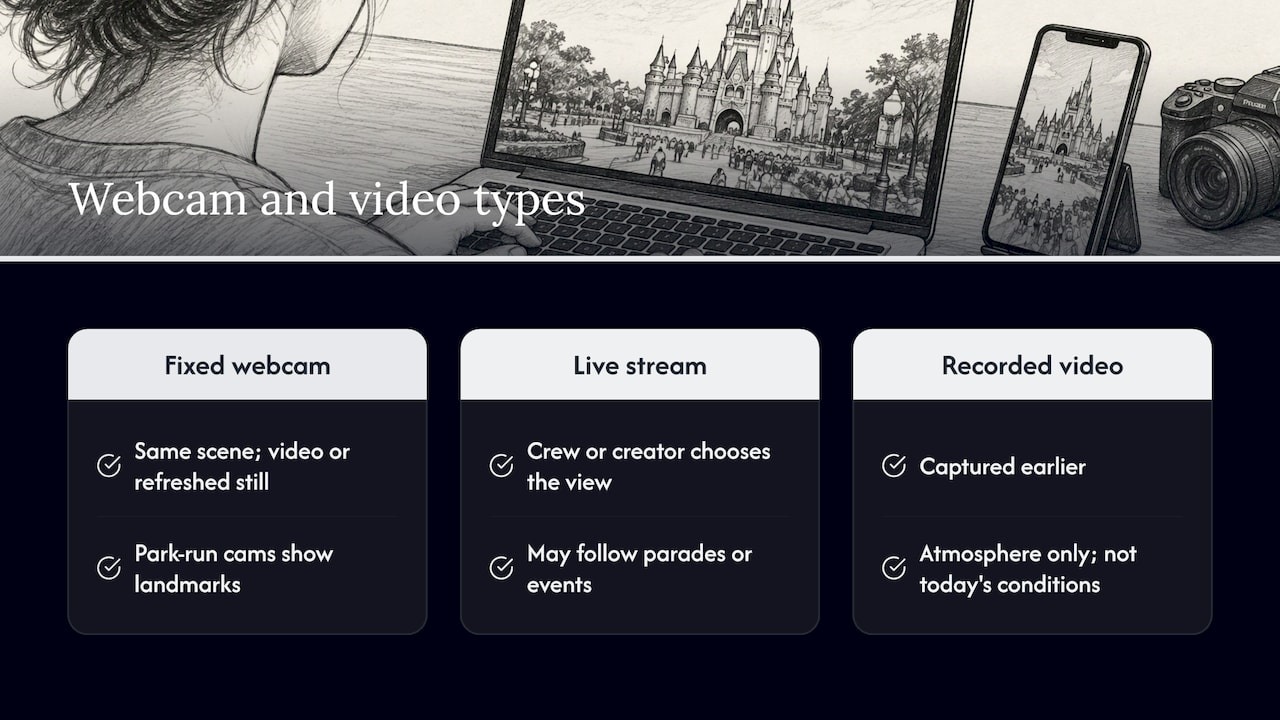
The phrase covers three quite different things, and mixing them up is the main reason people end up disappointed.
A fixed webcam. A camera mounted on a tower, rooftop or building that looks at the same scene. It might be a continuous video stream or a still image that refreshes every few minutes. Park-run cams usually look out over a ride, a midway or the skyline.
A live stream. A broadcast, often produced by a crew or a creator, that moves around a park, follows a parade or covers a special event. It can be great to watch, but someone is choosing what you see and when.
A recorded or looped video. Clips that look like a live view but were captured earlier. These are fine for atmosphere. They tell you nothing about today’s weather or crowds.
A useful contrast comes from Disney’s in-park streaming. One fan-run planning blog notes that the Disney Parks Blog crew has streamed events such as Fantasmic! and New Year’s Eve fireworks. Those streams give clean views of the event, free of crowds, but Disney controls what you see and when. That is a produced broadcast, not a webcam you can point at the parking lot.
Where to find amusement park live cams
There are four realistic places to look, and they work best in this order.
1. The park’s own website
If a park offers a camera, its official site is the best place to find it, because the park controls the camera and knows when it’s down. Cedar Point’s website, for instance, has a live video page with three cameras: Power Tower East, Power Tower West and a Frontier Town view. That is a good example of what to expect: a few fixed angles pointing at landmarks rather than a tour of the whole park.
Some parks sit inside a larger attraction and use the camera to show the surroundings. The Everglades Holiday Park in Fort Lauderdale, Florida, describes on its official webcam page a free, round-the-clock aerial view where you can watch airboats leave the dock, spot wildlife and see the weather. It is a good reminder that “park cam” sometimes means a nature or outdoor attraction rather than a ride park.
Park websites also change. Cameras get added, moved or retired. A reputable overview notes that years ago Disney installed webcams at Walt Disney World, including a Main Street view toward Cinderella Castle, but that a public Disneyland live cam is no longer available. If you find an old reference to a camera, check that it still exists before building a plan around it.
2. Resort and destination pages
Hotels, resorts and tourism boards near a park sometimes run skyline cams that include the park in the background. These are useful for weather and for a sense of the area, even if the rides are small in the frame.
3. Webcam directories
A directory pulls cameras from many providers into one place. The value is in comparison: you can look at the park, the surrounding city and the nearest coastline or mountains in one session. A good directory links back to the original provider, so you can go to the source for the full view. That is how GlobeWebcams works. We don’t own or operate any of the cameras. We organize public or authorized views by location, country and category, and send you to the original provider.
4. Creator live streams
Park streams from creators can be entertaining and are sometimes the only way to see a park after dark or during an event. Treat them as entertainment and event coverage. They are a person’s choice of angle, not a neutral window.
What a park cam can and can’t tell you
A camera is a snapshot of one angle. Used for what it is, it is genuinely helpful before a trip.
| You want to know | What a webcam can show | What it can’t tell you |
|---|---|---|
| Weather | Sky, cloud, rain on the ground, whether people carry umbrellas | Forecast, lightning risk, heat index |
| Crowds | Rough density in the visible area | Queue times, capacity limits, entry rules |
| Rides | Whether a coaster or tower is visible and appears to be moving | Whether it is officially open, when it reopens |
| Seasonal look | Decorations, foliage, lights | Special event schedules |
| Surroundings | Parking, nearby roads, skyline | Traffic conditions beyond the frame |
Some park portals go further. A recent media write-up of the Kings Island cam says the official player lets viewers switch between preset locations and may add extras such as weather overlays or wait time indicators. Features like that vary by park and change over time, so look at the park’s page itself to see what it offers.
Reading weather from a camera
Look at the ground first. Wet pavement, standing water or people in ponchos tell you more than a gray sky does. Then look at distance: haze or low visibility suggests fog, smoke or heavy rain. A camera can tell you what the weather looks like right now. It can’t tell you what is coming in an hour. For that, use your local forecast service and the park’s own weather policy.
Reading crowds from a camera
A view of a midway at 11 a.m. shows how busy that one stretch is. It doesn’t show lines at the most popular rides, which are often out of frame or indoors. Use it as one signal, along with the park’s published calendar and official app if it has one.
How to check that a park webcam is current
This is the part most guides skip, and it matters most. A camera page can look fine while showing an old picture. One regional guide to Smoky Mountains cameras makes the point plainly: check the image timestamp before you rely on a view, because a page can stay online while the image is stale or the feed is unavailable. The same guide notes that some National Park Service cameras refresh about every 15 minutes and are not video streams, and that cameras can go offline in bad weather.
The same habits work at any park. Run through these steps:
- Find a timestamp. Many cams overlay the date and time on the image or show it beside the picture. If there isn’t one, treat the view as unverified.
- Compare it to your clock. Account for time zones. A park in Orlando and one in California are three hours apart.
- Look for motion or change. Reload the page. If the picture never changes, even at night or during a busy period, the feed may be frozen.
- Check the light. Daylight at midnight, or a dark sky at noon, means the picture isn’t what it claims to be.
- Confirm the source. Prefer a camera run by the park or an identifiable provider. If you can’t tell who runs it, don’t treat it as authoritative.
- Know the refresh type. A still image that updates every few minutes is not the same as video. Don’t expect to see a ride cycle on a still.
- Confirm anything important elsewhere. Hours, closures, ride downtime and weather alerts belong with the park’s official channels and your local weather service.
The same logic carries across categories. If you like to check other kinds of views, our guides on how to check whether a wildlife feed is live and how to verify a train webcam use the same approach.
Why cams go quiet
Expect gaps. Some of the common reasons a park cam shows nothing or something old:
- Weather. Storms, lightning and high winds can lead to cameras being switched off or lose power.
- Seasons. Many parks close or reduce hours in the off-season, and some cameras go idle with them.
- Maintenance. Cameras get serviced, moved or replaced.
- Policy changes. A park can retire a public camera at any time, as the Disneyland example above shows.
- Provider limits. A still image feed may simply refresh slowly.
If a camera is down, that is normal. Try another angle, another provider, or return later.
Using webcams to plan a park trip
Here is a simple routine that uses cams for what they’re good at.
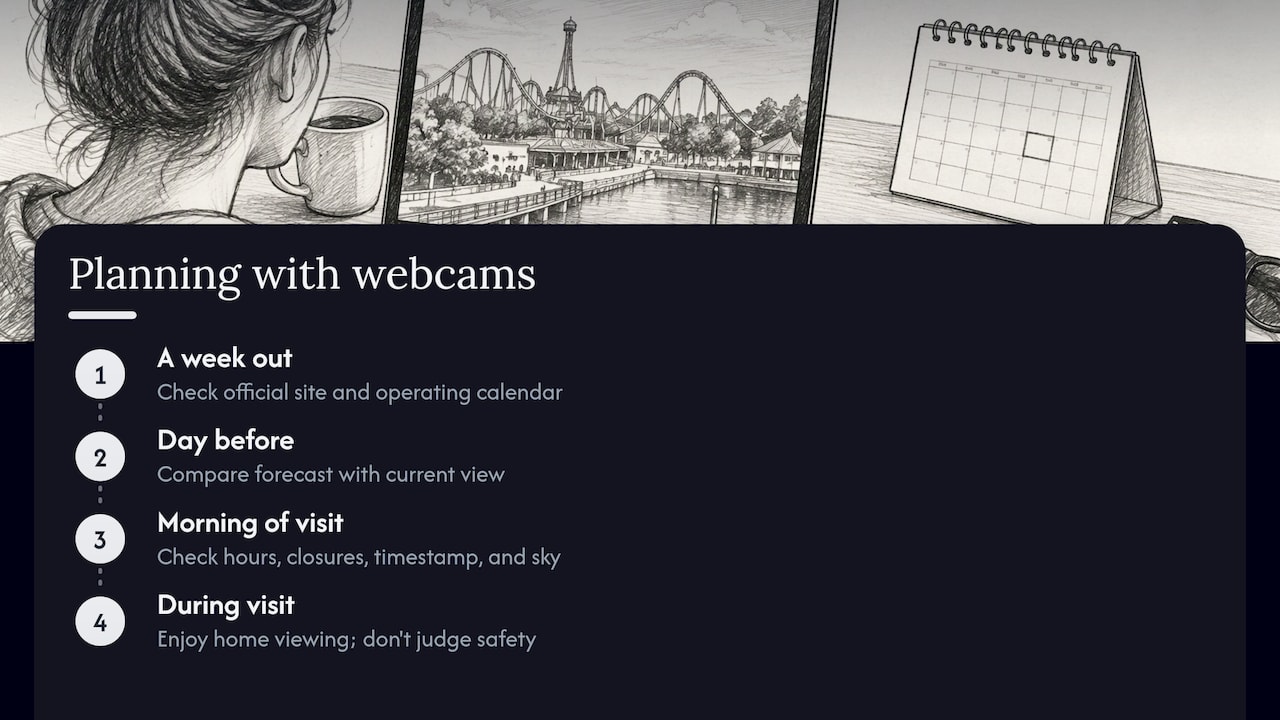
A week out. Look at the park’s official site for camera pages and the operating calendar. Check the general season: is the area warm, wet, snowy? Use a cam to see how the surroundings look, not to make bookings.
The day before. Check the forecast with your usual weather source. Then use a cam to see how the area looks right now. A match between the forecast and what you see gives you a little more confidence. A mismatch is a reason to look at the official sources again.
Morning of the visit. Open the park’s official app or site for hours and closures. Glance at a cam for the sky and the look of the entrance or midway. Check the timestamp.
During the visit. If a cam shows your location, it is fun for a family member at home to see you. Don’t use it to decide anything about safety.
Organizing a larger group? Schools, bands and youth groups often have extra things to sort out, such as tickets, transport and supervision. A theme park group trip planning guide can help with the logistics, while a webcam helps with the weather and atmosphere on the day.
Beyond rides: park-adjacent views
Many of the best “theme park” views are really outdoor attractions. A wildlife park, a boat dock, a mountain resort or an island attraction often has a camera that is more reliable than a busy ride park’s. If your trip includes nature, try browsing related categories. Our guides to island webcams, harbor webcams and national park webcams explain how to read each type. If your route includes the Pacific Northwest, the Mount Rainier webcams give a sense of mountain weather. The U.S. National Park Service source page shows how those cameras are attributed.
Park cams around the world
Theme parks exist on every continent, and many travelers search for the big names in Europe and Asia as well as the United States. One fan site lists Disney cam options worldwide, including views at Disneyland Paris, Hong Kong and Tokyo. Whether any of those are still running is something you’ll need to confirm directly, because access changes. Time zones matter too. A park in Tokyo may be dark while it is morning in New York.
When a park has no official camera, look nearby. A city skyline, harbor or mountain cam often shows the same weather system. We built GlobeWebcams around that idea: search the map, open a place, and compare nearby views.
Find views on GlobeWebcams
GlobeWebcams is a map-first directory of public or authorized webcams, organized by country, category and place. We link back to original providers and apply source-rights, availability and quality checks before publishing a webcam page. We don’t own or operate the cameras. To see how those checks work, read our methodology. To start exploring, use the worldwide webcam map or browse the public webcam directory. You can also read more guides on the GlobeWebcams blog.
A short checklist before you rely on any park cam
- Who runs the camera, and can you reach their page?
- Is there a timestamp, and does it match your clock?
- Is it video or a refreshing still?
- Does the lighting match the time of day?
- Have you checked hours, closures and weather alerts with official sources?
If you can answer those, the camera is doing its job: a quick, honest look at a place you plan to visit.
FAQ
Are there webcams that show inside theme parks?
Some parks publish cameras on their own sites, usually pointed at landmarks such as towers, skylines or midways. Cedar Point’s page, for example, lists three cameras. Coverage varies by park and can change, so check the official site for what is available now.
How do I know if an amusement park live cam is working?
Look for a timestamp and compare it to the current time in the park’s time zone. Reload the page to see if the image changes, and check that the light matches the time of day. A page can stay online while its picture is old.
Can I use a theme park webcam to check crowds or wait times?
A webcam shows only the area in frame, so it gives a rough sense of how busy that spot is. It can’t tell you queue times or capacity. Use the park’s official channels for those, and treat the camera as one signal among several.
Why did a park camera I used before disappear?
Parks can retire, move or replace cameras at any time, and some go quiet in the off-season or during maintenance. Disneyland’s public live cam is one example of a view that is no longer offered. Check the park’s current site or try nearby views.
Are webcam streams the same as live events streamed by parks?
No. A webcam is a camera that keeps pointing at one scene. A live event stream is a produced broadcast where the park or a crew decides what you see. Both can be enjoyable, but only the webcam gives a steady look at conditions.
Sources
- Cedar Point live video page
- Everglades Holiday Park web cam
- Disney In-Park Videos and Streaming, TouringPlans.com Blog
- Disney Parks Rides and Virtual Tour Guide, Disabled World
- Kings Island Live Cam: Real-Time Roller Coaster Views
- Pigeon Forge Webcams and Nearby Gatlinburg and Sevierville
- The Best Disney Webcams, PictureTheMagic.com
Recommended
- Find National Park Webcams Fast: Map Search
- Stadium Webcams: What They Show and How to
- Campground Webcams: How to Find Them and Read
Webcam availability and conditions can change without notice. GlobeWebcams does not operate most listed cameras; feeds and imagery remain under the control of their original providers. Do not rely on webcam imagery alone for weather, road, travel or safety decisions.