Safari Live Cameras: How to Watch Wildlife and Check the Feed
Safari live cameras are remote streams, usually placed at waterholes, hides and lodge viewpoints, that let you watch African wildlife from home. Most are run by conservation groups, reserves and lodges, and many are free to watch. They work best when you treat them as a window onto a place, not a promise of animals. This guide covers where to look, how to start a stream, when to tune in, and how to tell a working feed from a stalled one.
GlobeWebcamsExplore Wildlife Views Around the WorldBrowse public or authorized webcams by location and category, and follow each camera back to its original provider.Explore webcams on the mapTL;DR
- Start with official pages from reserves, conservation groups, lodges and zoos, then open the stream on the provider’s own page.
- Watch during the camera’s local daylight, mornings and evenings especially, but expect quiet stretches at any hour.
- A blank or empty frame does not mean the animals are gone or the park is closed. Check the timestamp and the provider’s notes.
- Use a safari cam to get a feel for a landscape, not to forecast sightings or to decide on weather, roads or safety.
- GlobeWebcams links to the original providers and does not own or operate any of the cameras.
Table of Contents
- What a safari live camera actually shows
- Where to find safari live cameras
- How to start a safari camera stream
- When to watch
- What a quiet feed does and does not tell you
- Using safari cams to plan a trip
- Do safari cams cost anything?
- Finding cameras on GlobeWebcams
- How to judge whether a safari cam is worth your time
- Checking a feed before you trust it
- FAQ
- Sources
What a safari live camera actually shows
A safari cam is a fixed or remotely controlled camera in a spot where animals are likely to pass. The classic setup is a waterhole. Others sit at a river bend, a photographic hide or a lodge deck overlooking open ground. You are not following a vehicle or a guide. You are watching one frame of a large landscape, and the animals decide what happens in it.
That shapes what you should expect. Some of the best moments are slow: birds at the water’s edge, a herd arriving at dusk, an empty plain under shifting cloud. Long quiet periods are normal.
The zoo and wildlife-park version is a little different. San Diego Zoo’s live-camera catalog warns that animals may be indoors or out of the camera’s view. In a managed habitat, the animals choose whether to be seen, just as they do in the wild. If you want more on that category, our guide to zoo webcams explains how to find them.
Where to find safari live cameras
The safest starting points are the people who run the land or the lodge. Conservation organizations, reserves, lodges and zoos have a reason to keep a stream stable, and they usually say who maintains the camera. Here are the types of source worth knowing.
Conservation-led streaming channels
Some conservation groups run several cameras at once and present them as part of their work. Great Plains Conservation’s live wildlife webcam page covers cameras across Botswana, Kenya and Zimbabwe. It frames livestreaming as part of its conservation and community efforts. For a traveler, that framing is useful. You are not just watching a location. You are seeing a camp or reserve and the organization behind it.
Reserve and corporate nature programs
Some landholders put a camera on a protected area and stream it publicly. De Beers Group’s nature page invites visitors to livestream into one of its nature reserves and see which animals they can spot. A source like this tells you who is responsible for the land, which helps when you want to read about the place afterward.
Lodge and camp cameras
Lodges often install cameras at waterholes in front of their camps. A regional tourism association post describes a 24/7 camera at Porini Rhino Camp in Kenya, introduced as a way to see what happens at a waterhole after sunrise or in the middle of the night. These cameras double as a preview for guests, so the framing tends to favor the most scenic spot on the property.
Curated roundups
An editorial list can save you time, but dates matter. Geographical’s guide to webcams for a virtual safari was published in November 2023. It cautioned that many wildlife webcams run only during local daylight hours. A list that old may point to cameras that have moved, changed platform or stopped. Use it to learn the names and locations, then confirm each stream on the provider’s current page.
Beyond Africa
Safari is an African word, but plenty of people who search for it also want other wildlife. Nature organizations run cameras on birds, marine life and North American species. Our guides to wildlife webcams, live nature webcams and sea otter cams cover how to check each type. Lake Norman Wildlife Conservationists, for example, say their osprey and heron cams are seasonal and return when the birds migrate back, which is a reminder that a quiet feed may simply be out of season.
How to start a safari camera stream
Most problems are playback problems, not wildlife problems. Work through these steps in order.
- Open the provider’s camera page. Go to the page of the organization that runs the camera, not a copy or a clip.
- Press play. Then unmute if you want the ambient sound. Many streams start muted.
- Allow embedded content. The Great Plains page notes that its embedded YouTube streams may need you to accept cookies before they load. Other providers use similar embedded players.
- Wait for buffering. Give the player a moment before you decide it is broken.
- Refresh once. Then check your own connection.
- Use the original link. If a directory or listing page shows a blank player, go to the provider’s own page. A directory does not control the third-party stream.
If a feed still fails, try another camera from the same provider or a different one. Remote bush cameras depend on power, connectivity and equipment in isolated places, so they can buffer, stall or go offline. According to the same Great Plains page, that is a reason to try another source, not to assume that the wildlife location is closed.
When to watch
Use the camera’s local time, not yours. Many African locations are several hours ahead of the US time zones, so a late-afternoon coffee break in New York can be night at the waterhole. Check the local time at the camera before you decide it is dead.
Local daylight is the safest bet. Morning and evening are the periods when activity at waterholes is usually described as busiest, but that is a viewing tip, not a guarantee. Weather, season, animal behavior and the camera angle can produce a quiet feed at any hour.
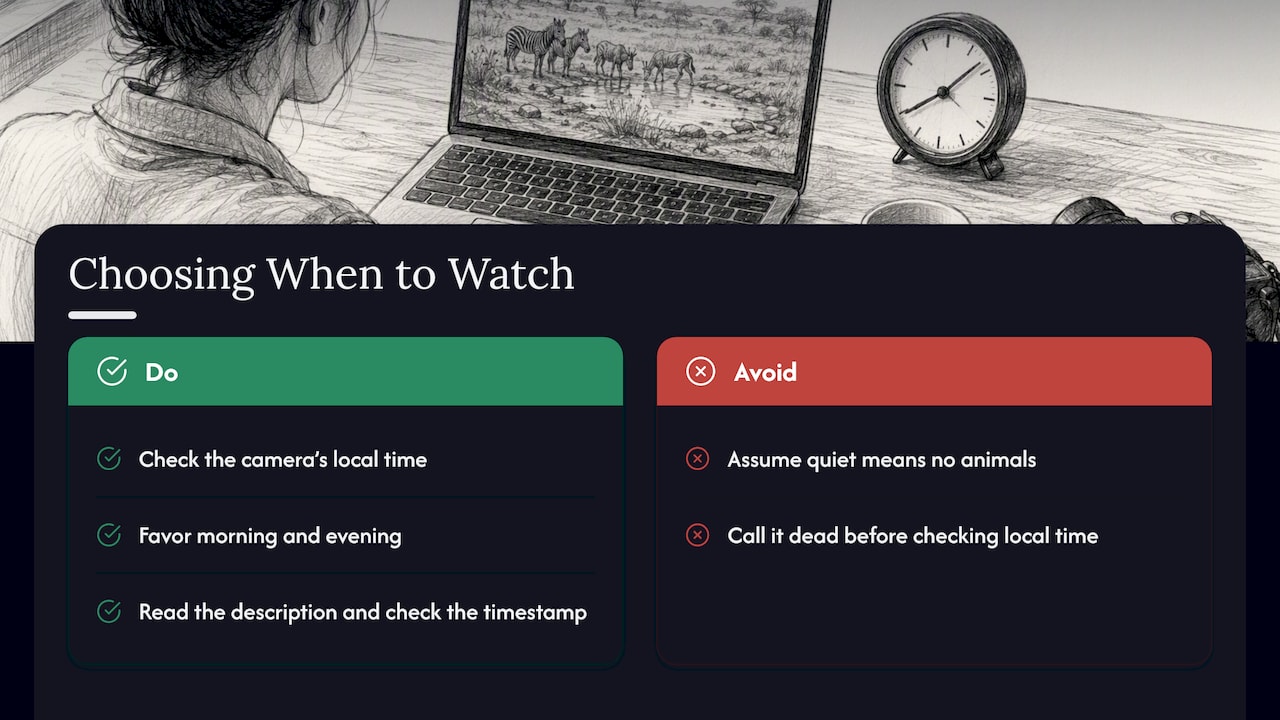
Night is a special case. Some installations use floodlights or infrared, while others go dark or stop streaming after daylight. According to the Geographical guide, many wildlife webcams work only in local daylight. Read the camera’s description and check the timestamp before you conclude that no animals are present.
A simple viewing plan
| Question | What to check |
|---|---|
| What time is it at the camera? | Convert from your time zone before you tune in |
| Is there daylight? | If it is dark there, look for a night-capable feed or come back later |
| Does the provider say the camera is running? | Look for notes, schedules or status messages on its page |
| Is the image moving? | Compare the timestamp or watch clouds, water or leaves for a minute |
| Is it the season? | Dry and wet seasons change where animals gather |
What a quiet feed does and does not tell you
An empty frame is the most common experience, and it is easy to misread. The San Diego Zoo warning about animals being indoors or outside the frame applies broadly: camera placement and the animals’ own choices decide what you see. A quiet picture is not evidence that animals are absent from the habitat.
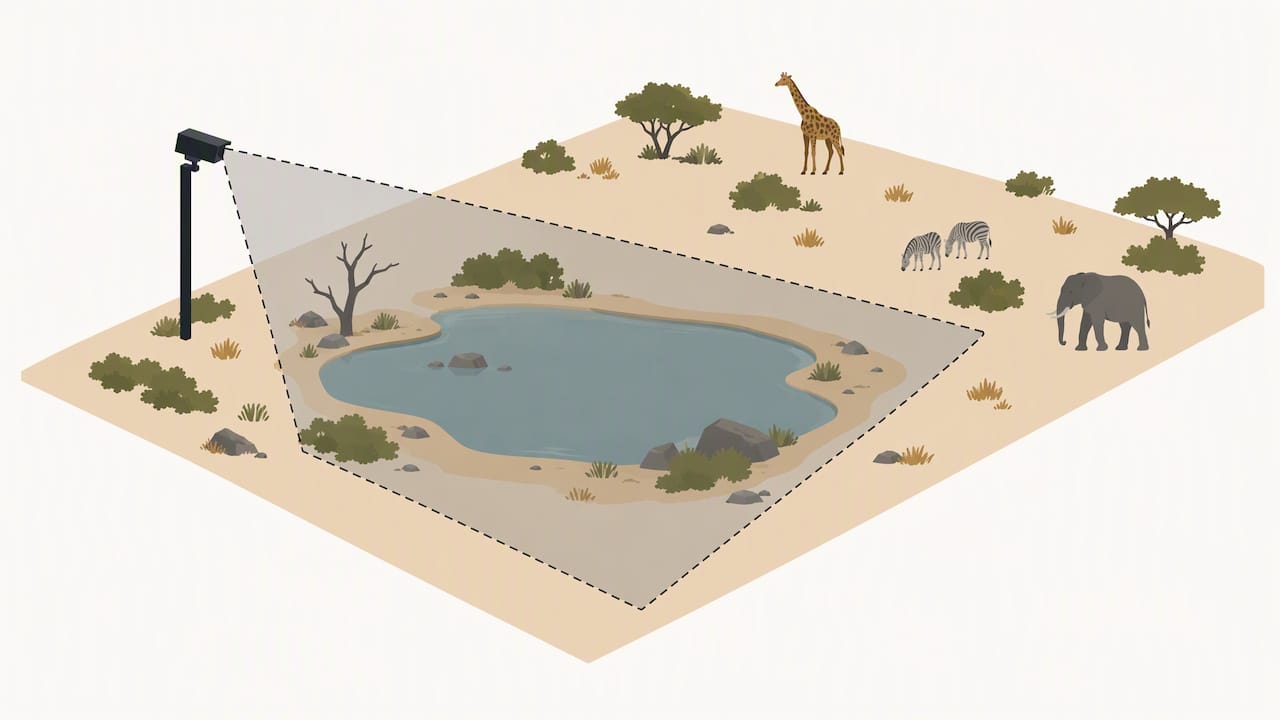
The reverse is also true. One lively waterhole scene tells you nothing about what you will see on a trip next month. A single image is a momentary observation.
Using safari cams to plan a trip
The best use of a safari cam for travel planning is atmosphere and context. You can see the landscape, the layout of a waterhole, how the light falls, how the weather looks and what the place feels like. That helps you decide whether a lodge or reserve appeals to you.
What a camera cannot do is forecast wildlife encounters or confirm conditions. For decisions about weather, roads, park access, health or safety, rely on official park, weather and travel information. Do not use webcam imagery alone for any of them. A camera may be offline, delayed or pointing the wrong way, and the picture may not match conditions a few miles away.
Three practical habits help:
- Watch at different times of day. One look at midday tells you very little about a place.
- Note the setting. Is the camera at a waterhole, a hide or a lodge deck? Each shows a different slice of the area.
- Read about the operator. Find out who runs the land and what they say about visiting. Then check official sources for current conditions.
If you are looking at parks closer to home, our guide to national park webcams shows how to use map search to find views near a destination.
Do safari cams cost anything?
Many public provider streams are free to watch, but terms vary by provider, platform and device. Some apps advertise subscription options. The EarthCam app listing on Google Play mentions one, for example, though pricing and access can change. A directory listing is not a promise of free access, uninterrupted availability or ad-free viewing. Check the original stream page for its current terms.
Finding cameras on GlobeWebcams
GlobeWebcams is a discovery platform. You can browse by location, country, category and source on the worldwide webcam map, or open country pages such as United States webcams and Canada webcams to look at wildlife and scenery near home. Each page links back to the original provider, so you can check the stream’s current status and terms at the source.
We do not own or operate any of the cameras. Before we publish a webcam page, we apply source-rights, availability and quality checks. You can read how in our methodology and see where views come from on the sources page. Availability can change at any time, so a listing here is a starting point, not a statement that a feed is live right now.
How to judge whether a safari cam is worth your time
Not every camera deserves the same trust. Use these criteria.
Who runs it?
A named reserve, conservation group, lodge or zoo is a better sign than an anonymous re-stream. You want to be able to see who is responsible for the picture and where to go with questions.
Is the source the original?
Clips and re-uploads can be old. If the page does not show a live indicator, a timestamp or a link to the provider, treat it as a recording until proven otherwise.
Does it say what it shows?
Good pages name the location, the type of camera and any limits, such as daylight-only streaming or seasonal operation.
Is the picture usable?
Resolution, framing and sound matter. A stable, well-framed waterhole will give you more than a shaky wide shot.
Does it fit what you want?
If you want calm scenery and a sense of place, almost any well-run camera works. If you hope for a particular animal, accept that no feed can promise it.
Checking a feed before you trust it
Here is a quick routine for any safari cam you have not used before.
- Open the provider’s page and look for a status note.
- Look at the timestamp, if there is one.
- Watch for a minute and look for movement in water, grass, clouds or birds.
- Check the local time and daylight at the location.
- If the feed is stuck, try the provider’s other cameras.
We describe this process in more depth in our guide on how to check whether a wildlife feed is live. The rule we follow is simple: a camera is described as live or current only when current source evidence supports it.
FAQ
Where can I watch a safari live?
Start with official pages from conservation organizations, reserves and lodges that run their own cameras, such as the Great Plains and De Beers pages above. Open the stream on the provider’s own page. You can also browse GlobeWebcams by country and category, then follow the link to the original source.
How do I turn on a safari camera?
Open the camera page, press play and unmute if you want sound. Allow embedded content or cookies if the provider asks, since some players will not load without them. If the player stays blank, wait, refresh once, check your connection and use the provider’s original link.
Why is the safari camera quiet or dark?
It may be night at the location, the animals may be elsewhere, or the camera may be offline. Remote cameras rely on power and connectivity, and some stop after daylight. A quiet image does not mean the animals are absent or the place is closed.
Are safari live cameras free?
Many public streams are free, but terms differ by provider, platform and device. Some apps offer paid subscriptions. Check the original stream page for current terms, and do not assume ad-free or uninterrupted viewing.
Sources
- The best webcams for a virtual safari, Geographical
- Live African Wildlife Webcam, Great Plains Conservation
- Live cameras, San Diego Zoo
- Watch nature’s wonders live, De Beers Group
- Porini Rhino Camp 24/7 live camera, ATTA
- EarthCam app listing, Google Play
Recommended
- Wildlife Webcams: Check Whether a Feed Is Live
- Watch Bird Feeder Cams Tonight, Streams, Setup
- Puffin Cams: Seasonal Viewing and How to Verify
- Find Reliable Live Nature Webcams Worldwide: 5
Webcam availability and conditions can change without notice. GlobeWebcams does not operate most listed cameras; feeds and imagery remain under the control of their original providers. Do not rely on webcam imagery alone for weather, road, travel or safety decisions.