Christmas Market Webcams: Where to Watch and Check
The best Christmas market webcams are the ones run by the market itself, the city or its tourism office. They name their camera source, say when they transmit and link to a backup if the image fails. Look for those, check the label and the opening hours, and you will see an actual square instead of a frozen frame. Our Public Webcam Directory and worldwide webcam map let you browse public views by country, category and place, and each page links back to the original provider.
This guide covers where these cameras usually are, what they can and cannot show, how to tell whether a feed is working, how to handle time zones, and how fireworks streams differ from market cameras.
GlobeWebcamsExplore Christmas Markets LiveBrowse public webcam views by place and country to explore destinations and check conditions, with pages linking back to original providers.Explore webcams on the interactive mapTL;DR
- Official market, city and tourism-office pages are the most reliable homes for Christmas market webcams. They tell you who runs the camera and when it transmits.
- Many market cameras only transmit during opening hours, so a dark or still image at midnight local time is normal, not a fault.
- Check three things: a live label, a named camera source and a timestamp or visible motion. Use the provider’s own page as a fallback.
- Convert the market’s local time to yours before you tune in. Central Europe is roughly six hours ahead of U.S. Eastern Time.
- Fireworks are usually official city or event streams on set evenings, not always-on cameras. Find the organizer’s page for the display time.
Table of Contents
- Where to find Christmas market webcams
- What a Christmas market webcam can show
- How to check that a Christmas market webcam is live
- Time zones and seasons
- Using webcams to plan a trip to a Christmas market
- Fireworks webcams: a different kind of feed
- Choosing the best cameras for your purpose
- Where GlobeWebcams fits in
- Etiquette and practical tips
- FAQ
- Sources
Where to find Christmas market webcams
Christmas markets are a European tradition, and the cameras follow the markets. Austria, Germany, Romania and Switzerland all have markets whose organizers or tourism offices run their own camera pages. A few examples show what a good source looks like.
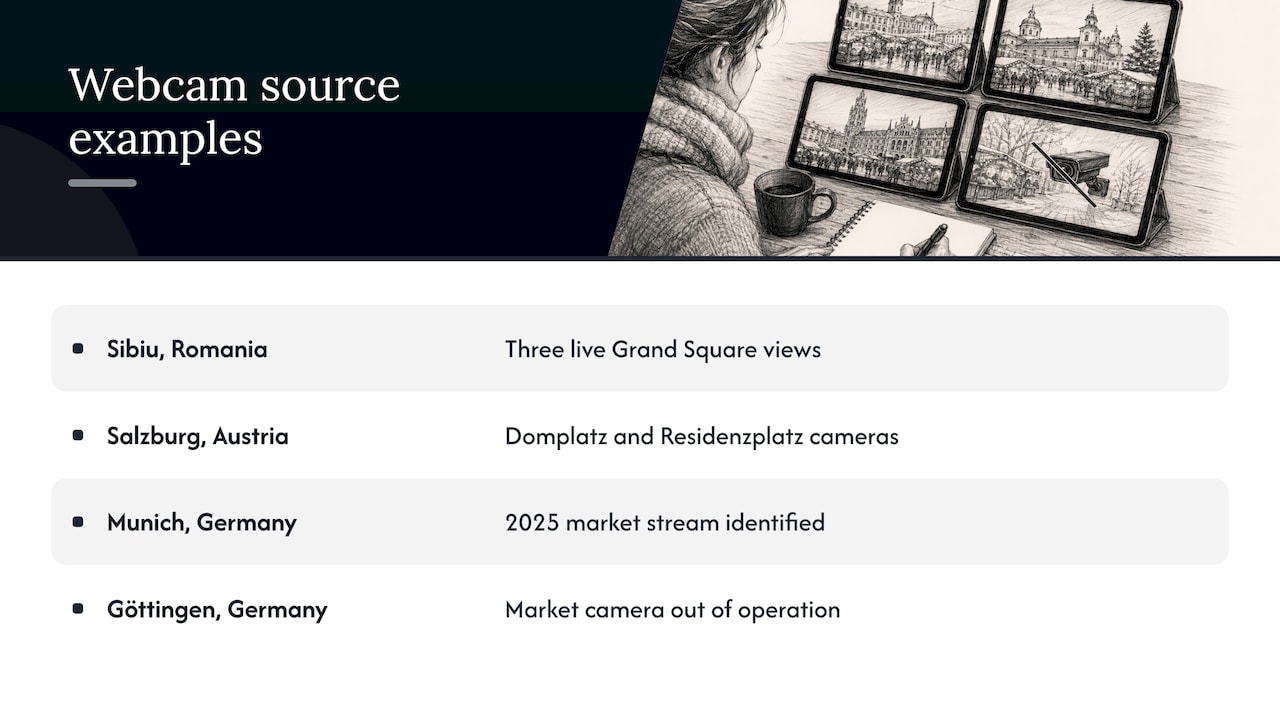
Sibiu, Romania. The official Sibiu Christmas Market website offers three live views of the Grand Square (Piața Mare) and says they show the atmosphere of the fair. The page labels the camera as live, names the Sibiu Municipality as the camera source and links to the municipal site if the embedded image does not load. The market’s 2026-27 listing gives its opening hours as 11:00 to 22:00 on weekdays and 10:00 to 22:00 on weekends.
Salzburg, Austria. The Salzburger Christkindlmarkt has an official webcam page with cameras on Domplatz and Residenzplatz. It says the webcams transmit live during the market’s opening hours. On a phone, you tap the webcam heading to open the view.
Munich, Germany. The Christkindlmarkt München webcam page describes live images of activity at Marienplatz and, at the time of research, identified the stream as the 2025 market stream. That is a useful reminder that a page can outlive its season.
Göttingen, Germany. Göttingen Tourism’s live-camera page says three webcams can show market crowds, atmosphere and weather. It also marks the camera pointed at the Christmas market in front of the Old Town Hall as out of operation. A source that says so openly is one you can trust to be straight about the others.
All four are primary or tourism-office pages. When you search for a market name plus “webcam”, prefer results like these over video channels that repackage a feed without saying where it comes from.
Browsing by place instead of by market
A market camera is usually a town square camera that happens to be pointed at stalls for a few weeks. Outside the season the same camera shows an ordinary square. If you want to see what that looks like, our guide to town square webcams explains what these views show and how to read them. For skyline views of the cities that host big markets, the guide to city skyline webcams covers how to verify the source.
On GlobeWebcams you can start from a country or category page rather than a market name. That helps when you are choosing between destinations for a trip, because one country page puts several places side by side.
What a Christmas market webcam can show
A market webcam is a fixed or slowly moving camera, usually mounted on a building overlooking the main square. Depending on the angle and the hour, you can expect:
- Crowd levels. Göttingen’s tourism page lists crowds as one of the things its cameras can show. Seeing how full a square is at a given local hour helps if you dislike packed stalls.
- Lighting and decoration. Trees, lit facades and stall roofs are what most viewers come for. Evening images show them best.
- Weather at that spot. Snow, rain, fog or clear skies are visible. Göttingen lists weather among the things its cameras show.
- The general atmosphere. Sibiu describes its three views in exactly those terms.
What a webcam cannot show is just as useful to know. A single wide view will not tell you whether a particular stall is open, how long a queue for mulled wine is, or whether the cobblestones are icy under the snow. Treat the picture as a general impression of a place, not as a basis for travel, road or safety decisions. For conditions that affect your journey, use the official forecast, road authority or market notice for that location.
How to check that a Christmas market webcam is live
Not every camera listed on a page is working at the moment you open it. The official pages above show what to look for. Run through these checks in about a minute.
1. Find the label and the camera source
The Sibiu page labels its Grand Square view as live and names the Sibiu Municipality as the source. That pairing of a label and a named operator is what you want. If a page shows an image with no name attached to it, you cannot tell who is responsible for it or where to look when it fails.
2. Check the opening hours
Salzburg ties its transmissions to opening hours. Sibiu publishes its hours too. If you open a market camera outside those hours, a dark scene or an empty square is the expected result. A “live” feed here may be seasonal and event-based rather than running around the clock all year.
3. Look for movement and a clock
Watch for people walking, lights flickering, vehicles or snow falling. A visible timestamp is better still. A frame that has not changed after a minute or two may be stalled or a still image refreshed on a schedule. Some cameras update a photo every few minutes rather than streaming video, which is normal, but it should be described that way on the page.
4. Use the provider’s fallback
Sibiu’s page says that if the embedded image does not load, you can open the camera on the municipal website at sibiu.ro. Other providers do similar things. When a view fails on any page, go to the original provider’s site rather than refreshing a copy elsewhere.
5. Read what the page says about outages
Göttingen marks a market camera as out of operation. That label is a service to viewers. Check the page for such notes before you assume the black screen is your connection.
Our guide to verifying webcam streams goes through the same steps for any public feed, and the methodology page explains how we apply source-rights, availability and quality checks before publishing a webcam page.
Time zones and seasons
Most Christmas markets run from late November or mid-November until Christmas, and some continue into early January. Sibiu’s 2026-27 listing is an example of a longer season that runs from mid-November into early January. Dates change every year, so always confirm on the market’s own page before you plan a viewing.
The time difference matters more than the season. If you are in the United States, a market in Central Europe is roughly six hours ahead of Eastern Time and nine ahead of Pacific Time, and Romania is an hour further ahead. The practical results:
- Evening in Europe is your morning or afternoon. A 7 p.m. glowing-square view in Salzburg is around 1 p.m. Eastern, which is a good time to check it during a lunch break.
- Closing time arrives early for you. Sibiu’s market closes at 22:00 local time, which is mid-afternoon in the U.S. Midwest. After that the camera may show an empty square.
- Opening hours differ by day. Sibiu opens an hour earlier on weekends, and other markets have their own patterns. Check the page for the day you plan to watch.
A simple routine: look up the market’s opening hours, convert the closing time to your zone, and plan to watch in the last two or three hours before closing, when lights are on and crowds are usually at their most visible.
Using webcams to plan a trip to a Christmas market
If you are deciding where to travel, webcams are a good first filter, with limits. Here is a practical way to use them.
- Pick two or three candidate towns. Choose places with an official camera page, so you can compare like with like.
- Watch at the hours you would visit. Check the camera at a weekday afternoon and a weekend evening in local time. You will see how the square feels at each.
- Note the weather pattern. Seeing snow or rain on camera tells you what a particular morning looked like, not what next week will bring. Use an official forecast for planning.
- Confirm everything on the organizer’s site. Opening dates, hours and any closures belong to the market or the city.
- Save the camera page. Many markets keep the same webcam page year after year. A bookmark lets you check again the evening before you travel.
For trips that involve flights or driving, our guides to airport webcam views and bridge webcams show how to find verified sources for the transport side of your plan. Keep in mind that webcam imagery alone should never be your basis for weather, road or travel decisions.
Fireworks webcams: a different kind of feed
The grouped searches for the best fireworks webcams point to a different need. Fireworks are an event, not a scene. Almost no camera is pointed at an empty sky waiting for them, so the dependable way to watch is usually an official stream announced by the organizer.
Three examples show the pattern.
- Washington, D.C. In 2021 the Trust for the National Mall announced that its Washington Monument webcam would carry the July Fourth fireworks, with the display starting at 9:09 p.m. Eastern time and lasting 17 minutes. That is a dated example and not a current schedule. It shows that a fixed landmark camera can double as a fireworks view, and that the start time is published by the organizer.
- Seoul, South Korea. A September 2025 city notice said the World Fireworks Festival would run from 13:00 to 21:30 on September 27 and be streamed live on the Seoul city YouTube channel. Again, it is an example of an official city stream, not a schedule for a later year.
- Sydney, Australia. The official New Year’s Eve site says the fireworks are streamed live on its page at 9 p.m. and midnight, in Sydney time, and that you can watch from anywhere in the world. The same page lists a television broadcast option.
How to tell a fireworks stream is live and right for the display
- Start from the organizer. City, tourism-office or event pages publish the stream link and the time. A search for the event name plus “live stream” usually leads there.
- Read the time zone. Sydney’s page says all events take place in Sydney time. Convert before you tune in, because a midnight display can be a morning or afternoon viewing for you.
- Check the event year. Pages are often left up after the show. If the page names last year’s date, it is the archive, not the next display.
- Arrive early. Streams often begin before the display with ceremony or a countdown. Sydney’s TV broadcast, for example, begins before the first fireworks.
- Expect a single angle or a produced broadcast. A fixed webcam shows one view and no commentary. A produced stream may cut between cameras and add music.
Fireworks are also a poor match for a casual browse of a webcam directory, because the camera that shows a landmark by day may show nothing special at 9 p.m. unless there is a display. For events, go to the organizer’s page first and use webcam pages for the setting around it.
Choosing the best cameras for your purpose
“Best” depends on what you want to see. Use this as a quick guide.
| You want | Look for | Check |
|---|---|---|
| Atmosphere and decorations | A square camera facing the main tree or stalls | Evening local time, market opening hours |
| Crowd levels | A wide view from a height | Weekday versus weekend, hours before closing |
| Snow and weather at the market | A camera on the open square | A visible timestamp, movement, then an official forecast for planning |
| A fireworks display | An official event stream | Event year, local start time, time zone |
| A cozy background view | A stable stream with a named source | That the page says it is live and names the operator |
A camera with multiple angles, like Sibiu’s three Grand Square views, lets you compare the same square from different points. A page that lists several cameras and flags a broken one, like Göttingen’s, saves you a wasted visit.
Where GlobeWebcams fits in
GlobeWebcams is a webcam discovery platform: it helps you explore public or authorized webcams by location, country, category and source. We do not own or operate the cameras. Each page links back to the original provider, and we apply source-rights, availability and quality checks before publishing a webcam page. If you are looking for a square, a landmark or a winter view in a particular country, start from the Public Webcam Directory, the United States webcam page or the interactive map. If you are interested in how a source’s cameras are catalogued, see for example our page on Foto-Webcam.eu or Fintraffic weather cameras.
Whenever you use a page there, the provider’s own site remains the place to confirm whether a feed is working right now.
Etiquette and practical tips
- Respect the source. The camera belongs to the market, city or provider. Link to it rather than copying images.
- Mind your data. A continuous stream uses mobile data. Use Wi-Fi for long viewing sessions.
- Expect gaps. Seasonal cameras can be switched off for maintenance or closed days, and some are marked out of operation.
- Do not rely on a view for safety. For ice, road or travel conditions, use the official authority for that area.
FAQ
Are Christmas market webcams live all day?
Not always. Salzburg’s official page says its webcams transmit live during the market’s opening hours. Check the market’s hours, convert them to your time zone and expect a dark or empty scene outside them.
How do I know a Christmas market webcam is working?
Look for a live label, a named camera source and visible movement or a timestamp. The Sibiu page, for instance, names the Sibiu Municipality as its source and links to the municipal site if the embedded view fails. If a page says a camera is out of operation, as Göttingen’s does for one camera, believe it.
What is the best time to watch a Christmas market webcam from the U.S.?
For Central European markets, late morning to mid-afternoon Eastern Time matches their evening, when lights are on and the market is open. Confirm the market’s local hours on its own page, since they differ by day and by town.
Where can I watch fireworks on a webcam?
Start with the organizer’s page for the event. Washington, Seoul and Sydney have all published official streams for their displays, with the start time and time zone on the page. Make sure the page is for the current year, because older announcements stay online.
Can I use a webcam to decide whether to travel to a market?
It helps you judge the atmosphere and the general look of a square. For weather, roads and any safety decision, use the official forecast or the authority responsible for that area, and confirm dates on the market’s own website.
Sources
- Sibiu Christmas Market 2026, Grand Square (Piața Mare)
- Webcams, Salzburger Christkindlmarkt
- Christmas Market Webcam, Christkindlmarkt München
- Live-Cams, Göttingen Tourism
- Trust for the National Mall: #MonumentCam is live for July Fourth
- Seoul Metropolitan Government: World Fireworks Festival notice
Recommended
- Town Square Webcams: What You Can See and How
- Webcam Streams Online: How to Find, Watch and
- Rainforest Webcams: Where to Watch and How to
Webcam availability and conditions can change without notice. GlobeWebcams does not operate most listed cameras; feeds and imagery remain under the control of their original providers. Do not rely on webcam imagery alone for weather, road, travel or safety decisions.