4K Live Webcams: What 4K Means and How to Find Sharp Views
A 4K live webcam captures 3,840 by 2,160 pixels, about four times the detail of Full HD. But most live streams you watch online go out at a lower resolution, so the sharpest view is not always the one labeled 4K. What you actually see depends on the camera’s sensor and lens, the light, the provider’s upload connection and your own screen and bandwidth. This guide explains each of those in plain terms, so you can judge a view before you rely on it for a trip, a hike or a day at the beach.
GlobeWebcams is a map-first directory of public or authorized webcams. We link every page back to the original provider, so you can check the stream’s resolution and status at the source. Browse by country, category or place from the worldwide webcam map.
GlobeWebcamsglobewebcams.comFind Clear Views Around the WorldExplore public or authorized webcams by location and category, then check the live view at its original source.Explore webcams on the interactive mapTL;DR
- 4K means 3840×2160 pixels, four times the pixels of 1080p Full HD. More pixels only help if the lens, sensor and light are good.
- Smooth 4K playback needs roughly 15 to 25 Mbps of download speed. Many live platforms cap at 1080p, so true 4K live feeds are uncommon.
- A sharp 1080p picture from a good sensor in good light often beats a noisy 4K one. Judge a view by detail, motion and timestamp, not by the label.
- Use webcams to get a feel for a place. Do not rely on webcam imagery alone for weather, road or safety decisions.
Table of Contents
- What 4K means for a live webcam
- Why true 4K live streams are uncommon
- What you need to watch 4K smoothly
- Sharp does not always mean 4K
- What you can watch, and what to use it for
- How to check that a feed is genuine and current
- Finding webcams with GlobeWebcams
- Using webcams in trip planning
- Choosing the best view for your screen and connection
- Common questions about 4K webcam quality
- FAQ
- Sources
What 4K means for a live webcam
4K, also called Ultra HD, is a resolution of 3840×2160 pixels, compared with 1920×1080 for Full HD. The name comes from the roughly 4,000 pixels across the width. In practice that means a distant mountain ridge, a harbor full of boats or a street crossing can show finer detail when you zoom in or watch on a large screen.
Two terms are worth knowing:
- Resolution is how many pixels make up each frame.
- Frame rate is how many frames appear per second. Higher rates look smoother when things move, such as waves, traffic or birds.
Resolution is also not the only thing that decides sharpness. One manufacturer guide notes that lens quality, sensor performance, lighting, frame rate, image processing and network bandwidth all affect the image you end up with. A live camera is a chain, and the weakest link sets the quality.
Capture resolution is not stream resolution
A camera can record in one resolution and a platform can deliver another. Video-conferencing guidance makes the same point: capture and stream resolution are separate. A review of streaming webcams adds that major streaming platforms cap ingest at 1080p, so a 4K camera often serves as headroom for cropping and reframing rather than delivering 4K to the audience.
For a scenic or weather webcam, the same logic applies. A provider may use a high-resolution camera but publish a smaller image or video to keep the page fast and the bandwidth bill manageable. That is a normal choice, not a flaw.
Why true 4K live streams are uncommon
The reason is cost, for the provider and for you. According to a live-streaming engineering write-up, 4K has four times the pixels of 1080p and needs roughly three times the bitrate. Add 60 frames per second and the demand is about five times that of a 1080p, 30 fps stream. That is why most livestreams stay at 1080p.
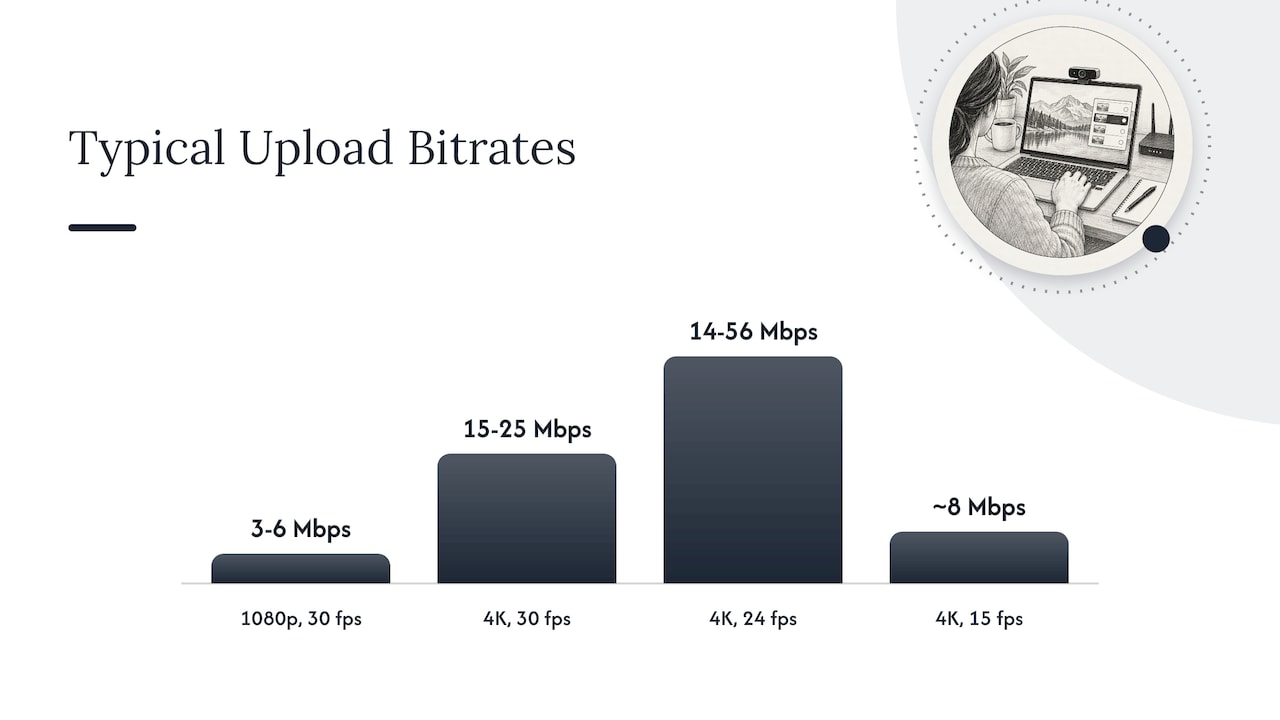
The numbers differ by source, because they depend on compression and the scene. Some typical figures for upload (the provider’s side):
| Resolution | Typical bitrate range | Source |
|---|---|---|
| 1080p at 30 fps | 3 to 6 Mbps | Callaba guide |
| 4K at 30 fps | 15 to 25 Mbps | Callaba guide |
| 4K at 24 fps | 14 to 56 Mbps upload | Cloudflare documentation |
| 4K at 15 fps | about 8 Mbps upload | HDOnTap FAQ |
The spread is wide on purpose. Frame rate, compression and how much moves in the scene all change the number. A still view of a mountain at 15 fps needs far less than a busy city square at 30 fps.
One more detail: 4K relies on modern codecs. A pro-video guide says it typically uses HEVC (H.265) or AV1, which all hardware in the chain must support. A codec is the method used to compress video. If your older phone or browser does not support it, a 4K stream may stutter or not play.
Many live platforms also use simulcast, which means sending several quality levels at once so viewers on slower connections automatically receive a lower layer. If a stream says 4K but looks softer on your phone, this is often why.
What you need to watch 4K smoothly
You do not need a studio setup, but you do need three things.
- Bandwidth. A manufacturer guide puts smooth streaming at about 5 Mbps for 1080p and around 25 Mbps for 4K. A Wi-Fi connection shared with other video users may fall short of that.
- A capable device. Older laptops and some phones struggle to decode 4K. If the video drops frames, lower the quality in the player settings.
- A display that benefits. On a phone, the screen downsamples the image, so you may not see the difference. A large monitor or TV shows it best.
If you travel, remember hotel and mobile connections vary. For a quick look at a beach or a trailhead, a lower resolution loads faster and tells you what you need.
Sharp does not always mean 4K
A common mistake is to assume the biggest number is the best picture. Testers of streaming cameras say frame rate often matters more than resolution, and that a well-lit 1080p image from a good sensor beats a poor 4K one. A camera maker’s testing guide agrees that sensor size, autofocus and aperture shape the result, and that a clean 1080p picture beats a noisy 4K picture when light is the bottleneck.
Another provider of live webcam hosting makes the same point: a low-quality lens or smaller sensor will give a lower-quality image regardless of resolution. For outdoor cameras, this shows up as:
- Dawn and dusk: small sensors turn grainy and detail disappears, however many pixels there are.
- Rain, fog and spray: a droplet on the lens or a hazy sky hides detail at any resolution.
- Distance: a wide view of a valley shows less per object than a close view of a fountain, even at the same resolution.
- Motion: waves, snowfall and traffic look smoother at higher frame rates.
So when you want a sharp view, look for a stable picture with clear edges, steady colors and natural motion. Those traits tell you more than a label.
What you can watch, and what to use it for
Most people looking for 4K live webcams want one of a few things: a scenic view, a place to explore before a trip, or a look at local conditions. Webcams cover all of these, and the resolution varies by provider and by camera.
Landscapes and national parks
Protected areas often publish cameras at lakes, entrances and overlooks. The Crater Lake webcams cover the lake, entrance and headquarters, which gives you a sense of the setting and the season before you drive up. The Superior, United States webcam page is another example of a place-based page. To see what else is covered in the country, start with the United States webcams page.
Weather, roads and bridges
Weather services and road agencies run many cameras to document conditions at specific points. GlobeWebcams lists cameras from sources such as the Deutscher Wetterdienst open data webcams, for example Offenbach and Rostock-Warnemünde, and from the Fintraffic weather cameras in Finland. Norwegian road cameras include Hitra and Furuset. For bridges, see our guide to bridge webcams.
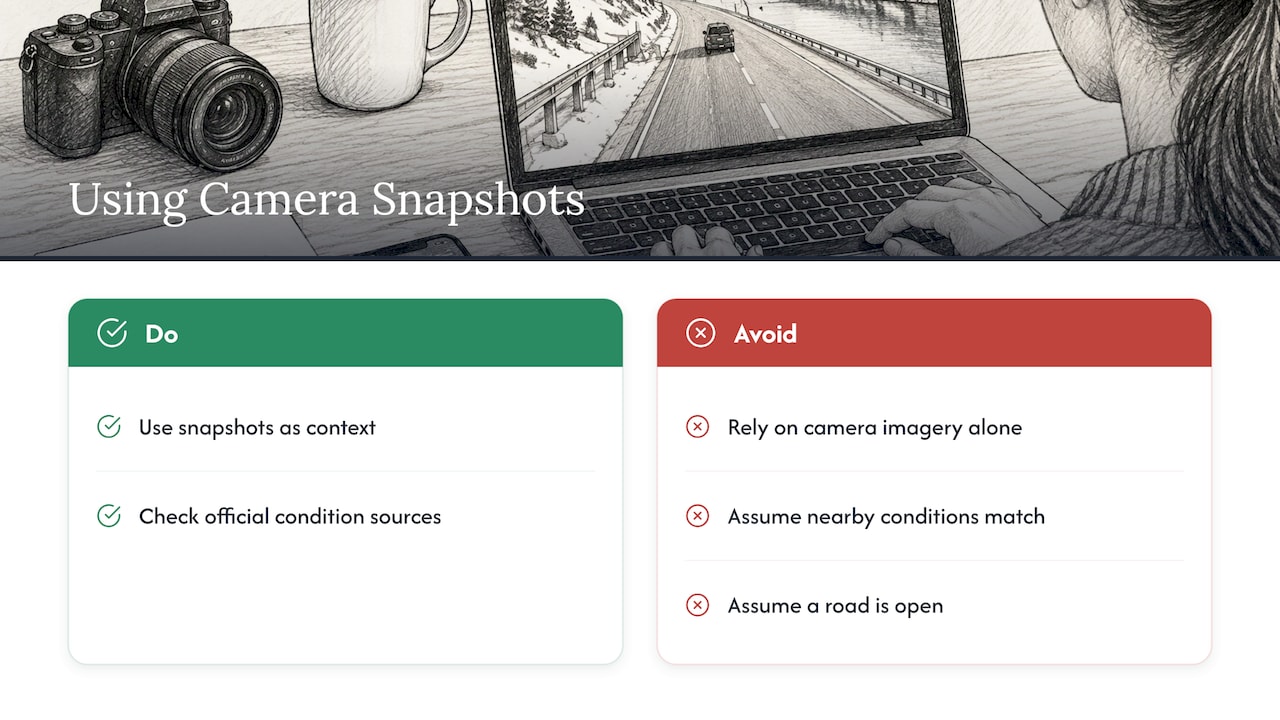
A road or weather camera is a snapshot of one spot at one time. It cannot tell you about conditions a few miles on, about what is coming, or whether a road is open. Use it as context, and check the official forecast, road-condition service or park notice for the decision itself.
Coasts, water and wildlife
Coastal and underwater cameras depend on daylight, tides and weather, and some run on schedules. Our guide to underwater webcams explains sources and schedules. A coastal example from Spain is the Cabo do Mundo webcam, and the Iceland webcams page gathers views from a country known for fast-changing weather.
The resolution of any of these pages is set by the original provider. That is why each GlobeWebcams page links to its source.
How to check that a feed is genuine and current
A view that looks sharp is not necessarily live. Run through this short routine.
- Look for a timestamp. Many cameras overlay the date and time. Compare it with the time at the location, and allow for time zones.
- Check for motion. Clouds, shadows, vehicles, water and people should move. A frozen frame, or a loop that repeats, suggests the feed is stale.
- Match the light to the hour. If it is midday where the camera is and the picture shows night, something is off.
- Open the original provider. The source page usually states whether it is a live video stream or an image that refreshes every few minutes, and its stated resolution.
- Compare with an official source. For weather and roads, see whether the forecast or the road agency’s report fits what you see.
A still image that refreshes every few minutes is not a lesser product. For a weather or road spot, it can be exactly the right tool. It just is not video, and should not be described as 4K video.
Finding webcams with GlobeWebcams
GlobeWebcams is a discovery platform. We do not own or operate the cameras, and each page points to the provider that does. Before publishing a page, we apply source-rights, availability and quality checks, which means we work with public or authorized sources and do not treat every publicly accessible camera as reusable content.
To find a view:
- Open the worldwide webcam map and zoom to a region.
- Or browse the full public webcam directory by country, category or place.
- For a plain overview of how streams work and how to find them, read our guide to webcam streams online.
From each page, go to the original provider to see its current stream, resolution and terms.
Using webcams in trip planning
Webcams earn their place in planning in a few simple ways:
- Seeing the setting. A look at a harbor, a lake or a city square shows the scale and character of a place better than a photo from years ago.
- Spotting patterns. Watching a view at different hours shows how crowded, bright or windy it tends to be.
- Choosing a time. If you want clear views of a mountain, checking whether it is often hidden by cloud at your target hour helps you pick a day.
- Reading the season. Snow cover, foliage and water level show what the landscape looks like at different times of year.
There is a boundary. A webcam shows what a lens captured, not what is safe. Do not rely on webcam imagery alone for weather, road, travel or safety decisions. Check the official forecast, the road authority’s report or the park’s notices before you set out, and again on the day.
If you are comparing places, keep a short list. Note the hour, what you saw and which provider ran the camera. A pattern over several visits is more useful than a single glance.
Choosing the best view for your screen and connection
A simple way to decide what to watch:
| Your situation | What to aim for |
|---|---|
| Phone on mobile data | A lower-resolution stream or a refreshing image. It loads fast and the screen will not show more. |
| Laptop on home Wi-Fi | Full HD where offered. It is sharp on a laptop and reliable on most connections. |
| Large monitor or TV with a fast connection | The highest resolution the provider offers. This is where 4K shows. |
| Checking weather or roads quickly | The most recently updated image, with the timestamp. Freshness beats detail. |
If a video stutters, lower the quality in the player, close other streaming apps and try again. If the stream is not available, the provider may have it offline for maintenance or weather. Return later or try another camera in the same area through the directory.
Common questions about 4K webcam quality
People often expect 4K to fix every problem. It does not fix glare, fog or a dirty lens. It does not fix a slow connection, either. And a live platform can lower the quality it sends to you to keep playback smooth.
It also helps to separate two kinds of 4K. A view labeled 4K on a provider’s page describes what the source says it offers. What reaches your screen depends on the stream, the player and your network. If the two differ, the difference usually comes from one of those steps, not from the place you are watching.
FAQ
Are there really live webcams in 4K?
Yes, some providers publish 4K streams, but they are less common than 1080p because 4K needs roughly three times the bitrate. Resolution is set by the camera’s owner. Open the original provider’s page to see what it offers.
How fast does my internet need to be for 4K video?
One manufacturer guide gives around 25 Mbps for 4K and about 5 Mbps for 1080p. Other guides give ranges, from about 15 Mbps up, depending on frame rate and compression. Shared Wi-Fi can lower what you actually get.
Why does a 4K webcam look blurry?
The cause is often the lens, the sensor or the light, not the resolution. A small sensor or low-quality lens gives a poor image whatever the pixel count. Rain, fog, distance and a platform lowering quality for your connection also soften the picture.
Can I use a webcam to decide if the weather or road is safe?
Use it as context only. A webcam shows one place at one moment. For decisions, check the official forecast, the road authority and any park or local notices.
Does GlobeWebcams own the cameras?
No. GlobeWebcams is a discovery directory. Each page links to the original provider, which owns and operates the camera.
Sources
- BenQ: differences between 4K and 1080p webcams
- Yealink: what is a 4K webcam
- Insta360: why you need a 4K conferencing camera
- gagadget: 5 best webcams for streaming in 2026
- Stream: the engineering behind 4K 60 fps livestreaming
- Callaba: webcams for streaming
- Cloudflare Realtime docs: video resolution and simulcast
- HDOnTap streaming FAQs
- AVer: choosing between 4K and 1080p
- Yololiv: best 4K webcams tested
Recommended
- City Landmark Webcams: How to Find and Judge Them
- Verify City Skyline Webcams in One Click
- River Webcams Live: How to Find Views Worth…
- Town Square Webcams: What You Can See and How…
Webcam availability and conditions can change without notice. GlobeWebcams does not operate most listed cameras; feeds and imagery remain under the control of their original providers. Do not rely on webcam imagery alone for weather, road, travel or safety decisions.